
Livraison le jour même ou le lendemain

Qualité garantie

Débloquez vos offres de bienvenue: Livraison GRATUITE | Jusqu'à -80 % | 30 jours d'essai gratuits à JoyPlus
Téléchargez l'application
Finding the perfect balance between a smartphone's portability and a laptop's power can be a challenge. This is where the Android tablet with a keyboard comes into play. This versatile device has established itself as the ideal solution for students, mobile professionals, and families. But with an overwhelming number of options on the market, it's hard to know where to start.
This guide is here to help you see things more clearly. Our mission at Joybuy is to give you the keys to choosing the device that’s truly right for you, cutting through the marketing jargon.
Before we dive into our top picks, let's review the key criteria for making the right choice.
Screen size is the first factor that affects your daily comfort. A 12-inch tablet or larger ensures a comfortable workspace for multitasking and a much more immersive experience for your movies and TV shows. Resolution is just as crucial: a Full HD (1920x1080) screen is a good starting point, but a 2K panel offers superior sharpness, which is a definite plus for reading and watching videos. Finally, a 90?Hz or 120?Hz refresh rate results in smoother navigation and better touch responsiveness.
A high-performance tablet relies on a balanced trio:
Battery life is crucial for a portable device. A battery of 8000?mAh or more ensures a full day of mixed use without needing to hunt for an outlet. Opting for a tablet + keyboard bundle is often the smartest move. This guarantees perfect compatibility and a cohesive design, all at a price that's often more attractive than buying the items separately. The inclusion of a mouse and a protective case in the box is always a welcome bonus.
Here are three models that stand out for their specs and market positioning, designed to meet very specific needs.
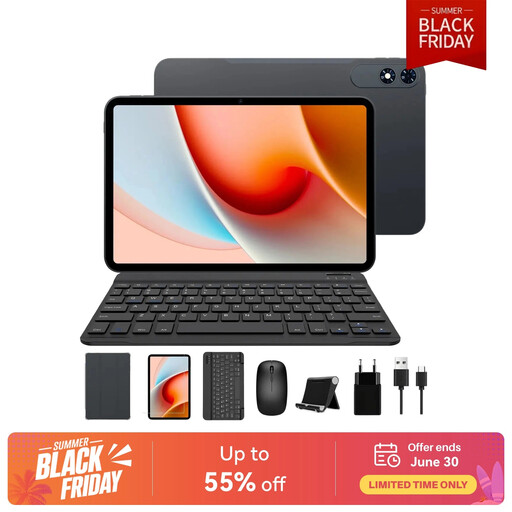
Why it stands out The TABWEE T60Pro goes all-in on immersion and power. Its massive 13.4-inch screen, paired with a 120?Hz refresh rate, makes it a prime tool for multitasking and content viewing. Its hardware configuration is built for long-term performance.
Key Features:
Who is it for? Ideal for professionals and creatives who need a large screen to work across multiple windows, or for families looking for a true portable cinema screen.
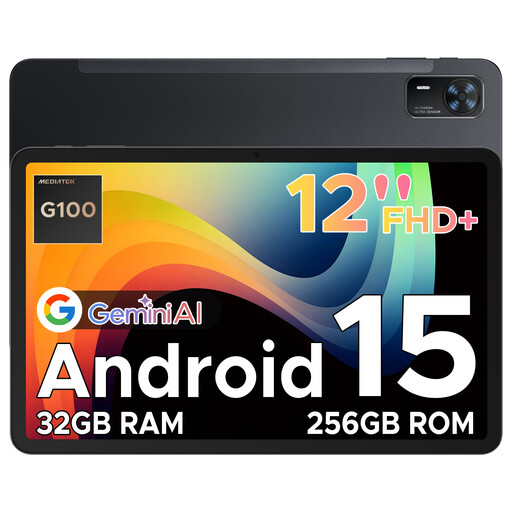
Why it stands out The DOOGEE Tab E3+ shines with its versatility and connectivity. Thanks to its SIM card slot, it guarantees a constant internet connection wherever you are, without relying on Wi-Fi. Its 12-inch format and slim design make it an excellent travel companion.
Key Features:
Who is it for? Perfect for mobile professionals, sales representatives, or students who are frequently on the move and need constant access to their emails, online courses, and cloud documents.
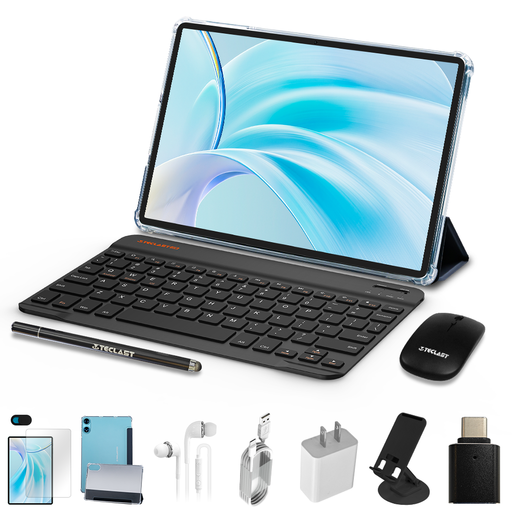
Why it stands out The TECLAST P50 is the quintessential budget-friendly Android tablet that doesn't sacrifice the essentials. It offers a complete and cohesive package, including all the accessories to be productive right out of the box, all at a very competitive price.
Key Features:
Who is it for? An excellent option for a student looking for their first device for note-taking, or as a secondary tablet for the family, perfect for web browsing, emails, and streaming.
Manufacturer's Note: For safe use, please charge the device with the provided or compatible cables and adapters. Avoid humid environments and do not expose the tablet to extreme temperatures. Use by young children should be supervised by an adult.
The amount of storage and RAM you choose depends entirely on your usage. If the models presented don't check all your boxes, other options are of course available.
? Explore our selection of tablets by RAM and storage
For many everyday tasks, the answer is yes. An Android tablet with a keyboard will perform wonderfully for writing documents, managing emails, browsing the web, video conferencing, and watching media. However, for very specific or resource-intensive software (advanced video editing, 3D modeling, development), a laptop remains essential.
A recent version of Android (like Android 15 or 16) is a guarantee of security and longevity. It brings security patches, new features (like better multitasking management), an optimized interface, and increased compatibility with the latest apps on the Play Store. It's a criterion that should not be overlooked to ensure the software lifespan of your device.
Buying a tablet + keyboard bundle is almost always more advantageous. Financially, the bundle is more economical. On the practical side, it guarantees perfect compatibility and a cohesive design between the tablet and its accessory. Buying separately offers more choice but exposes you to risks of connection or fit issues, not to mention an often higher total cost.