
Livraison le jour même ou le lendemain

Qualité garantie
Téléchargez l'application
Catégories
With the proliferation of mobile devices, finding the right tool for your needs can be a complex task. The Android tablet with a keyboard has emerged as a versatile solution, bridging the gap between the portability of a smartphone and the productivity of a laptop. For students, mobile professionals, or families, it represents a smart investment. The challenge is to select a model that strikes the right balance between performance, features, and budget, without being swayed by sometimes misleading marketing claims.
As a Product Recommendation Manager at Joybuy, my role is to provide you with clear benchmarks to help you make an informed decision, based on the objective features of the products available on the market.
Before diving into specific models, it's helpful to understand the key technical specifications that will make a real difference in your daily use.
Performance for Versatility : The responsiveness of a touchscreen tablet largely depends on its RAM (Random Access Memory). For comfortable use (browsing, office tasks, streaming), a baseline of 8 GB of RAM is recommended. Many recent models feature virtual RAM expansion technology, which allocates a portion of the storage to assist the physical RAM. This is a significant advantage for multitasking. Also, consider connectivity : a 4G tablet or one with Wi-Fi 6 support will ensure a stable and fast connection, whether you're at home or on the go.
Ecosystem and User Experience : One of Android's key advantages is its flexibility. Some manufacturers enhance the experience with a "PC Mode," which transforms the interface to mimic that of a desktop computer. This feature is especially relevant for a tablet for work, as it optimises the use of a keyboard and mouse, making it easier to manage multiple windows.
The Value of a Complete Bundle : Opting for a tablet and keyboard bundle is often more cost-effective and convenient than buying accessories separately. This ensures perfect compatibility and allows you to be productive right out of the box. A bundle that also includes a stylus, a mouse, and a protective case represents excellent value for money.
Here are a few options that stand out for their technical specifications and price points, catering to a wide range of users.
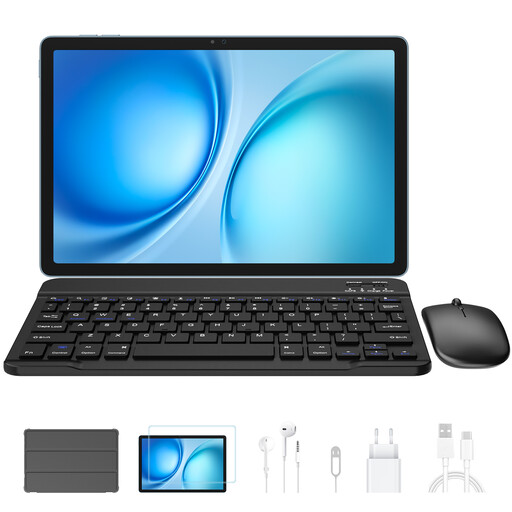
Why we recommend it : The Blackview Zeno 10 is a model that checks a lot of boxes for mixed-use scenarios. Its 11-inch 2K display with a 90 Hz refresh rate provides a pleasant viewing experience, whether you're working on documents or enjoying entertainment. The inclusion of PC Mode, dual 4G SIM support, and a complete bundle (keyboard and stylus) makes it a ready-to-use solution for mobility.
Pros :
Who is this product for? Ideal for a student or a professional looking for a high-performance, versatile tablet for work without wanting to invest in a laptop. Its form factor and accessories make it an excellent travel companion.
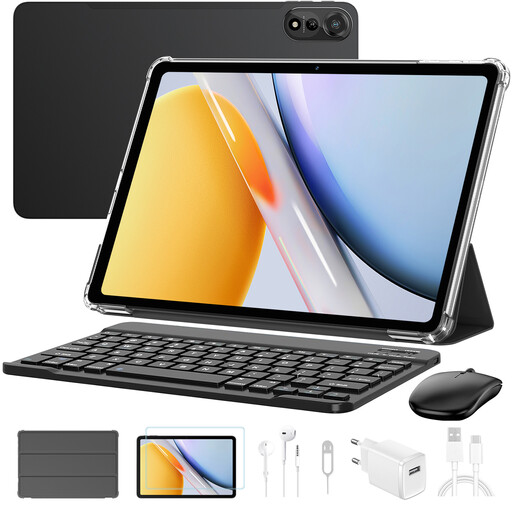
Why we recommend it : With its 12-inch screen, the Blackview Mega2 is aimed at those who prioritise screen real estate. It is particularly well-suited for intensive multitasking, thanks to a generous amount of RAM and Wi-Fi 6 connectivity. The accessory bundle is one of the most comprehensive on the market, even including a mouse and earphones.
Pros :
Who is this product for? This model is perfect for users who need a large screen for work (spreadsheets, presentations) or entertainment (movies, games). It's a credible alternative to a small laptop for stationary or semi-mobile use.
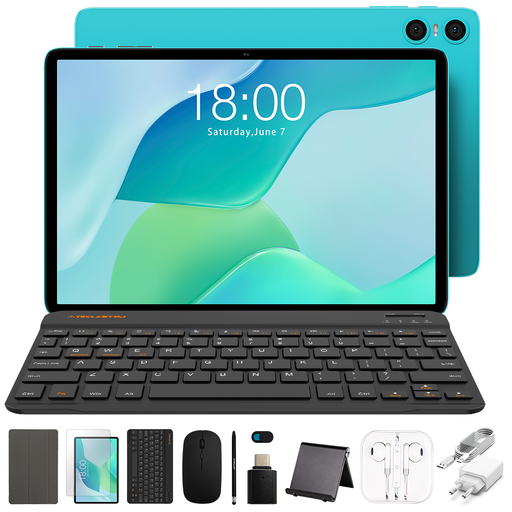
Why we recommend it : The Teclast P33 positions itself as a budget-friendly tablet that doesn't compromise on accessories. For a very accessible price point, it offers a complete ecosystem with a dozen accessories. Its specifications are sufficient for everyday tasks like web browsing, checking emails, and watching videos.
Pros :
Who is this product for? Perfect for families looking for a secondary tablet, for students on a tight budget, or for anyone who needs a secondary device for simple tasks. It's an accessible entry point into the world of productivity tablets.
If handwritten note-taking or drawing is central to your workflow, a tablet with a stylus designed specifically for these tasks may be a more suitable alternative. These models often feature more sensitive digitiser technologies for enhanced precision.
Discover our selection of Tablets with a Stylus.
For the vast majority of uses (office work, web browsing, email management, video conferencing, media consumption), the answer is yes. Models equipped with a "PC Mode" and a full accessory bundle offer an experience very close to that of a laptop, with the added benefits of greater modularity and a touchscreen. For highly specialised software or extreme power requirements (professional 4K video editing, complex 3D modelling), a dedicated computer remains the more suitable choice.
RAM (Random Access Memory) is essential for multitasking. The more you have, the more applications you can run simultaneously without experiencing slowdowns. A tablet with 8 GB of RAM or more, especially if it benefits from virtual expansion technology, will deliver a smooth and responsive experience, even with multiple browser tabs and apps open.
Choosing a bundle offers two major advantages. The first is cost-effectiveness : the package is almost always cheaper than buying each item individually. The second is guaranteed compatibility. The keyboard is perfectly fitted to the tablet, and all accessories are designed to work together seamlessly without complex setup. It saves you both time and money.