
Livraison le jour même ou le lendemain

Qualité garantie

Débloquez vos offres de bienvenue: Livraison GRATUITE | Jusqu'à -80 % | 30 jours d'essai gratuits à JoyPlus
Téléchargez l'application
Finding the ideal device that combines the portability of a tablet with the efficiency of a laptop isn't easy. Yet, for students, professionals on the go, or even the whole family, the Android tablet with a keyboard stands out as a versatile and often more affordable alternative. It allows you to switch from taking notes in a meeting to an HD streaming session on the sofa, all without changing devices.
This guide is here to help you see things more clearly, outlining the essential criteria to consider and featuring a selection of models that stand out for their excellent value and features.
Before you take the plunge, it's essential to understand the features that will truly make a difference in your daily use. Here are the key points to watch for to find the high-performance, budget-friendly tablet that's right for you.
This is the element you'll interact with constantly. An 11-inch tablet offers an excellent compromise between viewing comfort and portability. For multitasking enthusiasts or movie lovers, a 12-inch tablet will be much more comfortable. In terms of resolution, aim for at least Full HD (1920x1080) to enjoy quality HD streaming. Finally, don't overlook Widevine L1 certification: it is essential for accessing high-definition content on platforms like Netflix or Prime Video.
A tablet's smoothness depends on its processor and RAM duo. A baseline of 8 GB of RAM is a good starting point for versatile use. More and more models offer virtual RAM expansion, a software trick that borrows a portion of the storage to make multitasking smoother. As for the battery, aim for at least 8000 mAh to ensure you have a tablet with great battery life, capable of lasting a full day of mixed use without fail.
Being able to connect anywhere is a key factor. A 4G tablet gives you complete freedom, while a Wi-Fi model will be more than enough for use at home or in the office. The real bonus of some models? Offering an all-in-one tablet bundle right from the start. Having a keyboard, a mouse, and sometimes even a tablet with a stylus included is a guaranteed way to save money and enjoy perfect compatibility right out of the box.
Here are three models that tick all the boxes, combining productivity, entertainment, and a full accessory pack.
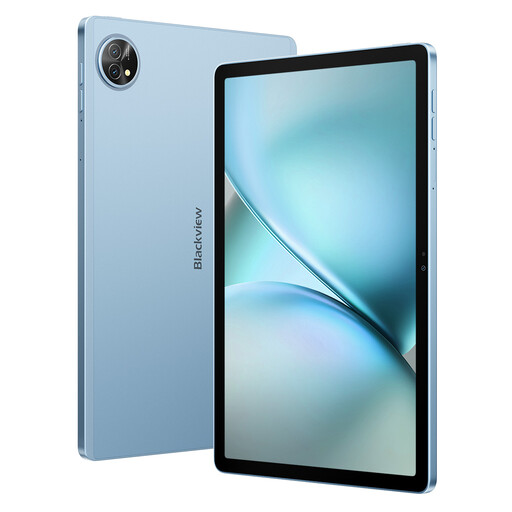
The Blackview Zeno 10 is a tablet that focuses on balance. Its 11-inch 2K screen is immersive for entertainment, while its PC mode transforms it into a genuine work tool. It comes with its keyboard and stylus, ready to use right out of the box.
For students and versatile users looking for a reliable device for note-taking, web browsing, light office work, and watching series.
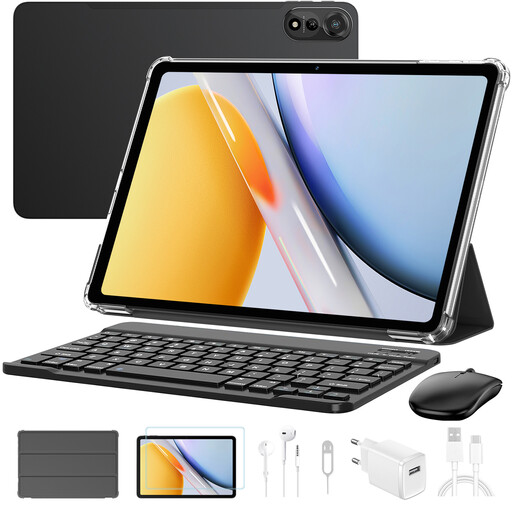
With its large 12-inch screen and powerful spec sheet, the Blackview Mega2 is designed for those looking for a tablet for work without compromise. Its impressive amount of RAM and Wi-Fi 6 connectivity make it a formidable machine for intensive multitasking.
For professionals, creatives, and demanding users who need a large screen and ample power to juggle multiple applications, with an experience close to that of a laptop.
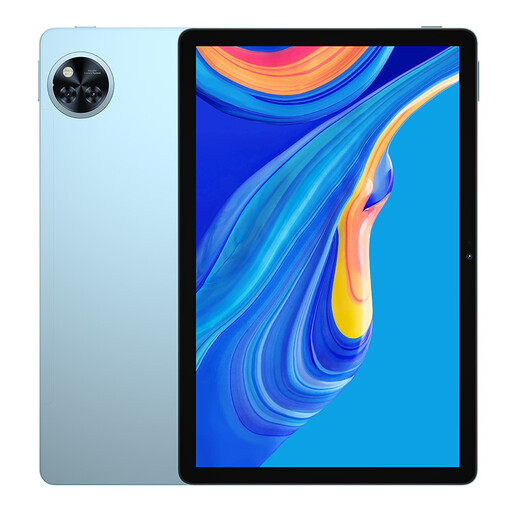
The DOOGEE U11 stands out by being one of the first tablets to feature the Android 15 operating system. It focuses on a modern software experience, a smooth interface thanks to its 90 Hz screen, and good battery life, all in a slim and lightweight chassis.
For users who appreciate having the latest software updates and are looking for a responsive and enjoyable tablet for browsing, social media, and entertainment.
Weren't fully convinced by our selection? If you want to explore other models or types of equipment, feel free to browse our other sections.
Explore our Tablets category to discover more models and accessories.
For most everyday tasks, the answer is yes. A modern tablet with a keyboard perfectly handles office work (word processing, spreadsheets), web browsing, emails, video calls, and of course, entertainment. However, for highly specific software or tasks demanding significant computing power (4K video editing, 3D modelling), a laptop remains a better fit.
Random Access Memory (RAM) is crucial for multitasking. The more you have, the more apps you can keep open in the background without the tablet slowing down. Models that offer virtual RAM expansion use a small part of the internal storage to simulate additional RAM. The result? A noticeable boost in smoothness when you switch between applications.
Widevine is a Digital Rights Management (DRM) technology used by streaming services. The L1 certification is the highest security level. It is essential for a tablet to be able to play video content in high definition (HD, Full HD, or 4K) on platforms like Netflix, Disney+, or Prime Video. A tablet without this certification will be limited to standard definition quality (usually 480p).