
Livraison le jour même ou le lendemain

Qualité garantie

Débloquez vos offres de bienvenue: Livraison GRATUITE | Jusqu'à -80 % | 30 jours d'essai gratuits à JoyPlus
Téléchargez l'application
Navigating the jungle of Android tablets can feel like an uphill battle. Between the technical jargon on spec sheets and the endless stream of attractive offers, it's hard to know what to choose. Yet, the wrong choice can quickly turn a welcome purchase into a source of daily frustration. As the head of product recommendations at Joybuy, my role is to clear the path for you.
Before we get to our top picks, let's review the 3 most common pitfalls that can lead to buyer's remorse.
To avoid these unpleasant surprises, focus on a few key features that truly define the quality and versatility of an Android tablet.
Your tablet's multitasking fluidity—juggling apps, opening multiple tabs—depends directly on its RAM.
A large screen is good. A large, high-quality screen is better.
Your tablet should adapt to your lifestyle, not the other way around.
To move from theory to practice, here is our selection of models that check all the right boxes for different user profiles.

Why this model? Perfect for taking notes in class or getting started with digital drawing. Its large 2K screen provides a comfortable and precise workspace, and the included accessories make it ready to use right out of the box.
This model sidesteps the hidden cost trap: a pressure-sensitive stylus, Bluetooth keyboard, and protective case are all included. No unpleasant surprises—everything is in the box.
Its 12.7-inch 2K screen offers a huge display area. The Widevine L1 certification and 4G tablet connectivity make it a versatile tool, equally suited for work and entertainment.
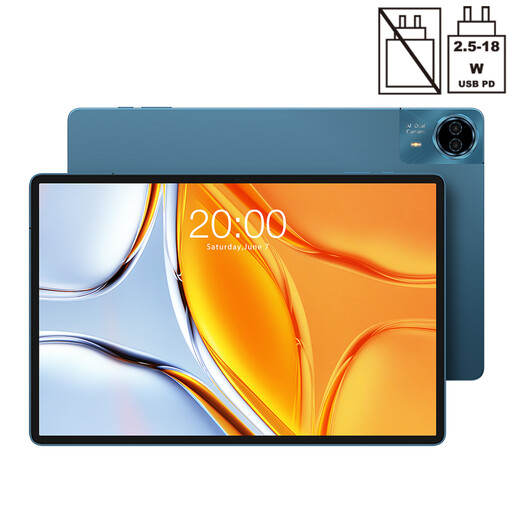
Why this model? Built for content bingers on the move. Its extra-large 14-inch screen promises total immersion in movies and shows. Its 10,000 mAh battery and 4G connectivity ensure hours of viewing, whether on a train or on vacation.
This model comes with Widevine L1 certification, guaranteeing high-definition playback on streaming platforms. Say goodbye to the "HD" screen that's HD in name only.
Extra-large 14-inch screen for maximum immersion. XXL battery (10,000 mAh) and 4G LTE connectivity for rock-solid battery life and freedom.
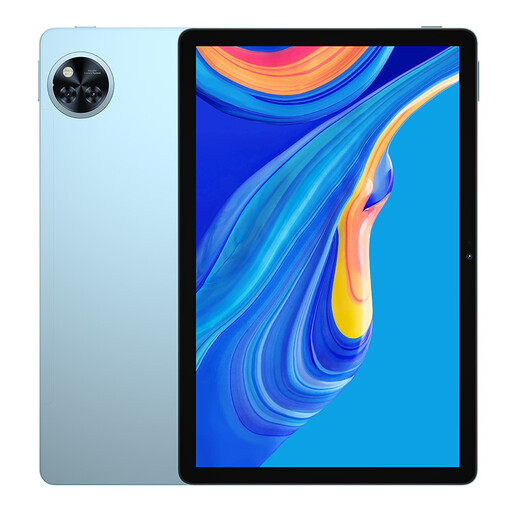
Why this model? The Swiss Army knife for the whole family or for the user looking for a do-it-all device without breaking the bank: web, email, videos, and casual gaming. An excellent compromise between features, performance, and price.
This model is transparent about its memory (4 GB physical + 12 GB virtual), allowing you to make an informed decision and avoid the marketing trap of artificially inflated RAM.
Runs on Android 15 for an up-to-date software experience. It also features Widevine L1 certification and a solid 8580 mAh battery.
Discover our full selection of tablets that meet all our quality criteria and current regulations.
What is the lifespan of an entry-level Android tablet? It all depends on your usage and the quality of the components. Generally, a well-maintained tablet remains enjoyable to use for 3 to 4 years. Operating system updates often become less frequent after 2 or 3 years, but the apps themselves will continue to work. Opting for a recent model, like an Android 15 tablet, ensures better software longevity.
Is a 4G tablet really necessary in 2026? It depends on your habits. If your tablet never leaves your home and its Wi-Fi network, then 4G is superfluous. However, if you envision using it on public transport, on vacation, or as a mobile work tool, 4G LTE connectivity offers a game-changing freedom.
How can I check if a tablet is compatible with HD streaming services? The only reliable information is the mention of Widevine L1 certification on the technical specifications sheet. If it is not clearly indicated by the seller, assume that the tablet will be limited to standard definition (SD) streaming. All models in our selection explicitly display this certification.