
Livraison le jour même ou le lendemain

Qualité garantie

Débloquez vos offres de bienvenue: Livraison GRATUITE | Jusqu'à -80 % | 30 jours d'essai gratuits à JoyPlus
Téléchargez l'application
The Android tablet market is a real jungle: from entry-level models to ultra-sophisticated devices, there's something for every taste and budget. But faced with complex spec sheets and sometimes misleading marketing claims, it's hard to know where to start. As a product expert at Joybuy, my role is to help you cut through the noise and choose THE tablet that will truly meet your expectations, without any nasty surprises.
Before you even start comparing models, it's crucial to be aware of the most common pitfalls. A little vigilance on these points will save you a lot of disappointment.
Android tablet bundle with an included keyboard and stylus might seem like the deal of the century. Unfortunately, these accessories often prove to be so unresponsive or flimsy that they end up in a drawer after a few weeks, forcing you to buy better-quality gear.To make an informed choice, focus on a few key characteristics that will have a direct and immediate impact on your experience.
RAM (Random Access Memory) is your tablet's muscle, essential for multitasking. For smooth use in 2026 (browsing, streaming, social media), aim for a baseline of 4 to 6 GB of physical RAM. If you're a student juggling note-taking, research, and video calls, a model with 8 GB of physical RAM will give you much more headroom.
Internal storage (ROM) determines how many apps and files you can keep. 128 GB is a comfortable standard today, but check if the tablet has a microSD card slot to easily and affordably expand this space.
Don't be mesmerised by resolution alone: the refresh rate is far more important. A 90 Hz screen offers unparalleled smoothness and reading comfort compared to a standard 60 Hz panel, whether you're scrolling through a webpage or gaming. Size is also a comfort factor: an 11-inch tablet represents an excellent balance between portability and display area for both entertainment and productivity. Finally, make sure the tablet has Widevine L1 certification, which is essential for enjoying your streaming services (Netflix, Prime Video, etc.) in high definition.
A Wi-Fi-only tablet is perfect for home use. However, if you need constant internet access on the go, a 4G tablet or 5G model with a SIM card slot is a must. Battery life is measured in milliampere-hours (mAh). A battery of at least 6,000 to 7,000 mAh will guarantee you a full day of standard use without having to hunt for an outlet.
Here are a few models that stand out for their excellent value proposition and their ability to meet specific needs, all while avoiding the pitfalls mentioned earlier.
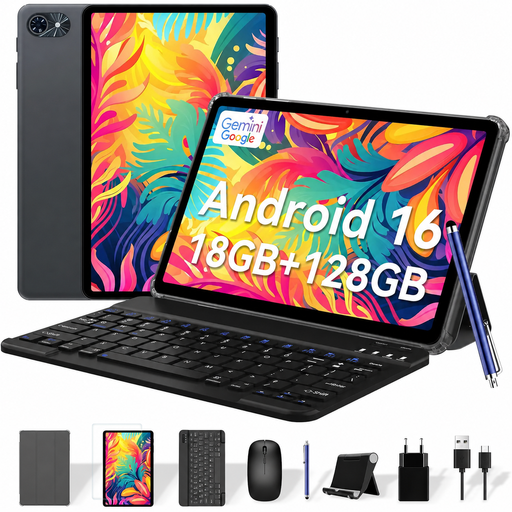
Why we chose it: Perfect for a student or anyone looking for an all-in-one solution. This bundle includes a keyboard, mouse, stylus, and protective case. A complete workstation ready to go out of the box, at no extra cost.
It sidesteps the pitfall of low-quality accessories by providing a cohesive and functional package right out of the box, ideal for note-taking and light office work.
Unbeatable value for money for a `tablet with keyboard` and all its accessories.
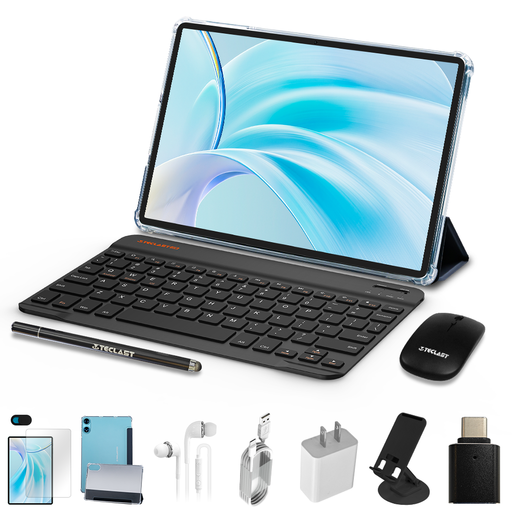
Why we chose it: Its large 11-inch screen with a 90 Hz refresh rate makes it the perfect companion for video streaming and casual gaming. A versatile tablet, perfect for the whole family.
Rather than focusing solely on resolution, it highlights a much more tangible benefit: the smoothness of its 90 Hz screen. The brand is also transparent about its RAM (4 GB physical + 8 GB virtual).
The 90 Hz screen and Widevine L1 certification ensure a flawless streaming experience. An incredibly effective `budget-friendly tablet` for multimedia.
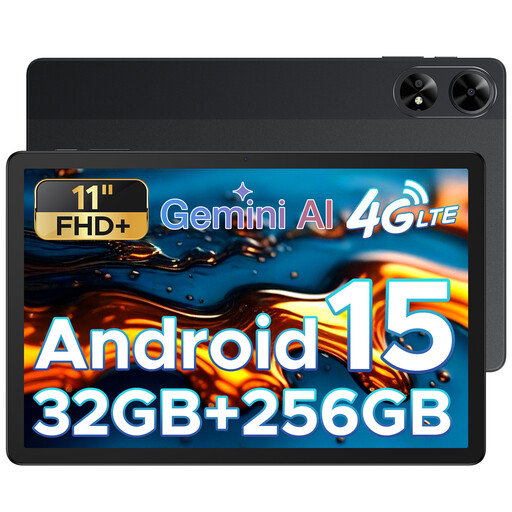
Why we chose it: With its 5G/4G connectivity, 256 GB of storage, and a hefty 8000 mAh battery, it's built for those who are always on the move and can't afford any interruptions, whether for work or play.
It perfectly meets the needs for battery life and connectivity, two criteria that are too often overlooked. Its 8000 mAh battery and SIM card slot make it a true mobile office that you can rely on.
The 5G/4G connectivity and high-capacity battery offer complete freedom of action, without compromise. Ideal for professionals on the go and frequent travellers.
Discover our full selection of tablets that meet our strict quality and performance criteria.
Yes, by far, for the majority of users. With 6 GB of physical RAM, you can browse with numerous tabs open, juggle social media apps, watch HD videos, and even run demanding games without experiencing any slowdown. It's an excellent balance for a student tablet or versatile family use.
A tablet's lifespan depends on two factors: hardware and software. On the hardware side, a well-maintained tablet can last 4 to 6 years. The real limiting factor is the software: update support (for security and new Android versions) generally extends for 2 to 4 years, depending on the brand. Beyond that point, your tablet will still work, but it will become more vulnerable to security flaws and may no longer be compatible with the latest apps.
This is the most-used part of your device. To keep it pristine and responsive, forget about harsh household cleaners. The best solution? A microfibre cloth and a cleaning solution specifically designed for screens. Pro tip: always spray the product onto the cloth, never directly onto the screen. Regular cleaning prevents the build-up of dust and fingerprints. For this, specialised products like the Wpro SPR251 screen cleaning spray are perfect: they protect the screen's surface and leave no streaks.