
Livraison le jour même ou le lendemain

Qualité garantie

Débloquez vos offres de bienvenue: Livraison GRATUITE | Jusqu'à -80 % | 30 jours d'essai gratuits à JoyPlus
Téléchargez l'application
With the overwhelming number of models available, finding the perfect Android tablet can sometimes be a real headache. A tablet for kids, a productivity tool with a keyboard, or just a screen for binge-watching your favourite shows?? The use cases are endless, and it's easy to get lost. This guide is here to cut through the noise and help you make an informed choice, without the unnecessary marketing jargon.
Before diving into our selection, let's review the key criteria that will guide your decision.
The screen's diagonal size is crucial for your daily comfort.
It all depends on your need for mobility. A Wi-Fi-only model is more than enough for home use. Conversely, if you're often on the go, commuting, or travelling for work, a 4G tablet is essential. It ensures you have a constant internet connection via a simple SIM card.
Some manufacturers offer Android tablet bundles that include key accessories right out of the box. Opting for a tablet with an included keyboard and case is often an excellent deal. Your device then transforms into a handy, ready-to-use secondary laptop. It's a detail that makes all the difference, especially if you're looking for a complete yet budget-friendly tablet.
Let's get to the specifics with models that have caught our eye, each catering to very specific needs.
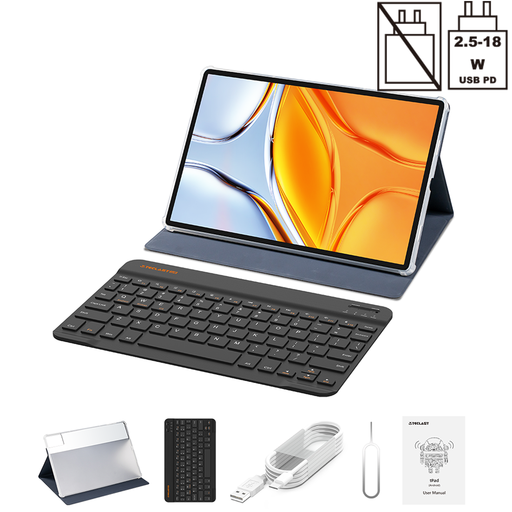
Why we chose it?: With its giant 14-inch screen, the Teclast T70 tablet is aimed at those who want to go big, whether for work or for total immersion in their content. It comes with its keyboard and case, making it ready to use right out of the box.
Key Features?:
Who is it for?? Students and professionals looking for an affordable alternative to a laptop, as well as cinephiles who want a screen worthy of their content.
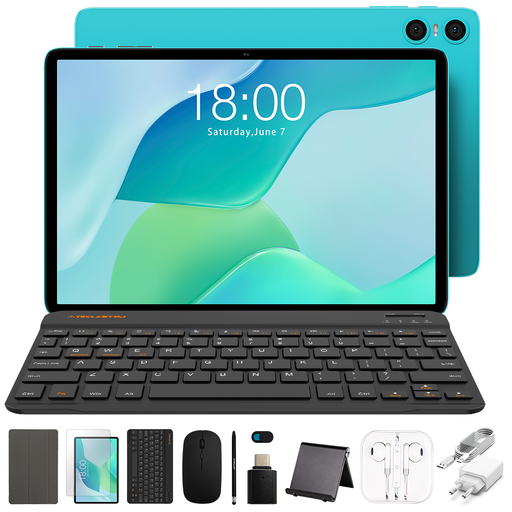
Why we chose it?: The TECLAST P33 is the ultimate hassle-free package. With 11 included accessories, this Android tablet bundle is ready to go and stands out as an excellent choice for a first-time buyer.
Key Features?:
Who is it for?? Ideal for families or those who want an all-in-one 10-inch tablet without worrying about buying separate accessories.
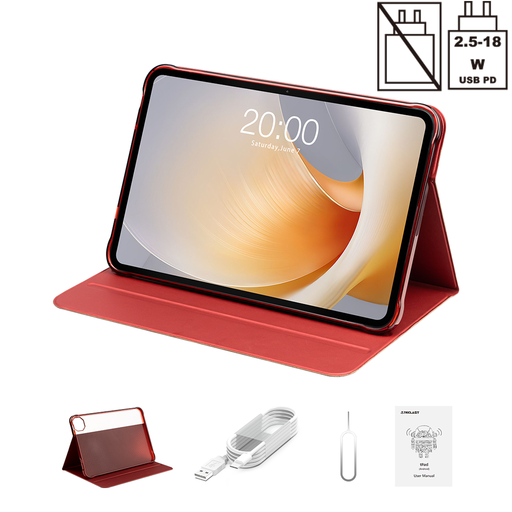
Why we chose it?: The T65 Plus is all about the screen. Its large 13.4-inch panel with a 120 Hz refresh rate offers stunningly smooth performance, whether you're browsing or watching videos.
Key Features?:
Who is it for?? For those who make no compromises on image quality, heavy series watchers, and casual gamers.
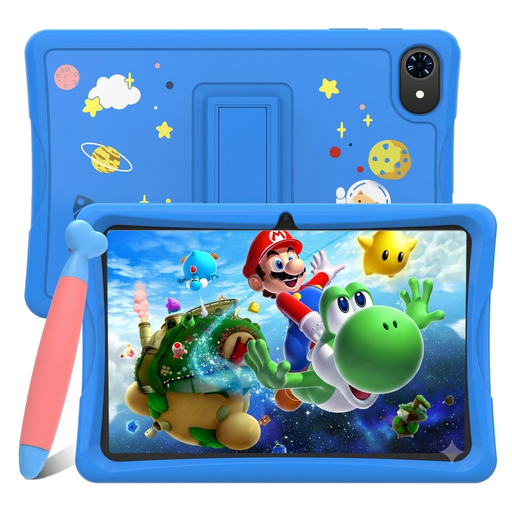
Why we chose it?: Designed for the youngest users, this kids' tablet features the Google Kids Space interface: a world of edutainment content in a safe environment. Its launch price makes it a deal you don't want to miss.
Key Features?:
Who is it for?? Parents looking for a first tablet for their children that combines safety, educational content, and a small budget.
Is mobility your number one criterion?? Do you need a standalone tablet that works far from any Wi-Fi router?? The solution is simple: a tablet with a SIM card slot.
? Discover our complete selection of Tablets with SIM Card to stay connected everywhere.
The fundamental difference is the operating system. Android offers greater freedom for customisation and a much wider price range, with a host of affordable options. iPads, which run on iPadOS, are appealing for their ecosystem that's perfectly integrated with other Apple products and their highly optimised interface.
For everyday use (web, social media, video), 4 to 6 GB of RAM is sufficient. If you're a fan of multitasking, gaming, or productivity apps, you should aim for 8 GB of RAM or more. This will guarantee smooth performance for years to come.
It all depends on your habits. If your tablet rarely leaves your home or office (where Wi-Fi is available), a Wi-Fi-only model is more economical and perfectly adequate. However, if you're a digital nomad and need constant internet access for work or entertainment, investing in a 4G tablet is fully justified.
Joybuy, Your Product Expert