
Livraison le jour même ou le lendemain

Qualité garantie

Débloquez vos offres de bienvenue: Livraison GRATUITE | Jusqu'à -80 % | 30 jours d'essai gratuits à JoyPlus
Téléchargez l'application
A laser engraver produces fumes, odours and particles, the amount of which varies depending on the material used, the power setting and the duration of the session. In a personalisation workshop, an air purifier for an xTool F2 laser engraver can help maintain a cleaner environment — provided you choose a device suited to your setup and the materials you work with.
The trap would be to stop at a simple mention like "advanced filtration" or "laser compatible". Here are the points to check before placing your order.
A laser fume extractor must capture the contaminated air as close to the engraving area as possible. A purifier placed at the other end of the room does not necessarily replace proper extraction or the safety devices provided by the machine.
In particular, check:
A HEPA filter for laser can retain certain particles, depending on its design. However, the term "HEPA" alone does not tell you the amount of smoke treated, the filter's lifespan or its actual effectiveness against odours.
The presence of an activated carbon filter also deserves your full attention. It is generally used to reduce odours, while the other filtration stages target particles of different sizes. Consult the manual for the replacement procedure and the consumable part numbers.
A 3-layer filtration system may seem affordable to buy, but its real cost depends mainly on the price of the filters, their availability and how often they need replacing. A saturated filter reduces airflow and can compromise expected performance.
Before ordering, check:
Mechanical compatibility is non-negotiable. The product presented here is described as a desktop device intended for the xTool F2, with a mention also referencing the F1 and M2 models in its title. As interfaces can vary depending on the machine and configuration, it is best to confirm the exact connection in the product listing and xTool documentation before purchasing.
An xTool F2 air purifier is not automatically compatible with all accessories or all generations of laser engravers.
The xTool model presented uses 3-layer filtration and is described as a portable HEPA purifier. This configuration may suit a workshop looking for an integrated device that is relatively easy to move around. However, it does not replace the need to follow safety instructions, choose suitable materials and ensure proper ventilation.
For engraving on wood and metal, the load placed on the filtration system depends notably on:
Never engrave materials whose combustion or emissions are advised against in the machine's manual.
In a small workshop, space is often limited. A compact, portable device will be easier to move from one workstation to another, but you must maintain sufficient access to the filters and connections.
Maintenance should be planned just like that of the engraver: regular inspection, cleaning of accessible areas and replacement of consumables according to the manufacturer's instructions. A smoke extractor for wood and metal engraving should not be considered a universal piece of equipment suitable for all materials.
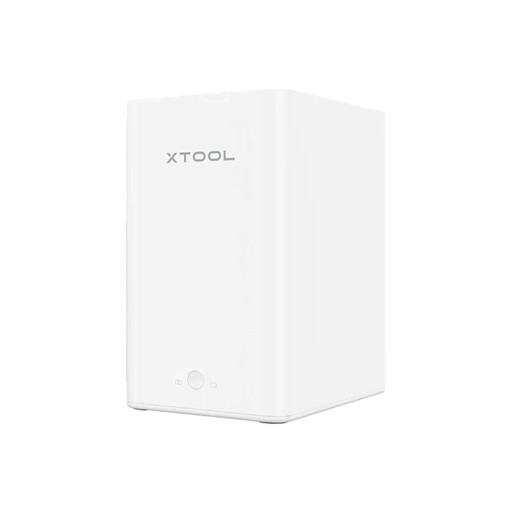
Why this choice suits this profile: Its desktop format and 3-layer filtration are suitable for the user looking for a dedicated solution for their xTool F2 without installing a fixed system straight away.
The listing mentions portable HEPA filtration and use with a laser engraver. It remains essential to confirm the connection and plan for filter replacement.
Portable format, design dedicated to the xTool F2 and 3-layer filtration as stated by the manufacturer.
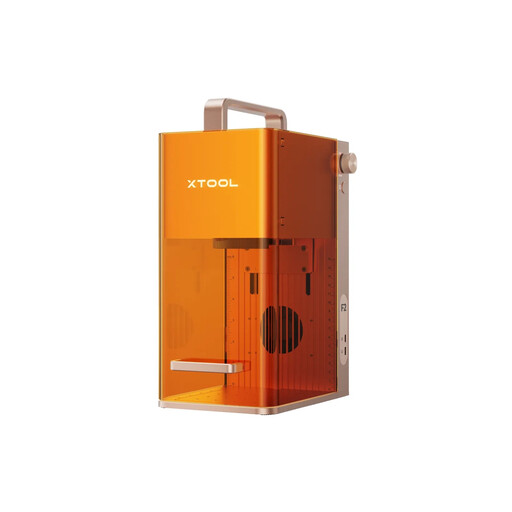
Why this choice suits this profile: For a workshop that wants to engrave wood and metal with greater versatility, pairing this machine with a suitable extractor allows you to set up a complete workstation.
The listing specifies professional and commercial use. This is a point to consider before choosing a machine without assessing the safety and training requirements.
Two stated laser sources, integrated 50 MP camera and speed up to 6,000 mm/s.
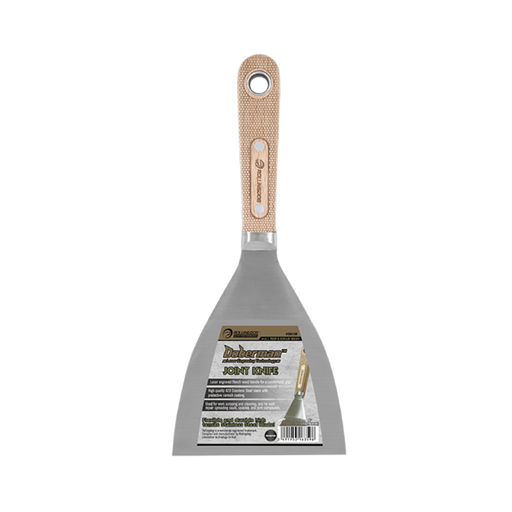
Why this choice suits this profile: This accessory does not filter fumes, but it can complement a personalisation workshop that also carries out finishing or surface preparation work.
Its function has nothing to do with that of a purifier: it must absolutely not be bought instead of a laser fume extractor.
101.6 mm blade in 420 stainless steel and beechwood handle, according to the product listing.
We have put together a comprehensive, real-time updated selection of products that meet these strict selection criteria and the requirements of European safety regulations.
Before first use, check the connection, the orientation of the ducts and the absence of visible leaks. Install the equipment on a stable surface, without blocking the air inlets or outlets. The safety instructions for the xTool F2 and the purifier should remain easily accessible in the workshop.
To avoid nasty surprises:
A filter's lifespan is not determined solely by the number of months that have passed. It depends on the material engraved, the volume of work and the frequency of sessions.
No. Its effectiveness depends on the material being worked, the machine configuration and the manufacturer's instructions. Proper ventilation remains necessary, and unauthorised materials must not be engraved.
Start by following the product manual. A drop in airflow, an increase in odours or visible clogging may indicate that maintenance is needed. However, these signs do not replace the schedule or instructions from the manufacturer.
The budget generally includes electricity, replacement filters and any connection accessories. Compare all of these expenses rather than just the price of the device. In a workshop used intensively, the availability of consumables can matter as much as the purifier's format.