
Livraison le jour même ou le lendemain

Qualité garantie

Débloquez vos offres de bienvenue: Livraison GRATUITE | Jusqu'à -80 % | 30 jours d'essai gratuits à JoyPlus
Téléchargez l'application
The era of the AI laptop is here. And with it comes a wave of technical jargon: NPU, Copilot+, Snapdragon X... It's not easy to navigate when you're a professional, creative, or student looking to buy a new device. This guide is here to decode what an "AI laptop" really is and help you find the model that fits your needs—beyond the marketing hype.
Before diving into spec sheets, it's essential to understand the three pillars of this new generation of machines.
The NPU (Neural Processing Unit) is the real star of these new configurations. It's a specialized chip entirely dedicated to accelerating artificial intelligence-related tasks. Instead of overloading the main processor (CPU) or graphics card (GPU), the NPU handles these calculations in a much more optimized and power-efficient way.
The result: massively improved responsiveness in AI-optimized applications and, most importantly, controlled power consumption that preserves battery life. Today, two main processor families feature a high-performance NPU: Intel Core Ultra laptops and Snapdragon X laptops.
You can't miss it: the Copilot+ PC label is everywhere. Be aware, this isn't a brand, but a certification created by Microsoft for a new generation of Windows PCs. To earn this badge, a laptop must include an NPU capable of performing over 40 trillion operations per second (TOPS). This firepower allows the most advanced AI features in Windows to run locally, delivering a smoother, more responsive, and more secure experience.
The choice of form factor is, of course, a matter of taste, but it takes on a new dimension with the arrival of AI.
To help you see things more clearly, here are a few iconic models that showcase the different facets of the AI laptop.
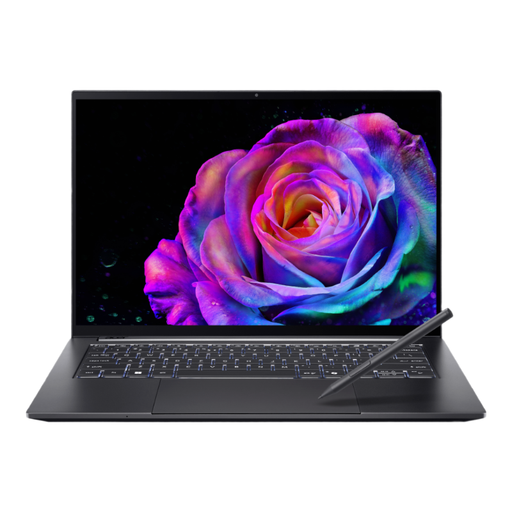
What sets it apart: This model is a triple threat: an Intel Core Ultra 7 processor with its NPU, a dedicated NVIDIA GeForce RTX 5050 graphics card, and a stunning OLED touchscreen. It's the perfect cocktail for creatives who juggle demanding applications and new AI features.
Highlights:
Who is it for? Creatives (photographers, videographers, designers) and power users looking for a do-it-all machine capable of handling heavy graphics workloads while taking advantage of the latest AI advancements.
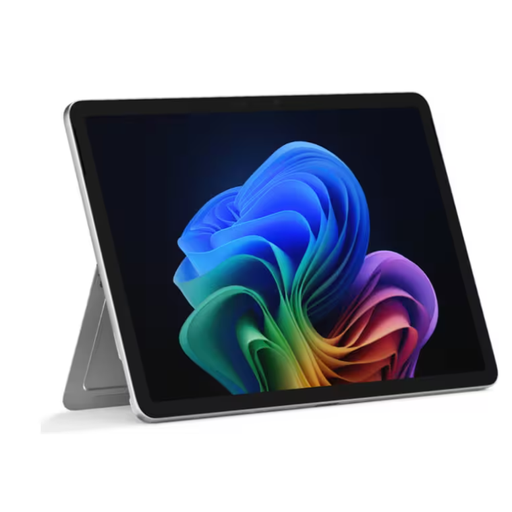
What sets it apart: The Surface Pro is simply the benchmark for the 2-in-1 AI PC. Certified as a Copilot+ PC, this model features a Snapdragon X Plus processor designed for power efficiency. It brings together the best of both worlds: the portability of a tablet and the power of a PC, all in a feather-light chassis weighing under 900 grams.
Highlights:
Who is it for? Mobile professionals, students, and anyone for whom lightness, versatility, and battery life are non-negotiable criteria, without sacrificing performance for productivity and AI.
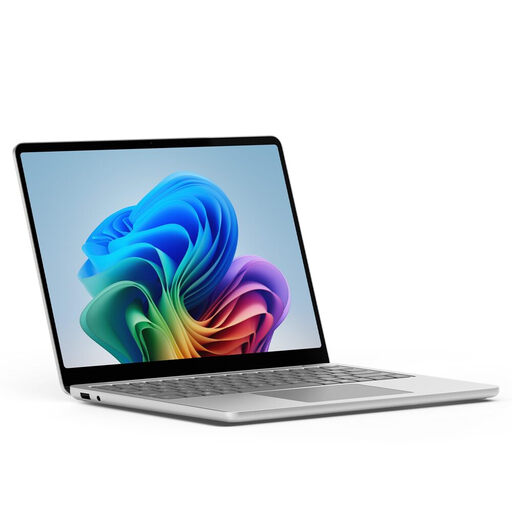
What sets it apart: This Surface Laptop is the archetype of the classic laptop, but reimagined for the AI era. It retains its clean design and premium finish while adopting a Snapdragon X Plus chip. It's aimed at those who prefer a familiar form factor but want the performance and battery life gains of the ARM architecture and Copilot+ PC features.
Highlights:
Who is it for? Professionals, writers, and students looking for a reliable, elegant, and durable laptop for the daily grind (office work, web browsing, video calls), while also enjoying the latest AI innovations.
Our selection heavily features touchscreens, a characteristic that is increasingly common on modern laptops. If this feature is a deal-breaker for you—whether for annotating documents, drawing, or simply navigating more intuitively—many other options are available.
Feel free to explore our complete selection of touchscreen laptops to find your perfect match.
The NPU (Neural Processing Unit) is a specialized co-processor integrated into the main chip (SoC). Its sole mission is to execute AI algorithms in an ultra-fast and highly power-efficient manner. By offloading this work from the CPU and GPU, it makes the computer more responsive and significantly improves its battery life.
No, it's not essential. Most AI tools (ChatGPT, Midjourney, etc.) run in the cloud and only require a web browser and an internet connection. The benefit of an AI laptop with a dedicated NPU becomes apparent with features integrated directly into the operating system (like on Copilot+ PCs) or your software (Photoshop, etc.). The calculations are then performed locally on your machine: it's faster, more instantaneous, and ensures the complete privacy of your data.
It's all about architecture. Intel Core Ultra chips are based on the x86 architecture, the long-standing standard for Windows PCs that ensures maximum software compatibility. On the other hand, Snapdragon X processors use the ARM architecture, renowned for its outstanding power efficiency. This often translates to superior battery life and quieter operation (sometimes even fanless). Today, both camps integrate high-performance NPUs to accelerate AI tasks.