
Livraison le jour même ou le lendemain

Qualité garantie

Débloquez vos offres de bienvenue: Livraison GRATUITE | Jusqu'à -80 % | 30 jours d'essai gratuits à JoyPlus
Téléchargez l'application
Love your car, but its media system is showing its age? The lack of built-in GPS, music streaming, or hands-free calling can quickly turn any drive into a juggling act with your smartphone. Replacing the factory stereo is one option, but it's often a real headache: the process is expensive, complex, and sometimes simply impossible on older vehicles.
The good news is that there's a solution that's as simple as it is effective: the portable wireless CarPlay screen. This clever device allows you to add CarPlay to an older car without any modifications. Our mission? To help you navigate the jungle of available models. This guide breaks down the essential criteria for choosing the system that's perfectly suited to your needs.
Before you take the plunge, here are the key points to check to ensure you make the right choice.
The number one advantage of these systems is, of course, the wireless connection. Make sure the model that catches your eye is compatible with wireless CarPlay (for iPhones) and wireless Android Auto (for Android smartphones). The initial pairing is usually done via Bluetooth, after which Wi-Fi takes over to ensure a smooth interface. Also, remember to check the minimum required OS version (e.g., iOS 12 or Android 11).
The main advantage of this portable car stereo is that it installs in a flash. Most models attach to the dashboard or windshield with a sturdy suction cup and simply plug into the cigarette lighter socket (12V-24V). This plug-and-play car GPS approach makes it not only universal but also perfectly portable: you can effortlessly move it from a city car to a utility vehicle or an RV. A long power cable (3 metres or more) is a small detail that makes all the difference for a clean installation.
A 9-inch car touchscreen offers an excellent compromise between viewing comfort and size. It's an ideal size for clearly displaying GPS without obstructing your field of view. Also, pay close attention to the available options for transmitting audio through your car's speakers:
We've scoured the market to find solutions that cater to different needs and budgets.
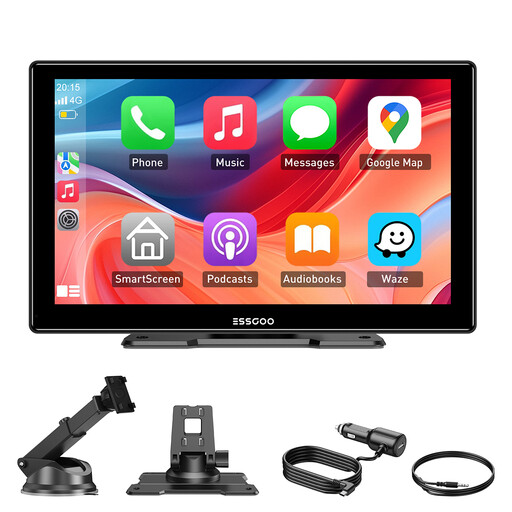
Key Features
The ESSGOO screen is the ultimate all-in-one solution for transforming any car interior into a connected media hub. It natively supports wireless CarPlay and Android Auto, connecting to your smartphone like magic as soon as you get in the car. Its large HD display and comprehensive audio connectivity make it a choice that's as versatile as it is powerful.
Pros:
Who is it for? For any driver with a slightly older car who dreams of a complete, effective, and, most importantly, 100% reversible upgrade. It's the perfect option if you want a large screen for GPS, music, and calls without embarking on a complex and costly installation.
If a dedicated screen seems like overkill and you'd rather just use your smartphone more safely and comfortably, a quality mount is the ideal alternative.
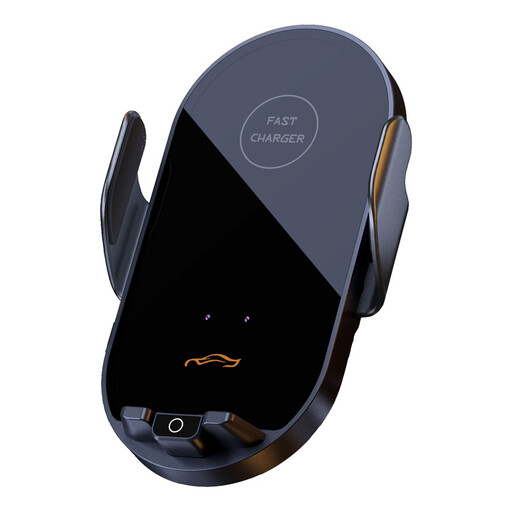
Key Features
This mount does much more than just hold your phone. It integrates a fast wireless charger and a clever automatic clamping system. Just bring your smartphone close, and the motorised arms will close to grip it securely while initiating the charge.
Pros:
Who is it for? For those who rely on their smartphone for GPS navigation and want to make sure they never run out of battery. All with an automated mounting system that is as convenient as it is secure.
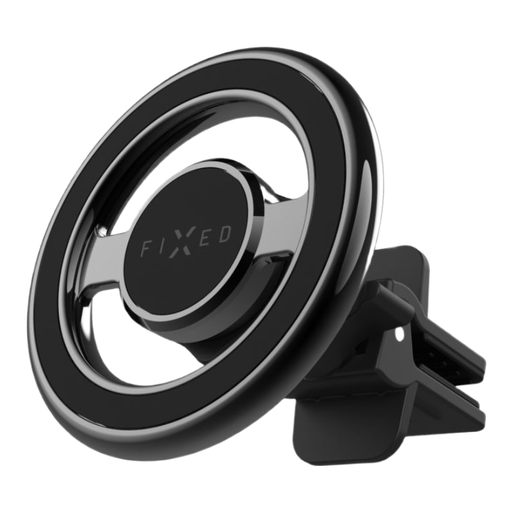
Key Features
The MagMount is the champion of simplicity and discretion. This ultra-minimalist mount uses a powerful magnet to hold your phone. It clips onto an air vent and blends seamlessly into the car's interior.
Pros:
Who is it for? For minimalists looking for a quick, reliable, and ultra-discreet "set it and forget it" solution, without the clutter of extra features like charging.
Magnetic mounts offer a near-perfect balance of simplicity and effectiveness. If this solution appeals to you, feel free to explore our full selection.
Discover our full range of magnetic car phone mounts
It couldn't be simpler. Plug the screen into the cigarette lighter socket, then enable Bluetooth and Wi-Fi on your smartphone to pair it for the first time. That's it! The connection will then become automatic every time you get in the car.
Absolutely. The vast majority of these portable screens are designed for a 12V-24V power supply. This makes them perfectly compatible not only with passenger cars but also with heavy-duty trucks, utility vehicles, and RVs.
As a general rule, wireless CarPlay is compatible with all iPhones running iOS 12 or newer. As a precaution, however, we recommend checking the screen manufacturer's specifications to be absolutely sure.