
Livraison le jour même ou le lendemain

Qualité garantie

Débloquez vos offres de bienvenue: Livraison GRATUITE | Jusqu'à -80 % | 30 jours d'essai gratuits à JoyPlus
Téléchargez l'application
Whether you’re working from home, travelling by train, taking work calls, gaming or listening to music at home, wireless Bluetooth headphones can suit a wide range of situations. But a detailed product listing doesn’t necessarily mean you’re making the right choice. Some models prioritise battery life at the expense of comfort, while others boast impressive noise cancellation without explaining how it was measured.
Here are the things to consider before choosing wireless headphones, TWS Bluetooth earbuds or a model designed for children.
The phrase “up to” almost always refers to very specific conditions: moderate volume, lighting switched off or noise cancellation disabled. So ANC headphones may last considerably less time when active noise cancellation is running continuously.
Also check how long charging takes, whether there’s a quick-charge feature and whether you can keep listening with an audio cable once the battery runs flat.
Active noise cancellation uses microphones to analyse ambient sounds and generate an opposing signal. It’s particularly effective against steady sounds, such as the hum of an aeroplane or an engine. However, it doesn’t always block out voices, car horns or sudden noises.
So take any figure given in decibels with a pinch of salt. It’s not enough to predict how comfortable the headphones will be on the Tube, in the office or out on the street. For walking or cycling, it’s better to choose a transparency mode or an open design so you can stay aware of your surroundings.
Bluetooth headphones can connect to a phone, tablet or computer, but not all their features will necessarily be available on every device. Multipoint connectivity, equaliser settings and some codecs may depend on the operating system or companion app.
For meetings and calls, check the details of the built-in microphone, background-noise reduction and compatibility with the apps you use regularly. Enjoyable music playback doesn’t guarantee that your voice will come across clearly on a call.
Check the headphones’ weight, whether the headband is adjustable, how flexible the hinges are and whether the ear cushions can be replaced. For a child, volume limiting, weight and a secure fit should be the priorities.
The Bluetooth version tells you about the generation of the connection, but it isn’t enough to judge audio quality. Instead, check:
When choosing long-battery-life headphones, always compare the conditions behind the advertised figure. Some models offer dozens of hours of use with the lighting and ANC switched off, while others have a smaller battery to keep their weight down.
A rating such as IPX5 indicates resistance to water jets under defined conditions; it doesn’t mean the product can be submerged. An IPX2 rating is more suitable for light splashes. If there’s no water-resistance rating, avoid using the headphones in the rain, during heavy sweating or in damp environments.
Keep the volume at a reasonable level and take regular breaks. When walking near traffic, cycling or making sure you can hear an alarm or safety announcement, avoid switching on noise cancellation.
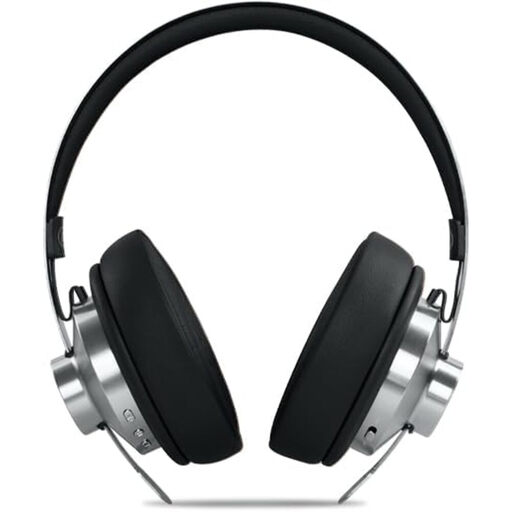
Why it suits this type of user : These over-ear headphones combine ANC, Bluetooth connectivity and wired listening in a design suited to both commuting and working from home.
The listing quotes up to 66 hours of battery life, a 3.5 mm input and USB-C charging, helping you rely less on the battery.
Bluetooth 5.4, built-in microphone, 40 mm drivers and ANC noise cancellation rated at up to -35 dB.
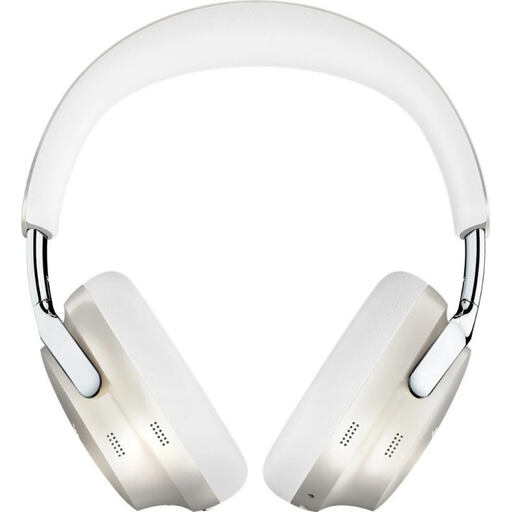
Why it suits this type of user : Designed for those looking for ANC headphones with several listening modes and an over-ear fit, ideal for travel or long listening sessions.
Quiet, Aware and Immersion modes let you tailor your listening experience to how alert you need to be to your surroundings.
Bluetooth 5.3, multipoint connectivity, 2.5 mm wired input and up to 24 hours of quoted battery life.
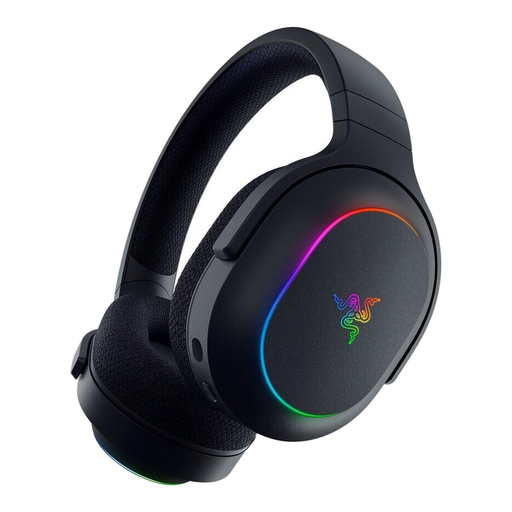
Why it suits this type of user : These wireless gaming headphones are for players who regularly switch between a computer, console and phone.
Dual 2.4 GHz and Bluetooth 5.3 connectivity means you don’t have to choose between low latency for gaming and freedom of movement day to day.
Detachable cardioid microphone, 3.5 mm socket and up to 70 hours of quoted battery life with the lighting switched off.
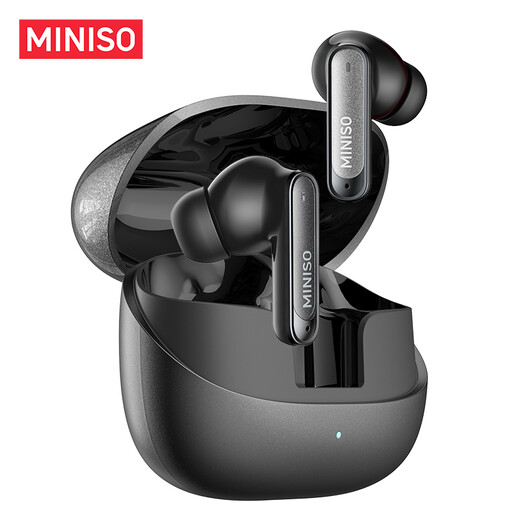
Why it suits this type of user : These compact TWS Bluetooth earbuds are suitable for calls, studying, working in the office and everyday travel.
The listing quotes around 4 hours of listening per charge and up to seven recharges from the case, giving you a clear idea of when you’ll need to recharge.
Built-in microphone, quoted 10-metre range and IPX5 rating according to the product listing.
We’ve selected a comprehensive range, updated in real time, of products that meet these demanding criteria and European safety standards.
Turn on Bluetooth on your phone, switch on the headphones, then press and hold the pairing button if needed. Select the headphones’ name from the list of available devices. When connecting for the first time, check the supplied guide for the exact steps.
It depends on the battery, how often you recharge it, exposure to moisture and the durability of the hinges and ear cushions. Sensible use, storing the headphones in a case and following the charging instructions can help slow down wear and tear. The built-in battery generally isn’t designed to be replaced by the user.
Not necessarily. Several models need a translation app after connecting via Bluetooth. Before you buy, check which languages are supported, whether you need to keep a phone connected and which features are actually available offline.