
Livraison le jour même ou le lendemain

Qualité garantie

Débloquez vos offres de bienvenue: Livraison GRATUITE | Jusqu'à -80 % | 30 jours d'essai gratuits à JoyPlus
Téléchargez l'application
Choosing a new laptop for creative or professional tasks can quickly become a daunting task. Spec sheets are filled with jargon, and marketing claims rarely live up to their promises. For content creators, developers, or students in technical fields, the wrong choice means lost time and productivity.
This guide is here to shed some light, focusing on the Acer Swift X 14 laptop. We'll break down the key points to check and highlight the pitfalls to avoid before you make your choice.
The market for powerful, compact laptops is ultra-competitive. Some manufacturers make compromises that aren't obvious at first glance. Here are the most common traps to watch out for.
To ensure your investment is a wise one, focus on these three pillars that make all the difference in a good laptop for creators.
For modern creative applications, the processor and the graphics card (GPU) work in tandem. The Acer Swift X 14 SFX14-73G laptop features an Intel Core Ultra 7 processor that includes a Neural Processing Unit (NPU). This chip is designed to accelerate AI-related tasks, such as AI-assisted editing features in video editing or photo retouching software.
It is paired with a dedicated NVIDIA GeForce RTX 5050 graphics card. Unlike an integrated graphics chip, a dedicated GPU like this has its own video memory (8?GB GDDR6 on this model), an essential asset for 4K video editing, 3D modelling, or accelerating computations. This is the duo that ensures consistent performance, even on the most demanding projects.
A quality screen is non-negotiable for creative work. The Acer Swift X 14's screen is a good example of what to look for beyond the simple mention of OLED.
Performance is useless if the computer is unusable on the go. The Swift X 14 benefits from an aluminium chassis that contributes to both robustness and heat dissipation. Its weight and dimensions (17.9?mm thick) make it a truly portable machine.
The connectivity is also impressive, with modern ports like Wi-Fi 7 and Thunderbolt / USB-C, which allow for ultra-fast file transfers and connection to external 4K displays, without sacrificing essential everyday ports. Finally, a large-capacity battery paired with a 100?W adapter ensures comfortable battery life for mixed use and fast charging.
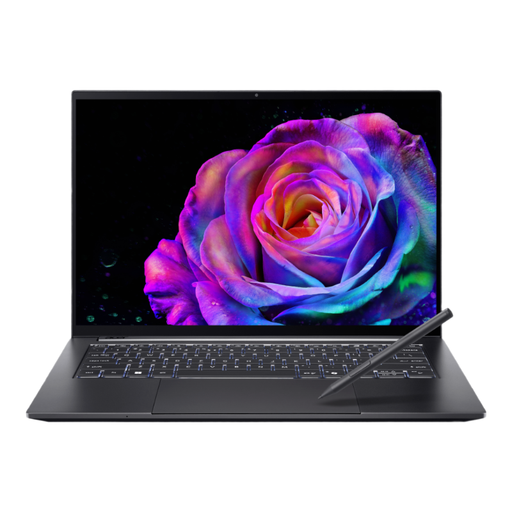
Why this choice: For graphic designers, video editors, and developers looking for a powerful workstation to take anywhere. It's the perfect balance between the power of a desktop and the flexibility of a laptop.
It combines a dedicated RTX 5050 GPU with a chassis optimised for heat dissipation, thus avoiding the trap of inconsistent performance. Its OLED panel is anything but generic: high resolution (2880x1800) and a 120 Hz refresh rate are included.
The combination of a high-performance graphics card and a stunning OLED touchscreen in a compact 14.5-inch format. A configuration as rare as it is sought-after.
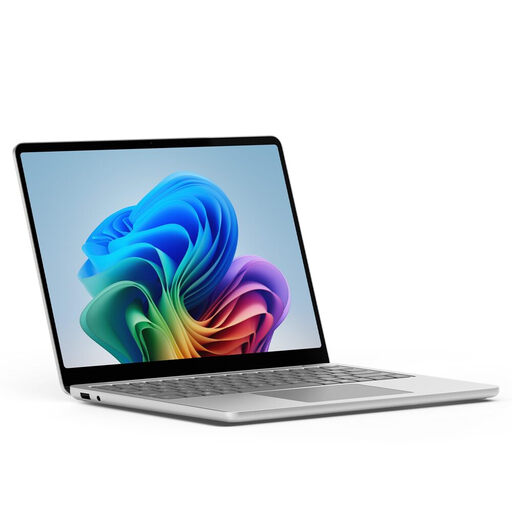
Why this choice: Ideal for professionals and consultants for whom mobility, battery life, and smoothness are top priorities. Perfect for advanced office tasks, communication, and new AI features.
It doesn't overplay the raw graphics power card. Its focus is clear: productivity and energy efficiency. It avoids the minimalist port selection trap by retaining both USB-C and USB-A ports.
The efficiency of the Snapdragon X Plus processor gives it record-breaking battery life. Its premium design and native integration with Windows Copilot+ make it the ultimate portable productivity tool.
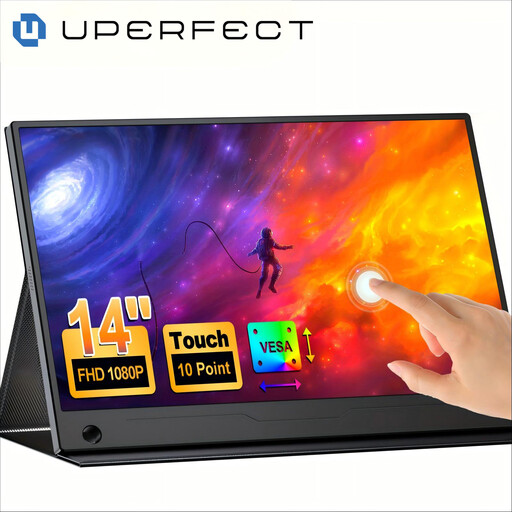
Why this choice: For anyone who loves their laptop but feels constrained by a single screen. The ideal solution to get back the comfort of a dual-screen setup, even on the go.
It tackles the single-screen problem without forcing you to buy a larger, heavier laptop. A smart and cost-effective solution that meets a specific need: more workspace.
Doubles your workspace by adding a second touchscreen to any laptop, all via a single USB-C cable. Productivity on the go reaches a new level.
Discover our full selection of products, tested and approved by our editors according to strict criteria.
Actual battery life always depends on your usage. For light tasks (office work, web browsing), it will easily last a good part of the day. However, for intensive creative work (3D rendering, video exporting) that pushes the processor and GPU to their limits, it's wise to keep the 100?W charger handy. This ensures you maintain maximum performance without interruption.
Like any advanced technology, an OLED touchscreen requires some care. Avoid placing heavy objects on the laptop's lid when it's closed to prevent pressure on the panel. For cleaning, avoid alcohol and solvents. A simple, dry, soft microfibre cloth is enough to remove fingerprints without risking damage to the screen's surface coating.
Yes, the NVIDIA GeForce RTX 5050 graphics card can play most recent titles in good conditions, especially at Full HD (1080p) resolution. However, it's important to remember that the Acer Swift X 14 is primarily a laptop for creators. Its cooling system and software optimisation are designed for professional applications. So, while it can get you by for a casual gaming session, a dedicated gaming laptop will offer a much more refined experience for that purpose.