
Livraison le jour même ou le lendemain

Qualité garantie

Débloquez vos offres de bienvenue: Livraison GRATUITE | Jusqu'à -80 % | 30 jours d'essai gratuits à JoyPlus
Téléchargez l'application
Whether you're a hardcore gamer or a writing professional, the keyboard is the cornerstone of your comfort and efficiency. The 75% mechanical keyboard format is becoming increasingly popular, offering the perfect balance between a compact size and full functionality. It frees up valuable desk space without sacrificing essential keys like the function row (F1-F12) or the arrow keys.
This guide breaks down the criteria you need to know to choose your compact mechanical keyboard and presents our top picks for both gaming and intensive office work. The goal: to help you find the perfect model.
Before diving into our selection, a few key concepts are essential to understand what sets each model apart.
A 75% mechanical keyboard is distinguished by its particularly dense and optimised layout. Unlike a full-size keyboard, it omits the number pad. But it goes a step further than the TKL (Tenkeyless or 80%) format by tightening the key arrangement for maximum space-saving.
However, this layout retains the function keys and arrow keys, which are indispensable for many games and applications. This makes it the perfect solution for those who find 60% or 65% keyboards too minimalist but want a cleaner desk setup than a TKL or full-size model can offer.
The type of switch (the mechanical component under each key) is what defines the entire typing experience. For both a gaming mechanical keyboard and an office keyboard, the choice is primarily a matter of personal preference. The two main families of switches are:
Most of the models in our selection are wired keyboards to ensure a stable connection and minimal latency—a non-negotiable criterion for competitive play. An LED-backlit keyboard adds the finishing touch, improving visibility in low light and adding an aesthetic flair to your setup.
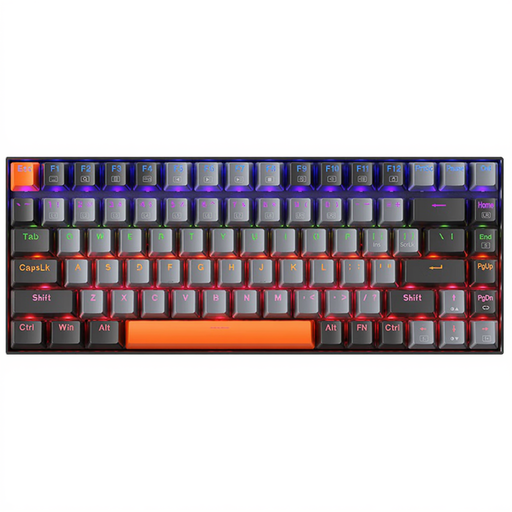
Why it stands out: The Machenike K500A-B84 with red switches is built for speed and fluidity. Its clean, light grey design and white LED backlighting make it a discreet and modern addition to any desk, whether for gaming or work.
Key features:
Who is it for? This model is primarily aimed at PC gamers looking for an ultra-responsive keyboard for competitive games, as well as users who appreciate a soft and quiet typing experience.
See details for the Machenike K500A-B84 (Red Switches)
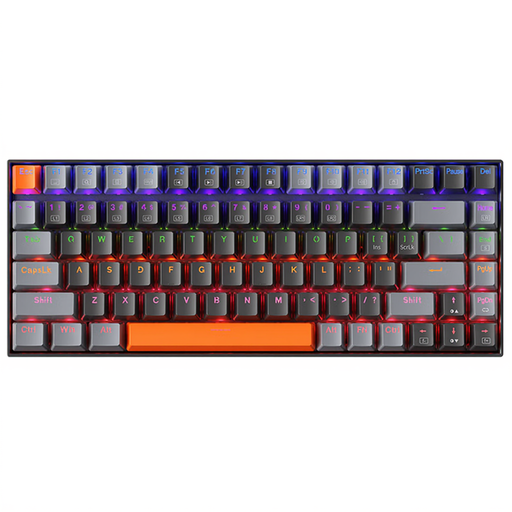
Why it stands out: This version of the Machenike K500A-B84 is equipped with brown switches for a more tactile typing experience. Its dark grey finish gives it an understated and professional look, perfect for blending into a work environment.
Key features:
Who is it for? This is the preferred choice for professionals, writers, developers, and anyone who engages in long typing sessions. It will also suit gamers who prefer feeling a tactile bump under their fingers.
Discover the Machenike K500A-B84 (Brown Switches)
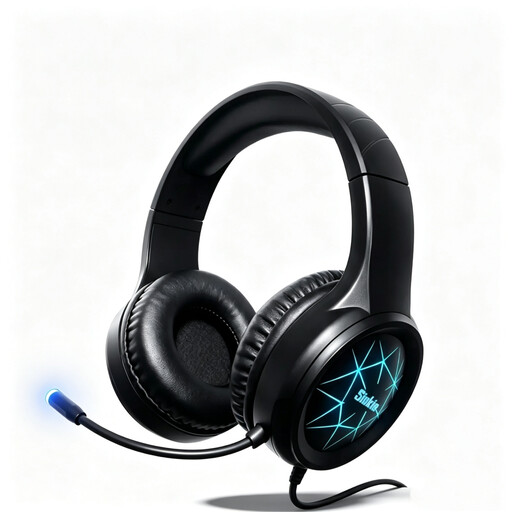
Why choose it?: A good keyboard is great. But for a truly immersive gaming experience, audio is just as crucial. The Siukie CH25 headset is an excellent option to round out your setup with immersive sound and crystal-clear communication.
Key features:
Who is it for? For gamers who, after choosing their competitive keyboard, want to perfect their audio immersion and communication clarity—all without breaking the bank.
View the Siukie CH25 Headset product page
A good keyboard is the centrepiece of a successful setup. But to create a truly unique work or gaming atmosphere, lighting also plays a role. If you want to enhance the aesthetics of your space, take a look at our selection of vintage lighting for a touch of originality.
Explore our Vintage Lighting category
A 75% keyboard is even more compact than a TKL. It condenses the key layout (especially the arrow keys and navigation cluster) to minimise its footprint on the desk. It does all this while retaining the valuable function key row (F1-F12), which is often sacrificed on 60% or 65% formats. It's the ideal choice for maximising mouse space.
Since red switches are linear, they have no tactile or audible "click" on actuation. This makes them among the quietest mechanical switches. The only audible noise comes from the key bottoming out. With a light typing touch, they are therefore perfectly suitable for a shared office or an open-plan workspace.
While AZERTY is the standard layout in France, many users (especially developers and gamers) prefer the QWERTY keyboard. You just need to set your operating system (Windows, macOS, Linux) to interpret keystrokes as AZERTY. Only the physical legends on the keycaps will differ from what appears on the screen. For those who master touch typing, the transition is completely seamless.