
Livraison le jour même ou le lendemain

Qualité garantie

Débloquez vos offres de bienvenue: Livraison GRATUITE | Jusqu'à -80 % | 30 jours d'essai gratuits à JoyPlus
Téléchargez l'application
The 75?% keyboard layout is becoming increasingly popular on our desks, and for good reason. It embodies a near-perfect balance between compactness and functionality, freeing up valuable desk space without sacrificing the essential arrow keys and function row (F1-F12). Whether you're a gamer looking for more mouse room, a developer optimising your setup, or simply an enthusiast of fine mechanical keyboards, the 75?% format has serious appeal.
With the overwhelming number of options now available, it can be hard to navigate the market. To help you see things more clearly, we've broken down the key criteria and selected some standout models. Follow our guide to make the right choice!
Before diving into our selection, let's review the key points to consider to find the keyboard that perfectly matches your needs.
The era of single-cable connectivity is long gone. Most recent models offer "tri-mode" connectivity, a highly appreciated flexibility for daily use.
The feel and sound of a mechanical keyboard are at the heart of the experience. There are two technical terms you should know:
To stand out from the crowd, some models push the concept further with bonus features:
We have selected three models that represent current trends, each with its own distinct personality.
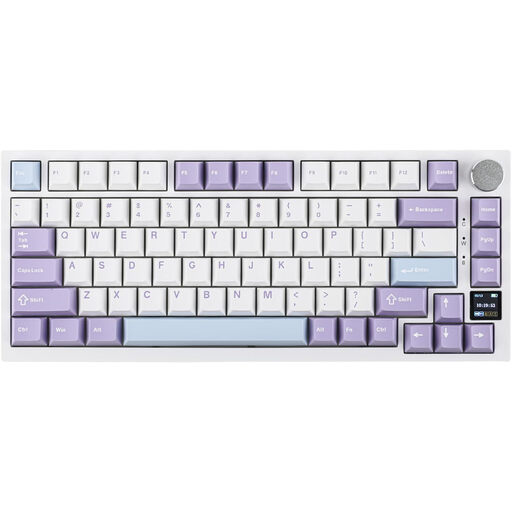
Why it stands out: Its main advantage? A smart TFT colour screen that displays all the useful info at a glance. No more convoluted key combinations to check the active mode or remaining battery life.
Key Features:
Who is it for? Ideal for the tech enthusiast who likes to keep an eye on their hardware settings and is looking for a typing experience that is both modern and comfortable.
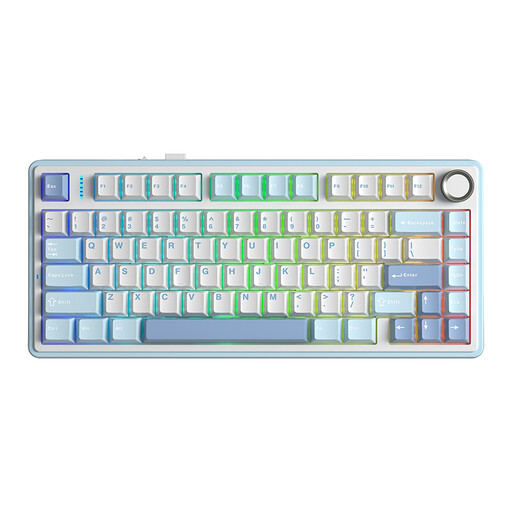
Why it stands out: Often praised for its excellent value for money, the AULA F75 gets straight to the point: a solid build and an amazing out-of-the-box typing experience.
Key Features:
Who is it for? For those who prioritise typing feel and sound above all else. It's an exceptional starting point for getting into the 75?% custom keyboard hobby without breaking the bank.
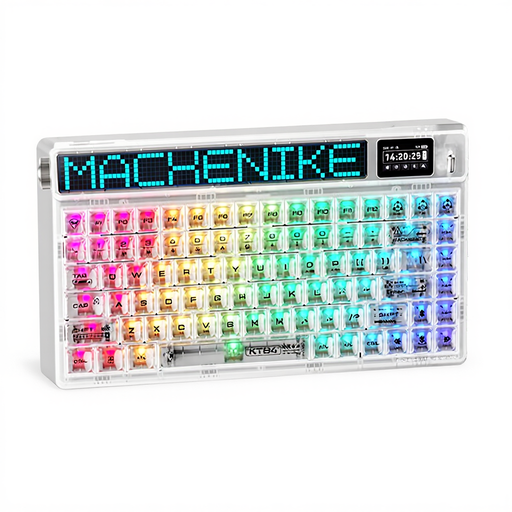
Why it stands out: The Machenike KT84-B84W makes a bold statement with its transparent chassis and customisable LED matrix. A true design object that also has plenty of power under the hood.
Key Features:
Who is it for? For gamers and creatives who want to make their compact gaming keyboard the centrepiece of their desk setup, combining performance with a futuristic look.
This selection is just a taste of what the 75?% format has to offer. If you're looking for different designs, alternative switches, or specific features, the selection is vast.
Explore our complete collection of wireless mechanical keyboards to discover other layouts and features that might be a better fit for you.
A TKL (80?% layout) keyboard removes the number pad but retains the classic navigation cluster (arrow keys, Insert, Delete, etc.). The 75?% layout goes a step further by compressing these keys against the main cluster with no wasted space. It is therefore slightly narrower than a TKL, freeing up maximum space for your mouse while keeping nearly all the useful keys.
A "hot-swappable" keyboard allows you to change the switches one by one without any soldering. This gives you complete freedom to test different types of switches (linear, tactile, clicky) to find your perfect typing feel, or to simply replace a faulty switch.
Yes, and the difference is striking. Unlike a traditional mount where the plate is screwed directly into the case, a "Gasket" mount isolates it using silicone gaskets. The result is a much softer, cushioned typing feel, which reduces finger fatigue during long sessions. The keyboard's acoustics are also transformed, with a generally deeper and less "hollow" sound.