
Livraison le jour même ou le lendemain

Qualité garantie

Débloquez vos offres de bienvenue: Livraison GRATUITE | Jusqu'à -80 % | 30 jours d'essai gratuits à JoyPlus
Téléchargez l'application
A 75% Hall Effect gaming keyboard appeals to FPS players thanks to its adjustable actuation, magnetic switches and Rapid Trigger function. However, product descriptions are not always easy to decode: some highlight features that are difficult to compare, while others leave out details that matter in everyday use, particularly in France.
Before you choose a mechanical gaming keyboard, keep these three pitfalls in mind:
A Hall Effect keyboard measures the position of each key using a magnetic field rather than a conventional mechanical contact. In the case of the Royalaxe E75, the product description mentions TTC magnetic switches. For gamers, the main benefit is being able to adjust the actuation point to suit their preferences.
Short actuation is well suited to quick movements and repeated changes of direction. Conversely, a deeper setting reduces accidental activations while typing or when your fingers are resting on the keys. Before making your decision, check in particular:
Simply mentioning “magnetic” is therefore not enough to judge the experience on offer. The quality of the adjustments and how easily you can access them matter just as much.
The Rapid Trigger function generally detects a key being released without waiting for a fixed reset point. It can be useful in games such as Valorant or CS2, where stopping and changing direction have a direct impact on shooting accuracy.
SOCD — short for Simultaneous Opposite Cardinal Directions — concerns how opposing directional inputs are handled, such as left and right. Its behaviour depends on the software and the game being played. Before enabling it, check the rules for the game in question, as well as the features permitted in any competitions you take part in.
These options obviously do not replace practice. They change how the keys behave, but they will not automatically turn a player into a headshot machine.
The 75% layout generally retains the function keys, arrow keys and a compact navigation cluster, while taking up considerably less space than a full-size keyboard. This gives you more room to move your mouse, which is particularly useful on a desk dedicated to FPS gaming.
The CNC aluminium case advertised for the Royalaxe E75 may provide greater rigidity and improved stability on your desk. However, the material does not tell the whole story. You should also check:
The ANSI US layout also deserves careful consideration before you place your order. If you use an AZERTY keyboard every day, check your typing habits, shortcuts and whether you can select the correct layout in Windows or your operating system.
The references below concern the Royalaxe E75, with different product IDs. As stock, variants and prices may change, check the options shown on each page before finalising your basket.
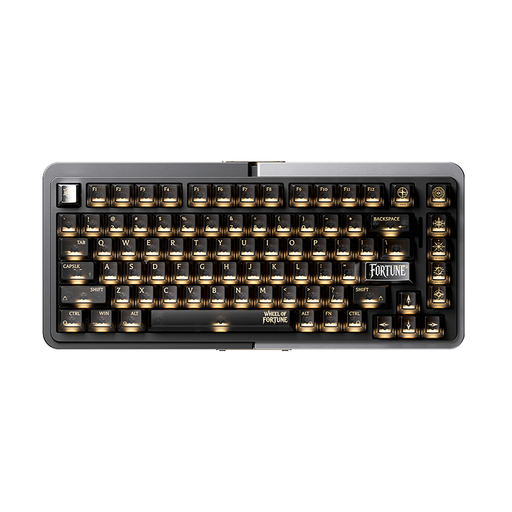
Why this choice suits this profile : This 75% layout lets you discover Hall Effect technology without taking up the space of a full-size keyboard. It is suitable for players who want to try adjustable actuation while retaining the main navigation keys.
It does not rely solely on RGB: the product description also mentions TTC magnetic switches, Rapid Trigger, SOCD and adjustable actuation.
75% layout, TTC magnetic switches, ANSI US layout and advertised RGB lighting.
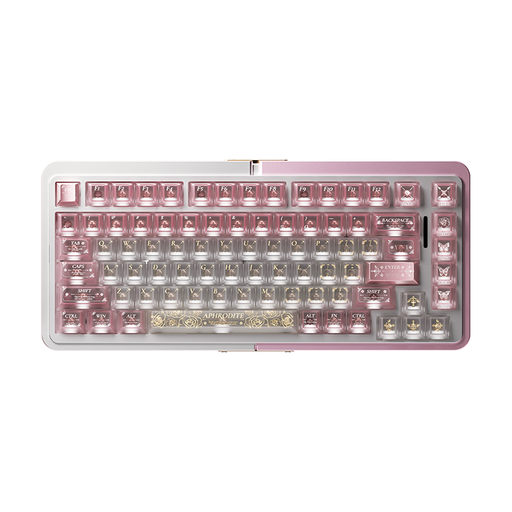
Why this choice suits this profile : Players who value chassis rigidity and customisable controls may be interested in this configuration, advertised with a CNC aluminium case and settings suited to competitive gaming.
The advertised CNC aluminium construction reduces the risk of a keyboard that flexes too much, while the compact layout preserves space on your desk.
Advertised CNC aluminium case, Rapid Trigger, SOCD and adjustable actuation.
Why this choice suits this profile : For long sessions on Valorant, CS2 and other FPS titles, the 75% layout and various adjustment options let you adapt the keyboard to different playing styles.
Rapid Trigger and SOCD are presented separately. This means you can check their settings without confusing them with a simple low-latency claim.
TTC magnetic switches, adjustable actuation, Rapid Trigger and a design advertised for FPS gaming.
We have put together a comprehensive, real-time updated selection of products that meet these strict selection criteria, as well as European safety requirements.
Start with a medium setting, then gradually increase the sensitivity in the keyboard software. Test the Z, Q, S and D keys, along with the keys you use for movement. A setting that is too sensitive can cause unintended activations, particularly while typing or navigating menus.
It depends on the keyboard’s design, the quality of the switches, how intensively it is used and how well it is maintained. The information available for the Royalaxe E75 mentions TTC magnetic switches, but does not allow a precise lifespan to be stated. Check the seller’s product details and warranty terms before buying.
Yes, provided you are comfortable with the key positions and configure the layout correctly in your system. However, it may take some time to adjust to typing in French, particularly because of accents and certain symbols. If you mainly play on PC, also check that the software and connection are compatible with your setup.