
Livraison le jour même ou le lendemain

Qualité garantie

Débloquez vos offres de bienvenue: Livraison GRATUITE | Jusqu'à -80 % | 30 jours d'essai gratuits à JoyPlus
Téléchargez l'application
A 65 W USB-C charger can power a laptop, a tablet and several smartphones using just one adapter. But the wattage printed on the box doesn’t always guarantee a hassle-free experience. Between the actual power available on each port, incompatible cables and fast-charging promises, some purchases can quickly disappoint.
Here are the criteria to examine before choosing a 65 W fast charger that suits your devices and your usage in the UK.
A charger advertised at 65 W does not necessarily deliver 65 W on every output. On a model with multiple ports, the total power is usually shared between the connected devices. One USB-C port might deliver 45 W while a second only provides 20 W.
If you plan to charge a laptop, check the maximum power of the main USB-C port, as well as the expected power distribution when two or three devices are connected.
Charging speed depends on three things: the charger, the cable and the device. A USB-C cable limited to a lower wattage can hold back performance. Likewise, a phone or laptop will never draw more power than it is capable of accepting.
To get the most out of a charger that supports USB Power Delivery 3.0, choose a cable rated for the wattage you need and check your device manufacturer’s recommendations.
A GaN charger replaces some of the silicon components with gallium nitride. This technology generally makes it possible to design more compact housings and manage heat better. However, it does not guarantee identical power on all ports or universal compatibility.
The technical specification sheet remains the best source of information: number of ports, voltage profiles, power per output and distribution when several devices are used at the same time.
To charge a laptop via USB-C, look for an output of at least 45 to 65 W, depending on the manufacturer’s recommendations. A smartphone can manage with lower power, but the charging protocol must be compatible.
A charger that combines USB-A and USB-C lets you keep using your existing cables while also benefiting from a newer USB-C output.
A two-port charger is usually enough for personal use: phone and tablet, or laptop and smartphone. A multi-port model will be more suitable for a family, a shared office or travel.
Take the time to look at the output tables. A charger may advertise 65 W total, then reduce the power on the main port as soon as the other outputs are used. This is something to watch closely if you plan to plug a laptop into it.
A compact housing is easier to carry, but it must be able to dissipate heat properly. When running at high power, a charger can become hot. Avoid covering it with clothes or documents and do not use it in a damp environment.
For a purchase in the UK or the European Union, check for regulatory information, usage warnings and details about recycling electrical equipment. Always use a suitable socket and a cable in good condition. If the casing is cracked, the pins are bent or the cable is damaged, stop using it immediately.
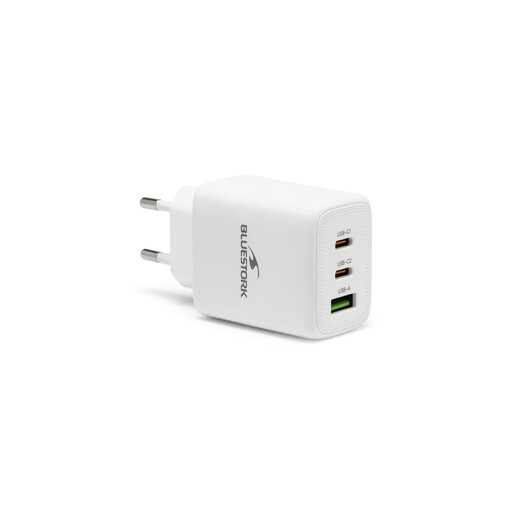
Why this choice suits this profile: This model is ideal for equipping yourself on a budget at home or in a student room. The cable is included, so you don’t need to buy an extra accessory from the start.
The specification clearly states a USB-C PD 3.0 port and a USB-A QC 3.0 port, with a nominal power of 65 W. The included cable also reduces the risk of choosing an unsuitable accessory.
100–240 V input, two types of ports and charging cable included.
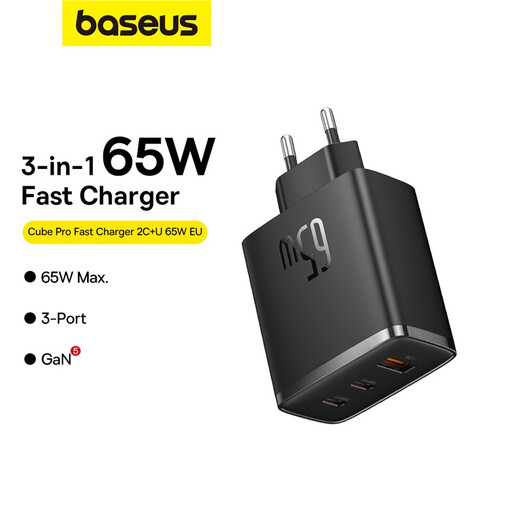
Why this choice suits this profile: Its compact size and three outputs will appeal to frequent travellers and anyone who wants to keep their desk clutter-free.
The power distribution clearly distinguishes the outputs: up to 65 W on one USB-C port, then 45 W + 20 W or other combinations depending on which ports are used.
GaN5 technology, two USB-C ports, one USB-A port and 110–240 V input.
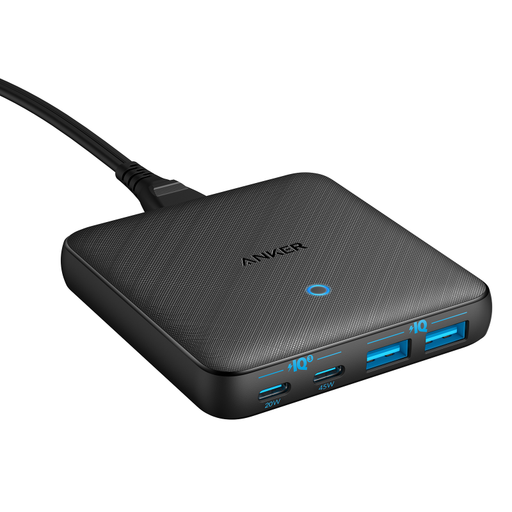
Why this choice suits this profile: With four outputs and a separate mains cable, it’s aimed at remote workers who need to charge a laptop, phone, tablet and several USB accessories at the same time.
The power ratings are detailed for each output: 45 W on one USB-C port and 20 W on the other, within a total envelope of 65 W.
Two USB-C ports, two USB-A ports, 1.5 m mains cable and PPS support.
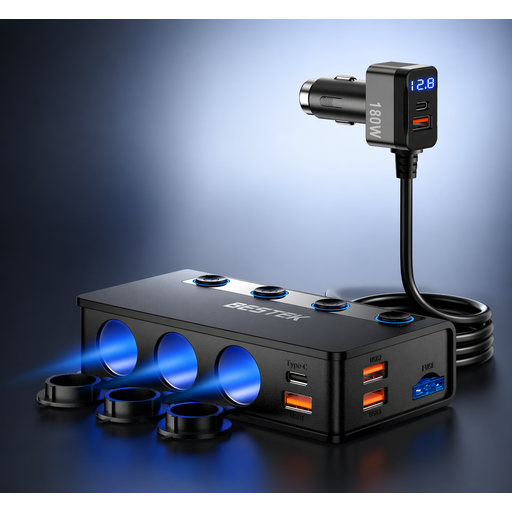
Why this choice suits this profile: This adapter is designed for cars, vans, campervans and family journeys that need multiple sockets and USB ports.
The specification states compatibility with 12–24 V vehicles and details the distribution between two USB-C ports and four USB-A ports.
Nine advertised connection points, total power of 180 W, independent switches and voltage display.
We’ve put together a comprehensive, real-time updated selection of products that meet these demanding criteria, while also complying with European safety regulations.
Yes, provided the laptop accepts charging via USB-C Power Delivery and its required wattage does not exceed that of the charger. Also check the power available on the port when other devices are plugged in.
It is best to use a certified cable designed for the wattage you need. An undersized model can slow down charging or prevent the laptop from using all the available power.
The power consumption depends mainly on the energy demanded by the connected devices. A charger does not constantly supply its nominal wattage when no device is requesting it. Unplug it if you won’t be using it for a long time, and avoid leaving it covered while charging.