
Livraison le jour même ou le lendemain

Qualité garantie

Débloquez vos offres de bienvenue: Livraison GRATUITE | Jusqu'à -80 % | 30 jours d'essai gratuits à JoyPlus
Téléchargez l'application
A 65 W GaN USB-C charger can power a smartphone, a tablet and certain laptops from a single USB-C mains adapter. But the advertised wattage alone doesn't guarantee it's the right choice. Between the promises of fast charging, ports that share power and cables that sometimes aren't included in the box, a few details can turn a great deal into an accessory that's ultimately not very practical.
Here are the points to check before choosing a 65 W fast charger for home, the office or travel in the UK.
A charger advertised at 65 W doesn't necessarily deliver 65 W on every output. On a multi-port model, the power is shared between the connected devices. A charger might, for example, provide 45 W on one USB-C port and reserve 20 W for a second device. The available power can drop even further when a USB-A port is in use.
If you plan to charge a laptop, check the maximum power of the main USB-C port, but also the power distribution when two or three devices are running at the same time.
A 65 W USB-C mains adapter needs to be paired with a cable capable of carrying that power. An older model or one limited to a lower wattage could slow down the charging of a MacBook, a USB-C laptop or a tablet. Some chargers come with a cable, others don't – this difference directly affects the real cost of the setup.
A USB-A and USB-C charger or a multi-port model might seem particularly versatile. However, not all outputs necessarily support the same protocols. For an iPhone, a Samsung Galaxy or a Google Pixel, look for mentions of USB-C PD, PD 3.0, QC 3.0 or, depending on the device, PPS. The presence of a port alone doesn't guarantee fast charging for all your devices.
The USB Power Delivery standard, usually abbreviated to USB PD, allows the charger and device to negotiate the appropriate voltage and current. A 65 W PD 3.0 charger works with many USB-C compatible smartphones, tablets and laptops, subject to each manufacturer's specifications.
The 65 W power, expressed in watts, corresponds to the maximum advertised capacity, not a constant draw. The connected device only receives the power it's capable of accepting. To replace a laptop charger, compare the power recommended by the manufacturer with what the USB-C port delivers.
Before ordering, take stock of the number and type of outputs you actually need:
Technical tables showing a combination like 45 W + 20 W or 45 W + 15 W are particularly valuable. They let you know how much power remains available when several devices are plugged in.
GaN (gallium nitride) technology makes it possible to design compact chargers while maintaining high power. However, the size varies a lot from model to model: a small wall charger slips easily into a bag, while a desktop charger with a mains cable focuses more on stability and port accessibility.
For use in the UK, check for a UK mains plug, the input voltage and safety instructions. Several models shown here advertise an input of 100–240 V or 110–240 V, but it's best to check the product page before travelling abroad. While charging, avoid covering the charger and let air circulate around the casing.
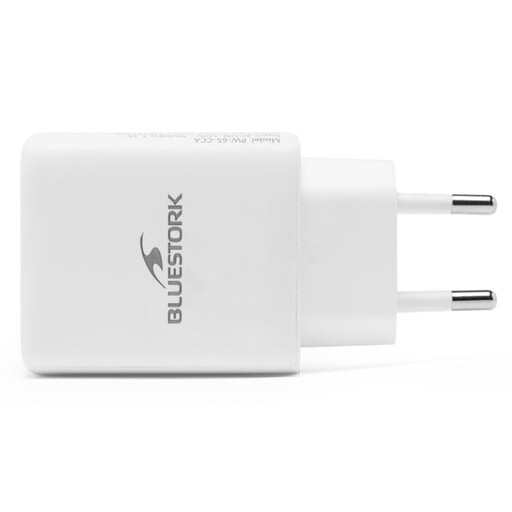
Why this choice suits them: its compact size and two ports are perfect for everyday use with a smartphone and a tablet. The lack of a cable also lets you choose a separate model suited to each device.
The product page clearly states that the cable is not included, avoiding any nasty surprises on delivery. The PD 3.0 and QC 3.0 protocols are also mentioned.
Advertised 65 W, one USB-C PD 3.0 port, one USB-A QC 3.0 port and a 100–240 V input.
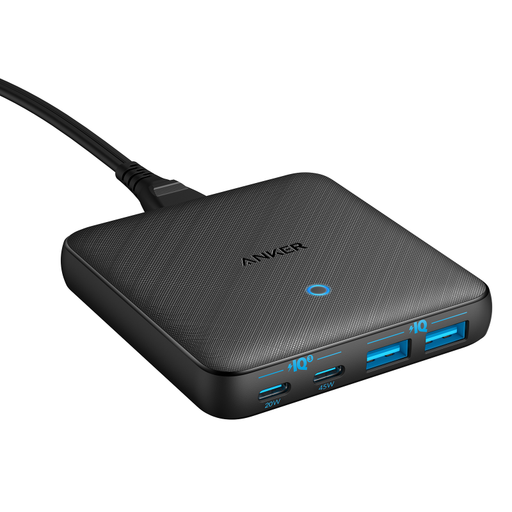
Why this choice suits them: this desktop charger is designed for a fixed setup, with enough to power a laptop, a phone, a tablet and a USB accessory.
The advertised distribution distinguishes one USB-C port up to 45 W and a second limited to 20 W, rather than suggesting each port delivers 65 W.
Two USB-C ports, two USB-A ports, a total advertised power of 65 W and a detachable mains cable.
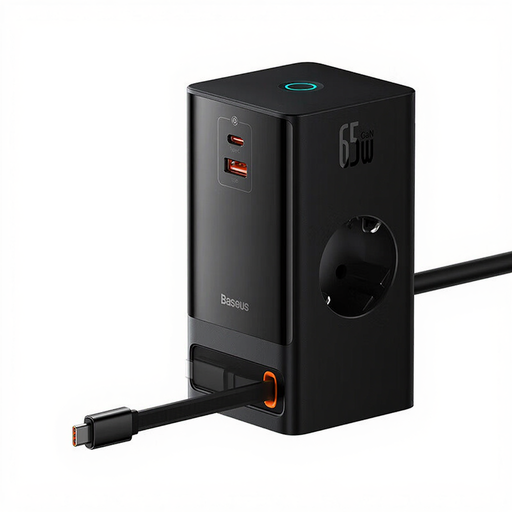
Why this choice suits them: this station is aimed at cluttered desks and those who want to combine mains sockets, wired charging, a retractable USB-C cable and Qi wireless charging.
The product page distinguishes the two mains sockets, the USB outputs and the 65 W GaN power. The 1.5 m mains cable makes it easy to set up on a desk.
Two mains sockets, USB-A, USB-C, retractable USB-C cable, Qi wireless charging up to 15 W and a 1.5 m cable.
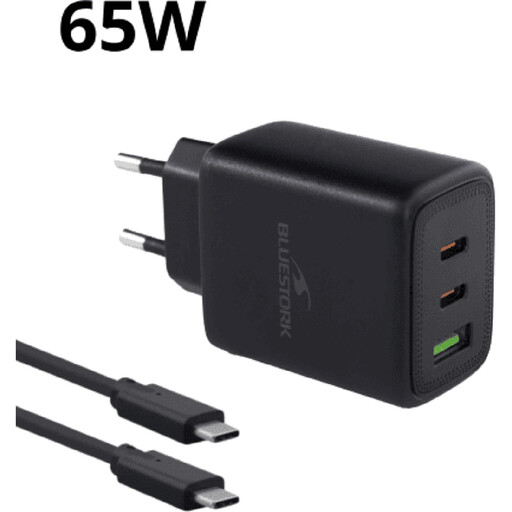
Why this choice suits them: this ready-to-use kit lets you immediately charge a laptop, smartphone or tablet, without having to buy a cable separately.
The product page clearly states that the cable is included. The USB-C PD 3.0 and USB-A QC 3.0 outputs allow you to support devices from different generations.
65 W, two ports, cable included, 100–240 V input and advertised power management between outputs.
We've put together a complete, real-time updated selection of products that meet these strict criteria, while complying with European safety regulations.
Yes. A 65 W charger can power an iPhone, a Samsung Galaxy, a Pixel or a USB-C compatible tablet. The device automatically limits the power it receives. To benefit from fast charging, check your phone's compatibility with USB PD, PPS or QC, and don't forget the cable you're using.
Yes, provided the charger has multiple outputs and its power distribution matches your needs. A laptop might receive 45 W while a phone uses 18 W or 20 W, depending on the model. Always check the output table when several ports are in use simultaneously.
The 65 W rating indicates the maximum power it can deliver, not a constant draw. The actual power consumption depends on the connected device, its battery level and how long it's plugged in. If you're not using it for a long period, unplug the charger and never cover it while charging.