
Livraison le jour même ou le lendemain

Qualité garantie

Débloquez vos offres de bienvenue: Livraison GRATUITE | Jusqu'à -80 % | 30 jours d'essai gratuits à JoyPlus
Téléchargez l'application
By the Joybuy Team, Your Product Experts
A shortage of electrical outlets is a universal frustration. Whether it's in the living room where a TV and gaming console compete for power, or on a desk crowded with a computer and its peripherals, the story is always the same. A 6-outlet power strip is the simplest solution to get organized and power all your devices. But be warned—not all power strips are created equal. Between different cable lengths, safety options, and extra features, it's easy to get overwhelmed.
This guide is here to break down the key criteria and present a selection of models that will help you make the right choice for your specific needs.
Before you buy, take a moment to assess your needs based on three key points. An informed decision is the best way to guarantee your safety, comfort, and the longevity of your devices.
A power strip's primary mission is to distribute electricity safely. Make sure it meets the following criteria:
A modern power strip can offer much more than just extra outlets. Think about how you'll be using it:
The design of the power strip plays a key role in how well it fits into your space:
To illustrate these different criteria, here are three models that cater to very distinct needs.
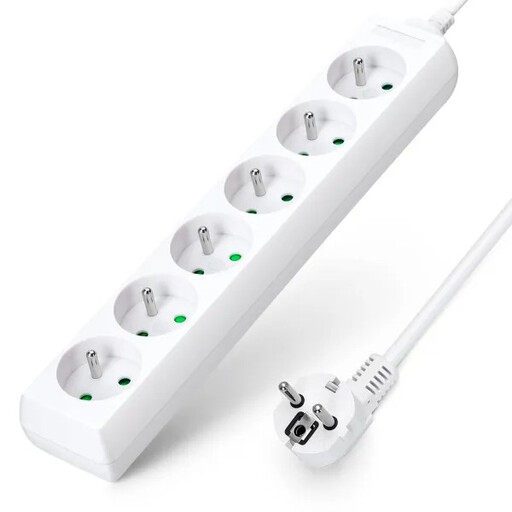
Why it stands out
This Aigostar model gets straight to the point: providing six additional outlets reliably and safely. Its long 3-meter cable and robust design make it a versatile all-rounder for both home and office use.
The Pros
Who is it for?
For those looking for a simple and effective power strip extension cord, without the frills, to power multiple devices in one room (kitchen, living room, office).
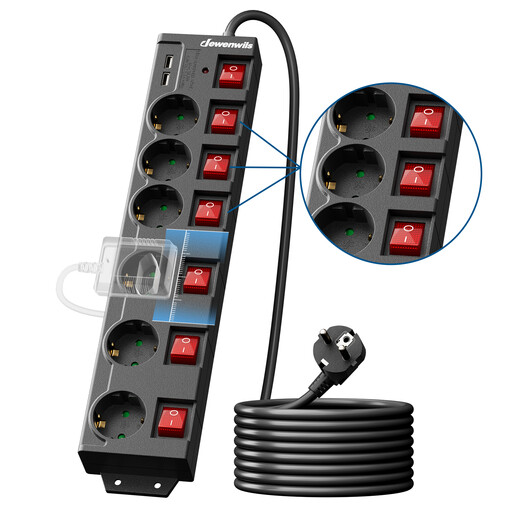
Why it stands out
This Dewenwils power strip focuses on energy management. Each outlet has its own switch, giving you the power to cut off unused devices and combat standby power consumption.
The Pros
Who is it for?
Ideal for workstations, TV/Hi-Fi setups, and anyone who wants to lower their electricity bill by controlling their devices' power consumption.
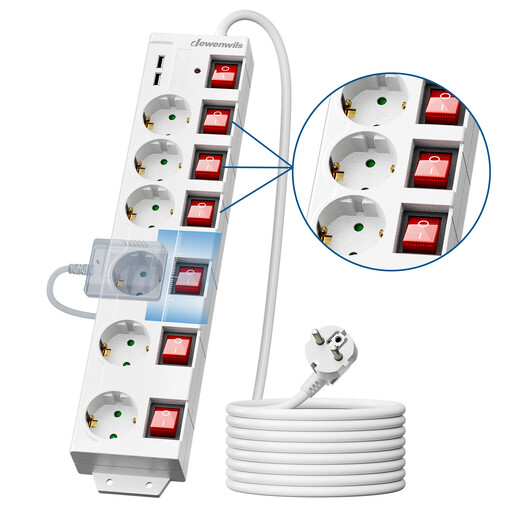
Why it stands out
This model combines the best of both worlds: individual power management and the convenience of USB charging. It's the perfect solution for modern spaces where traditional appliances and mobile gadgets coexist.
The Pros
Who is it for?
For those who need a centralized power and charging station on a desk, nightstand, or in the living room to manage everything from home appliances to electronic devices.
If the models presented don't meet all your needs, or if you have specific aesthetic preferences (like a white switch outlet to blend in with your decor), other solutions are available.
? Explore our full range of switches and outlets to find the perfect model.
1. What is the difference between a simple power strip and a surge protector power strip?
As its name suggests, a simple power strip just multiplies the number of available outlets. A surge protector power strip adds a protection circuit that absorbs power surges (voltage spikes) to safeguard the sensitive electronic devices plugged into it. This is a highly recommended safety feature for computers, televisions, and hi-fi equipment.
2. Can you plug a power strip into another power strip?
No, it is strongly advised against plugging power strips into each other. This practice, often called "daisy-chaining," creates a risk of overloading the first power strip and the wall outlet, which can lead to overheating and even a fire hazard. Always plug your power strip directly into a wall outlet.
3. How do I choose the right cable length for my power strip?
Measure the distance between the wall outlet and where your devices will be. Always choose a cable length that is slightly longer than you need to avoid putting tension on the cord. A 3m cable is a good compromise, offering sufficient flexibility in most situations. Of course, shorter (1.5m) or longer (5m) models are available for more specific needs.