
Livraison le jour même ou le lendemain

Qualité garantie

Débloquez vos offres de bienvenue: Livraison GRATUITE | Jusqu'à -80 % | 30 jours d'essai gratuits à JoyPlus
Téléchargez l'application
Is your Nintendo Switch screen flashing that "Insufficient storage space" message again just as you're about to download the latest game you've been waiting for? It's a frustration that Switch owners—whether on the classic, Lite, or OLED model—know all too well. With digital games often exceeding 15?GB, the built-in 32 or 64?GB of internal storage fills up in a flash.
While buying a microSD card is the obvious solution, the market is full of pitfalls that can turn a good deal into a real headache. Our mission: to help you navigate the options and make the right choice.
The illusion of "up to" speeds: Most cards advertise tempting read speeds (e.g., "up to 100?MB/s"), which is great for launching games quickly. However, the write speed, which is often much lower, is rarely highlighted. Slow write speeds can not only increase save times but also cause stuttering when recording video captures.
Counterfeits and poor-quality cards: This is the costliest risk: ending up with a counterfeit card. These cards display an impressive-looking capacity (e.g., 512?GB) but in reality offer only a fraction of that space (often just 32?GB). Once this fake limit is reached, your data becomes corrupted. Goodbye to your games and precious save files. The only defense? Stick to reputable brands and trusted retailers.
Before you buy, a few technical benchmarks are essential to ensure a seamless gaming experience. Don't worry, here's what really matters for your Nintendo Switch storage.
Storage capacity is the first criterion. To give you a concrete idea:
The Nintendo Switch is compatible with microSD cards up to the UHS-I (Ultra High Speed Class 1) standard. This is the standard recommended by Nintendo for optimal performance.
For any capacity over 32?GB, you will need a card in the microSDXC (eXtended Capacity) format. Older formats (microSDHC) are capped at 32?GB and are therefore not a viable option for significantly expanding your storage. All Switch consoles (classic, Lite, and OLED Switch memory card) are compatible with the microSDXC format.
Rather than an endless list, we've identified player profiles and selected the options that best meet their needs, based on strict performance and reliability criteria.
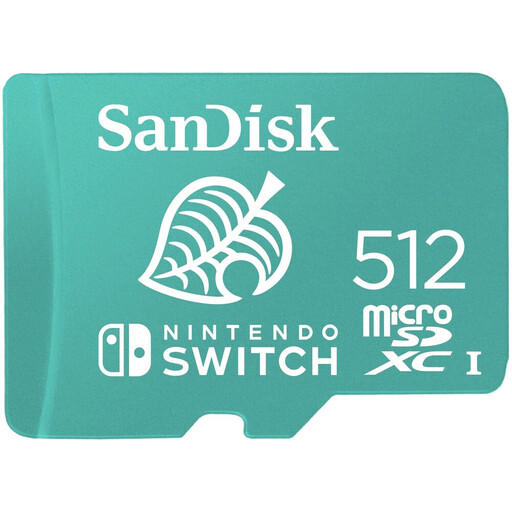
Why it's the right choice: Ideal for gamers who devour eShop titles and never want to archive a game to install another one again. Perfect for storing dozens of large games and accessing them instantly.
As an officially licensed SanDisk Nintendo Switch product, it eliminates any risk of counterfeiting and guarantees perfect compatibility. Its 512 GB capacity makes the "insufficient space" problem a distant memory.
Absolute peace of mind thanks to the Nintendo license. Its performance is optimized for the console, with transfer speeds up to 100 MB/s for lightning-fast load times.
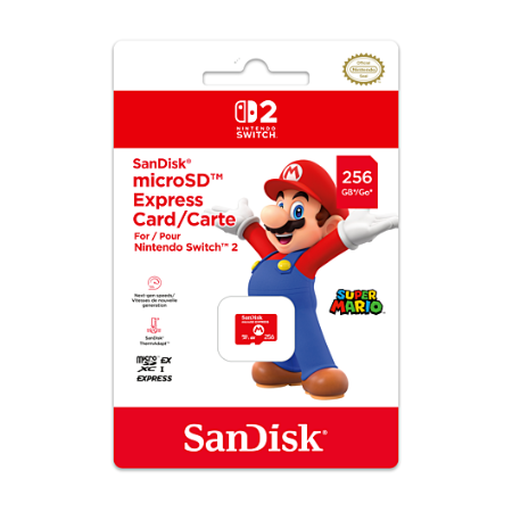
Why it's the right choice: For the gamer who manages their library well but is already thinking about the future. The 256 GB capacity is an excellent compromise, and the Express technology is a winning bet on the performance of future consoles.
This card avoids the trap of obsolescence. By adopting the microSD Express standard, it offers solid performance today and ensures compatibility with the higher speeds of the next generation.
Future-ready technology, offering much faster read and write speeds on compatible devices. A smart investment for tech enthusiasts.
We have compiled a complete and up-to-date selection of products that meet our strict selection criteria.
How do I transfer my games to a new microSD card? No, a simple copy-paste of files via a computer is not enough. You must insert the new card into the console and then re-download your games from the eShop. Rest assured, your save data is stored in the console's memory (or in the cloud if you subscribe to Nintendo Switch Online), so it will not be lost.
What is the lifespan of a microSD card? A quality microSD card, like a SanDisk Switch SD card, is designed to last for many years. The number of read/write cycles is so high that it far exceeds the normal usage of a gamer over the entire life of their console. The main risk of failure comes from counterfeits or physical damage.
Is a 512GB card the best SD card for the Switch? The "best" card depends primarily on your needs. If you're a passionate gamer with a huge digital collection, a 512GB micro SD card for Switch is an unparalleled choice for convenience. For a more casual player, 256?GB may be more than enough and more budget-friendly. The important thing is to choose a reliable card that matches your gaming habits.