
Livraison le jour même ou le lendemain

Qualité garantie

Débloquez vos offres de bienvenue: Livraison GRATUITE | Jusqu'à -80 % | 30 jours d'essai gratuits à JoyPlus
Téléchargez l'application
Choosing a new television can often be a daunting task, with technologies and models multiplying at a rapid pace. If you're targeting a 50-inch 4K TV with Google TV—a versatile size perfect for most living rooms—but feel lost between QLED and dedicated gaming features, you're not alone. This guide is here to demystify the options, clarify the criteria that truly matter, and present our selection of the best models available. Our goal is to help you make the right choice, whether you're a cinephile, an avid gamer, or simply searching for the new hub of your living room.
Before diving into our top picks, let's review the key technical specifications that will make a real difference in your daily use.
While most TVs on the market still use LED technology, a 50-inch QLED TV model marks a significant leap forward. Thanks to a Quantum Dot filter, these panels display a much wider colour palette and achieve higher peak brightness levels. On-screen, the result is undeniable: the image is richer, more nuanced, and more vibrant—a major asset for enjoying HDR (High Dynamic Range) content. Some technologies, like Mini-LED, go even further by delivering stunning contrast through much more precise backlighting.
For proud owners of a PlayStation 5 or Xbox Series X, the presence of HDMI 2.1 ports is non-negotiable—it's an essential purchasing criterion. This standard unlocks features that are indispensable for an optimal gaming experience:
A 50-inch gaming TV equipped with these features guarantees a much more responsive and immersive experience.
A 50-inch 4K Smart TV running Google TV promises a fluid and centralised user experience. Forget outdated systems! Google TV aggregates content from all your streaming apps (Netflix, Prime Video, Disney+, etc.) onto a single home screen. The interface provides personalised recommendations and integrates Google Assistant for ultra-convenient voice searches, whether you're launching a movie or controlling your smart home devices.
Let's get down to business with a few models that stand out, designed for different needs and budgets.
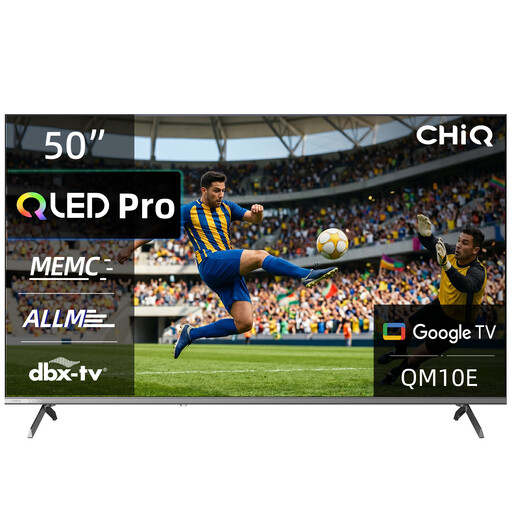
Why It Stands Out?: The CHiQ U50QM10E distinguishes itself with its comprehensive feature set. It combines a QLED Pro panel and, most notably, exceptionally generous connectivity. With four HDMI 2.1 ports, it's ready to accommodate all your modern devices simultaneously.
Key Features?:
Who Is It For?? This model is aimed at users who juggle multiple devices (console, soundbar, Blu-ray player, TV box) and want image quality superior to a standard LED TV, all without breaking the bank.
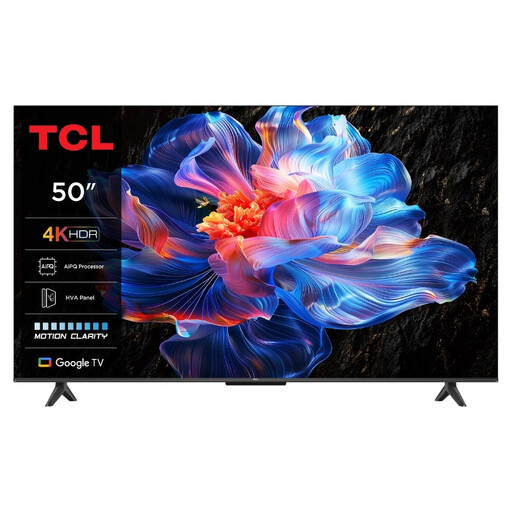
Why It Stands Out?: The TCL 50P61K focuses on image optimisation and the gaming experience, featuring its AiPQ processor and "Game Master" functions. It's an excellent entry point for gamers who want the benefits of HDMI 2.1 without breaking their budget.
Key Features?:
Who Is It For?? This TV primarily targets budget-conscious console gamers who refuse to compromise on essential gaming features. An excellent compromise for mixed streaming and video game use.
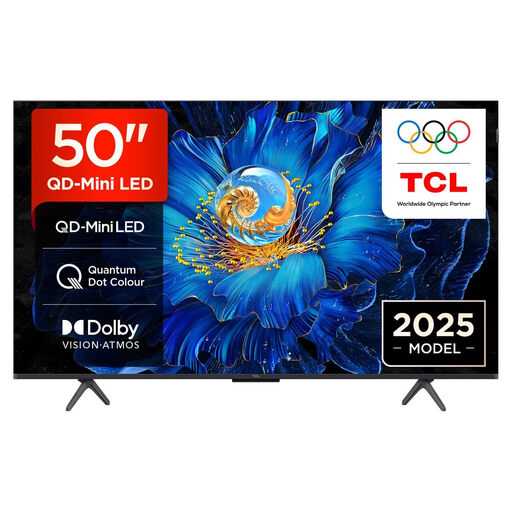
Why It Stands Out?: The TCL 50C6K takes things to the next level with its QD-Mini LED display technology. This combines the advantages of QLED (colours) and Mini-LED (contrast and brightness) to deliver top-tier image quality, with deep blacks and intense peak brightness.
Key Features?:
Who Is It For?? This 50-inch 4K TV is clearly aimed at cinephiles and those most demanding of image quality. If you binge-watch movies and series in 4K HDR, the QD-Mini LED technology and Dolby Vision compatibility will make all the difference.
Our selection focuses on a few gems, but the market is much broader. If none of these models match what you're looking for, or if you want to explore other sizes and technologies, feel free to browse our complete category of Android Smart TVs.
For a 50-inch screen (approximately 127 cm), the 4K resolution allows you to sit closer to the screen without ever distinguishing individual pixels. A viewing distance of between 1.5 and 2 metres (about 5 to 6.5 feet) is generally recommended for optimal immersion that takes full advantage of the high definition.
Yes, and the difference is visible to the naked eye. A QLED screen offers a much richer colour palette and superior peak brightness. In practice, this translates to more vibrant and realistic images—a clear advantage for HDR content, where colour nuances and brightness variations are much more pronounced.
If your use is limited to streaming and watching broadcast TV, HDMI 2.1 is not immediately essential. Instead, it should be seen as a way to future-proof your purchase, ensuring your TV's compatibility with future devices (high-end soundbars, new media boxes, etc.) that will leverage its higher bandwidth.