
Livraison le jour même ou le lendemain

Qualité garantie

Débloquez vos offres de bienvenue: Livraison GRATUITE | Jusqu'à -80 % | 30 jours d'essai gratuits à JoyPlus
Téléchargez l'application
Turning your living room into a private cinema? It's a dream for many. But the idea of a massive TV that monopolises your space or a complex installation can be discouraging, especially in modern apartments. This is where the portable projector comes into play: a flexible, high-performance solution for enjoying films, series, and video games on a giant screen, anywhere.
With an overwhelming number of options on the market, it's hard to know where to start. Our mission at Joybuy is to arm you with clear information and practical advice to make the right choice. This guide breaks down the essential criteria and presents a selection of models set to impress in 2026.
Before taking the plunge, it's essential to understand a few key technical specifications that make all the difference.
Don't be blinded by marketing jargon. Native resolution is THE number-one criterion for image sharpness. A native Full HD 1080p (1920x1080 pixels) projector delivers a clear, detailed image, ideal for a home cinema. The mention of "4K supported" means the device can read a 4K signal, but the image will inevitably be downscaled to its native resolution.
As for brightness, it's measured in ANSI lumens. The higher this number, the more legible the image will remain in a bright environment. For use in a dimly lit room or in the evening, a range of 300 to 700 ANSI lumens is more than enough to ensure a beautifully immersive experience.
A portable projector worth its salt must be easy to connect. Wi-Fi 6 ensures a more stable and faster wireless connection, which is essential for lag-free streaming. Bluetooth allows you to connect a soundbar or headphones for more impactful sound.
Many models integrate an operating system like Android, turning your projector into a true portable Smart TV. This gives you direct access to Netflix, YouTube, or Disney+ without needing to connect a computer or another source. It's the ideal feature for a Netflix projector that's ready to use out of the box.
Gone are the days of tedious manual adjustments! A projector with automatic keystone correction and autofocus radically simplifies setup. These features automatically adjust the image to be perfectly rectangular and sharp, even if the projector isn't placed directly in front of the wall. It's a precious time-saver and the guarantee of a flawless image in seconds.
Here are a few gems that stand out for their features and value for money, catering to all needs and budgets.
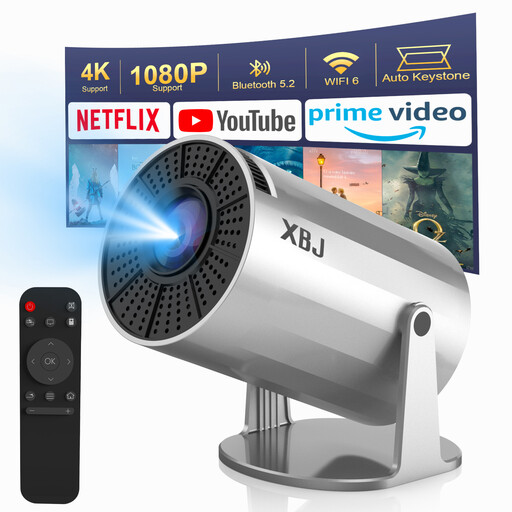
Its key feature: Its 180° rotating base and pocket-sized format make it an ultra-versatile entertainment companion, capable of projecting an image from floor to ceiling in the blink of an eye.
Highlights:
Who is it for? Ideal for entertainment nomads looking for an affordable solution for impromptu movie nights, whether in the bedroom or the living room.
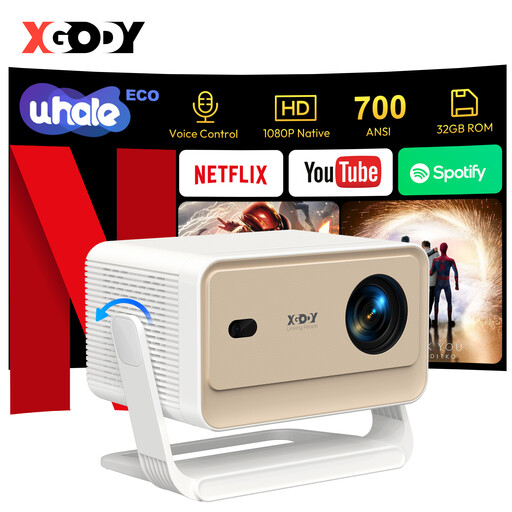
Its standout feature: This model is one of the few to include an official Netflix licence, guaranteeing a smooth, high-definition streaming experience without an external box.
Highlights:
Who is it for? For binge-watchers and film buffs who demand a high-performance, all-in-one solution with a plug-and-play setup and immediate access to their favourite streaming platforms.
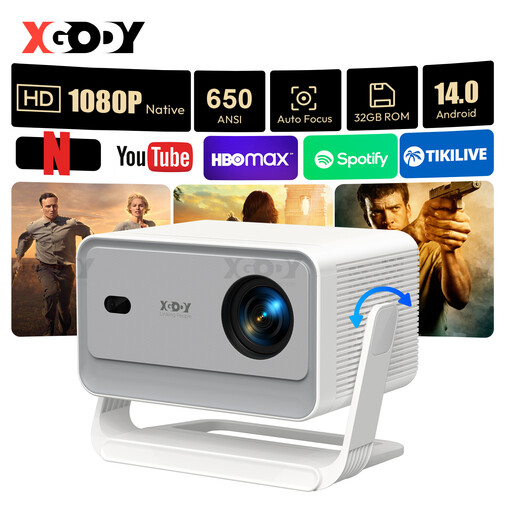
Its trump card: It packs the latest Android 14.0 and a full suite of AI-driven image correction features for a stunningly smooth user experience.
Highlights:
Who is it for? For tech enthusiasts seeking the very latest software and hardware innovations in a compact format, without compromising on image quality or ease of use.
This selection is just a taste of the possibilities offered by portable projectors. Because every user is unique, your perfect match might be hiding elsewhere in our catalogue. To compare more models or explore other options, feel free to browse our full range.
? Explore our full range of projectors to find the model that perfectly matches your expectations.
1. What's the difference between native resolution and supported resolution? The native resolution is the actual number of pixels the projector displays. It's the true indicator of sharpness. The supported resolution (e.g., 4K or 8K) means the projector can receive and decode a signal of that quality, but it will downscale it to its native resolution for projection. A native 1080p projector will always produce a sharper image than a native 720p one, even if both are "4K supported."
2. Can you use a portable projector during the day? This is the main challenge for a portable projector. Ambient light directly washes out the projected image. For daytime use, you should opt for a very bright model (over 700 ANSI lumens) and use it in a room where you can control the light (blackout curtains, blinds). For optimal image quality, nothing beats a dimly lit room.
3. How do I connect my smartphone to a portable projector? Most modern mini projectors offer two solutions. The simplest is wireless casting via Wi-Fi (screen mirroring), using protocols like Miracast (Android) or AirPlay (iOS). Simply connect both devices to the same network. Be aware: for rights reasons (HDCP protection), some streaming apps like Netflix often block this feature. The most reliable alternative remains a wired connection via an HDMI cable, using the appropriate adapter for your smartphone.