
Livraison le jour même ou le lendemain

Qualité garantie

Débloquez vos offres de bienvenue: Livraison GRATUITE | Jusqu'à -80 % | 30 jours d'essai gratuits à JoyPlus
Téléchargez l'application
Upgrading your gaming monitor is a crucial investment for any enthusiast. Faced with the promise of total immersion from a 4K 160?Hz gaming monitor, it's easy to feel overwhelmed by technical jargon and marketing hype. Too many buyers end up spending a fortune on a monitor that, once unboxed, fails to live up to its promises. Our mission: to help you decode this complex market and make the right choice, without regrets.
Before you pull out your credit card, here are the pitfalls to avoid so your dream setup doesn't become a costly disappointment:
To avoid these pitfalls, here are the features that truly make a difference and guarantee performance worthy of your investment.
In the premium segment, the real revolution is in the backlighting. While a standard edge-lit LCD screen has just a few dozen LEDs, a 27-inch Mini-LED monitor packs thousands, distributed across hundreds of independent local dimming zones.
For a true HDR spectacle, trust only official VESA DisplayHDR certifications. A DisplayHDR 1400 label, for example, guarantees a peak brightness of at least 1400 nits. This is where the magic happens.
To truly benefit from a high refresh rate, adaptive sync is essential. Technologies like AMD FreeSync Premium or G-Sync Compatible certification allow the monitor to sync its refresh rate with your graphics card's frame rate in real time.
Instead of an endless catalogue, here are three models that meet specific needs, all selected according to the performance criteria we've just defined.
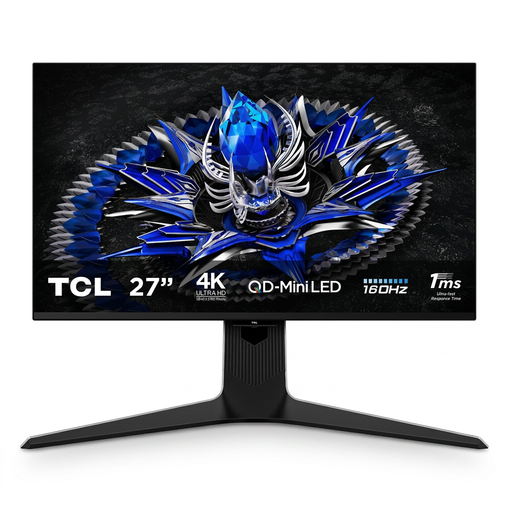
Why it stands out: This monitor is built for those who refuse to choose between gaming performance and colour accuracy. It's ideal for streamers and creators who switch between 4K video editing and competitive gaming sessions on the same machine. A perfect balance, often praised in reviews of the TCL 27R83U.
It shatters the "fake HDR" trap with a genuine DisplayHDR 1400 certification, powered by a 1152-zone QD-Mini-LED technology. The contrast and brightness transform the visual experience.
QD-Mini-LED technology for next-level contrast. Wide colour gamut (97% Adobe RGB) and precise factory calibration (ΔE < 0.99) for demanding creatives.
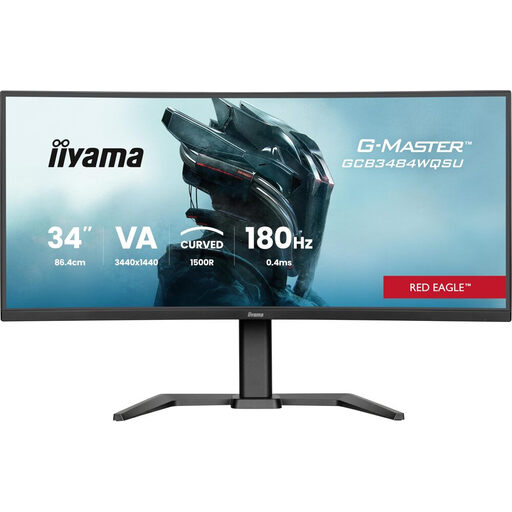
Why it stands out: For fans of simulation (racing, flight) and RPGs who prioritise a panoramic field of view, this 34-inch curved monitor offers an immersion that 16:9 screens can't match. Its 180 Hz refresh rate ensures exemplary smoothness on this large format.
It doesn't pretend to be a 4K monitor and embraces its status as a UWQHD (3440x1440) display. It avoids the trap of slow ultrawide monitors by offering a 180 Hz refresh rate and FreeSync Premium compatibility.
21:9 aspect ratio and 1500R curvature for total immersion. High 180 Hz refresh rate for maximum smoothness.
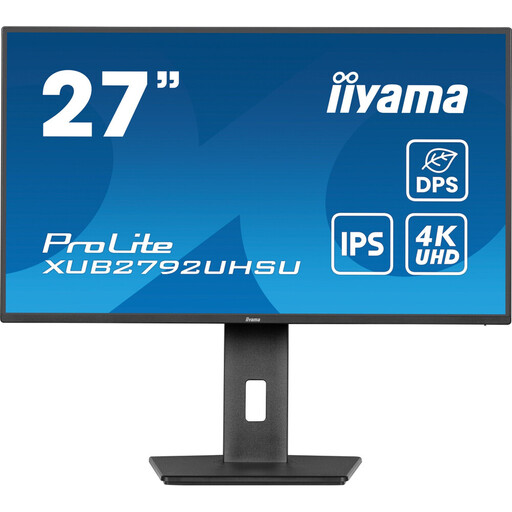
Why it stands out: This monitor is aimed at graphic designers, photographers, and developers who need the sharpness of 4K and excellent colour fidelity (10-bit IPS panel) for their work, without paying a premium for high-end gaming features like 160 Hz.
No false promises on the gaming front. Its positioning is crystal clear: it's a 4K productivity tool. It avoids the "jack of all trades, master of none" trap by excelling where it's expected to: display accuracy.
4K IPS panel for accurate colours and wide viewing angles. Fully ergonomic stand (height, pivot, tilt) for optimal working comfort.
We have compiled a curated selection of monitors that meet our demanding selection criteria.
The PlayStation 5 is limited to a maximum output of 4K at 120?Hz. In practice, this means you won't be able to use the full 160?Hz capability of the monitor with this console. However, a monitor equipped with an HDMI 2.1 port will allow you to take full advantage of the 4K 120?Hz mode on compatible games, which already provides exceptional smoothness and image quality. It's a future-proof investment, perfect for a future PC build or the next generation of consoles.
Yes, without a doubt. To run recent games in 4K at max settings while targeting 160 frames per second, a latest-generation graphics card is essential (think NVIDIA GeForce RTX 4080/4090 or an AMD equivalent). Without such a powerful GPU, you won't be able to unlock the monitor's full potential and will have to make sacrifices on resolution or graphics settings, which would defeat the purpose of your investment.
For those who demand top-tier HDR performance and stunning contrast, the answer is a resounding yes. A Mini-LED monitor delivers image quality that rivals OLED in terms of black depth and highlight brilliance, but without the risk of burn-in. For immersive gaming and professional content creation where visual fidelity is king, the quality improvement fully justifies the investment.