
Livraison le jour même ou le lendemain

Qualité garantie

Débloquez vos offres de bienvenue: Livraison GRATUITE | Jusqu'à -80 % | 30 jours d'essai gratuits à JoyPlus
Téléchargez l'application
Staying connected on the go is no longer a luxury, but a necessity. A 4G tablet gives you this freedom?: no more relying on public Wi-Fi networks, which are often slow and unsecure. But in a market saturated with complex spec sheets and marketing promises, it can be hard to navigate.
Our mission?? To help you see things more clearly. We'll break down the pitfalls to avoid and the real criteria that matter, ensuring your next purchase is a success, not a regret.
Before you even start comparing models, you need to know how to see through misleading marketing claims that can cost you in the long run.
To make the right choice, focus on these three pillars that define the true day-to-day user experience.
The heart of your tablet is its processor (CPU). An Octa-Core (eight-core) model is the standard today for a smooth experience. It allows you to handle multiple apps simultaneously without slowdowns. For a gaming tablet or heavy multitasking, processors like the Helio G99 or recent equivalents offer a good balance between performance and power consumption.
Pair it with a comfortable amount of physical RAM. For 2026, aim for a minimum of 6 GB of physical RAM, and ideally 8 GB to be future-proof for upcoming versions of Android. This is what guarantees system responsiveness when you switch between applications.
A large screen is nice, but its quality is paramount. Here are the points to check?:
The main advantage of a tablet with a SIM card is its mobility. Make sure the model is compatible with your country's 4G LTE frequency bands. Some models also offer Wi-Fi 5 or 6 connectivity, which provides much higher speeds at home than older Wi-Fi (2.4 GHz). The presence of dual SIM slots can be a bonus for managing a work line and a personal line.
Here is a selection of models that check all the boxes, suited for different budgets and uses.
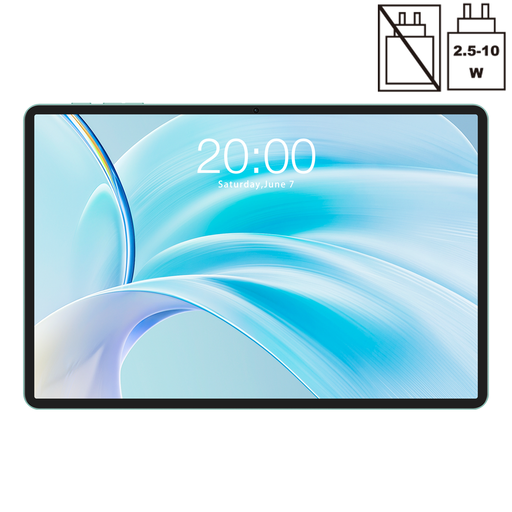
Why it's a match : Ideal for those seeking a responsive tablet for browsing, streaming, and daily tasks without breaking the bank. Its 11-inch size is a great compromise between viewing comfort and portability.
It relies on 8 GB of physical RAM, ensuring true fluidity, and features Widevine L1 certification for HD streaming—a detail often sacrificed on a budget-friendly tablet.
Its 90Hz screen offers a very pleasant browsing experience. The Dual SIM 4G LTE + Wi-Fi 5 connectivity ensures a stable connection everywhere.

Why it's a match : Perfect for those who need a large screen for work, note-taking, or drawing. The included stylus and large display area make it an excellent mobile productivity tool.
Its 10,000 mAh battery is paired with the Helio G99 processor, known for its power efficiency, ensuring real-world battery life for a full workday.
The 12.7-inch 2K screen offers exceptional viewing comfort. Support for the stylus with 4096 pressure levels is a major asset for creativity.
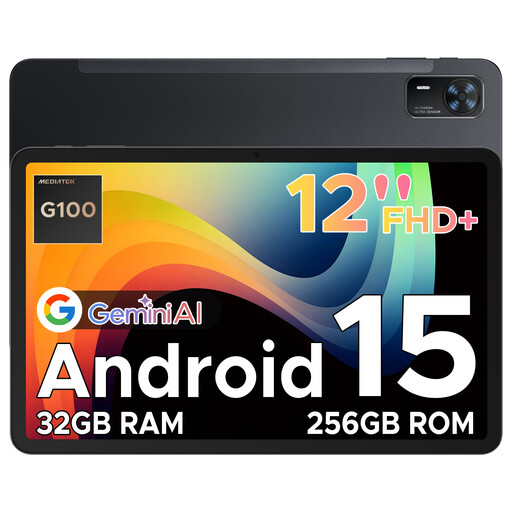
Why it's a match : Designed for entertainment, this 12-inch tablet combines a large, smooth screen with immersive audio, making it an ideal candidate for movies and gaming on the go.
It doesn't just have a large screen; it adds a 90 Hz refresh rate. The Helio G100 processor is optimised for gaming, preventing frustrating slowdowns.
The four speakers create a much more immersive soundstage than average. Its slim 7.5 mm design makes it surprisingly easy to handle for a tablet of this size.
We have compiled a complete selection of tablets that meet our selection criteria and European safety standards.
Most modern 4G tablets use a Nano-SIM card, the smallest and most common format. As a precaution, check the product's spec sheet to confirm the required format. You can get a SIM card from your mobile carrier, often as part of a "multi-SIM" option linked to your existing phone plan.
Technically, a tablet with a SIM card can make calls and send texts if the corresponding app is installed. However, its size makes it impractical for calls held to the ear. It's designed more as a companion for data access, streaming, and productivity on a larger screen, not as a direct replacement for a phone.
Yes, in general, using the 4G mobile network consumes more power than Wi-Fi. The tablet's cellular modem must constantly communicate with cell towers, whose distance and signal strength vary. To preserve your battery, our advice is simple?: switch to a reliable Wi-Fi network whenever you have the chance.