
Livraison le jour même ou le lendemain

Qualité garantie

Débloquez vos offres de bienvenue: Livraison GRATUITE | Jusqu'à -80 % | 30 jours d'essai gratuits à JoyPlus
Téléchargez l'application
A 360 mm ARGB AIO liquid cooler can be an excellent choice for a gaming PC, workstation or processor that is heavily used for long periods. However, radiator size, lighting effects and the presence of a display are not enough to determine whether a model will really suit your case and your needs.
Unpleasant surprises usually come from three common pitfalls:
Start by identifying your motherboard’s socket. The latest systems may use Intel LGA1851, while many earlier Intel platforms are based on LGA1700. For AMD, AM5 and AM4 sockets remain very common.
A CPU liquid-cooling kit must include the correct mounting hardware for your motherboard’s socket. You should also check:
A model that appears compatible on paper may therefore prove difficult, or even impossible, to install in a compact case.
Technical data should be examined separately. Measured in CFM, airflow indicates the volume of air moved under certain conditions. Static pressure, usually given in mmAq, instead indicates how effectively the fans can push air through the radiator fins.
For example, the LE100 360 features 2,500 rpm PWM fans, airflow of 81.8 CFM and static pressure of 3.2 mmAq. These figures make it easier to compare technical specifications, but they are not enough to predict the actual noise level once the kit is installed in your case.
PWM control also plays an essential role: it allows the motherboard to automatically adjust fan speed according to the processor temperature. For a PC used every day, also check that your motherboard’s UEFI or software allows you to customise the fan curves.
ARGB allows the LEDs to be controlled separately, creating a customisable RGB liquid cooler, provided that the connectors and software are compatible with your motherboard. In particular, you need to distinguish between:
A liquid cooler with an IPS display can show system information or customised visuals. A liquid cooler with an AMOLED display focuses more on a generous display area and more sophisticated visual effects. In both cases, check the connection type, software compatibility and how readable the display will be once the kit is installed in your case.
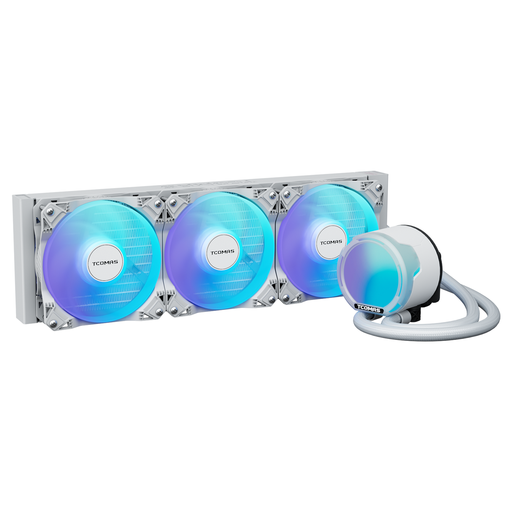
Why this choice suits this user profile : This 360 mm CPU liquid-cooling kit combines a three-phase pump, PWM fans and ARGB lighting with clear specifications and broad Intel and AMD compatibility.
Details of the socket, airflow and static pressure are clearly stated, making it easier to carry out the necessary checks before buying.
2,500 rpm fans, advertised airflow of 81.8 CFM, static pressure of 3.2 mmAq and full ARGB lighting.
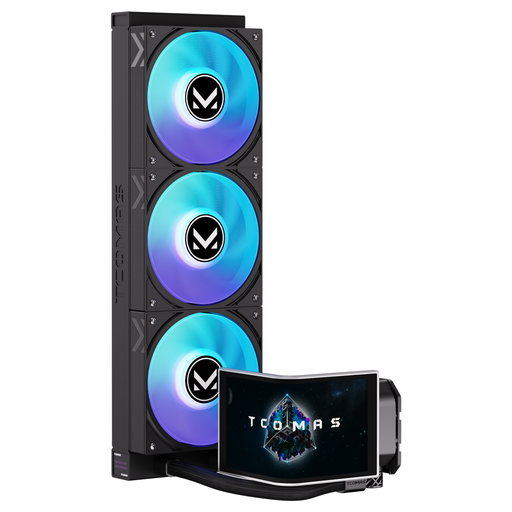
Why this choice suits this user profile : Its curved 6.67-inch AMOLED display and 3D visual effects are designed for systems where looks matter just as much as performance.
The display and customisation features are clearly mentioned in the description, going beyond simple decorative lighting.
Curved 6.67-inch AMOLED display, 3D effects and compatibility with Intel LGA1851/LGA1700 and AMD AM5/AM4 sockets.
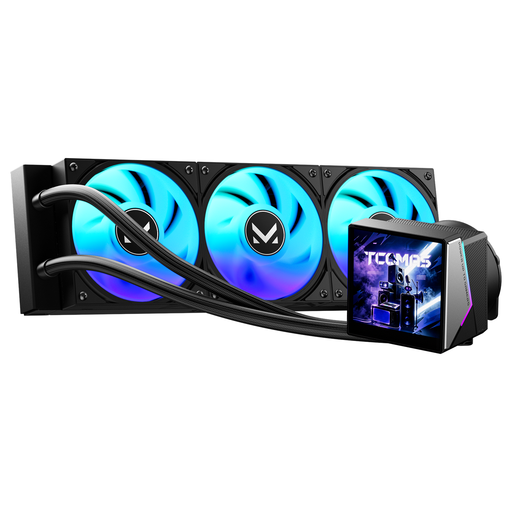
Why this choice suits this user profile : The pump head features a 3.95-inch IPS display, making it suitable for monitoring temperatures and customising a machine intended for gaming, content creation or streaming.
The IPS display is clearly specified, making it easy to distinguish this model from a simple ARGB pump.
3.95-inch IPS display, dynamic ARGB lighting and compatibility with the specified Intel and AMD sockets.
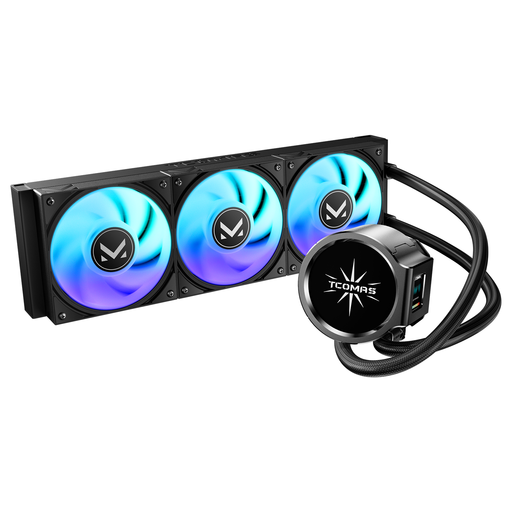
Why this choice suits this user profile : Its dual-display system will appeal to builders who want to give the pump a truly distinctive feature while retaining the form factor of a 360 mm AIO.
The description distinguishes between the main round display and the square secondary display. This is useful when checking that the display type matches your expectations.
Dual-display design, ARGB fans and support for Intel LGA1851/LGA1700 and AMD AM5/AM4 sockets.
We have brought together a complete, real-time selection of products that meet these demanding criteria while complying with European safety regulations.
Before starting the installation, remove the protective films from the pump block and radiator, then position the fans according to your case’s airflow. Secure the radiator without putting excessive strain on the tubes. Also avoid positioning the pump higher than necessary in the loop, to help minimise noise caused by air in the circuit.
For gaming CPU cooling, set a gradual fan curve in the UEFI. Running the fans at full speed all the time is not always necessary. Before replacing the side panel, also check the ARGB, PWM and USB cables: displays and lighting effects often require more connections than a simple air cooler.
The lifespan of a kit depends on the quality of the installation, ambient temperature, maintenance and the model selected. Regularly remove dust from the radiator and fans. A sealed AIO is not generally designed to be refilled by the user unless otherwise stated by the manufacturer.
No. Compatibility depends on the socket and the mounting hardware supplied. Check carefully for LGA1851, LGA1700, AM5 or AM4, then make sure your case can accommodate a 360 mm radiator.
The display is primarily used to show information and customise your system. Its presence alone does not indicate better cooling performance. To compare different kits, focus instead on the radiator, pump, PWM fans and the stated technical specifications.
Power consumption mainly depends on the pump, fans and their speed, as well as any ARGB lighting and display. A correctly configured PWM curve can prevent the system from running at high speed when the processor is under light load.