
Livraison le jour même ou le lendemain

Qualité garantie

Débloquez vos offres de bienvenue: Livraison GRATUITE | Jusqu'à -80 % | 30 jours d'essai gratuits à JoyPlus
Téléchargez l'application
A 360 mm AIO watercooling system for your CPU appeals to gamers, content creators and enthusiasts of clean builds thanks to its large dissipation surface and polished appearance. But a long radiator and a few lighting effects aren't enough to guarantee it will suit your setup.
Before comparing 360 mm liquid CPU coolers, check three points that are often overlooked: actual case compatibility, the mounting kit supplied for your socket, and the real-world fan specifications. A screen on the pump, ARGB lighting or a 3D display can add a personal touch, but they will never replace a proper installation.
A 360 mm watercooling kit is designed to accommodate a sizeable radiator, usually installed at the front or top of the case. Even if the product supports Intel LGA1851 or AMD AM5 and AM4, that doesn't automatically mean your case can house the radiator, fans and the total thickness of the assembly.
Measure the available space and check in particular:
PWM fans capable of reaching 2,500 RPM offer a comfortable adjustment range, but their maximum speed alone doesn't let you assess noise or real-world efficiency. Airflow, static pressure, the PWM curve and the radiator design all need to be analysed together.
The LE100 360, for example, claims 81.8 CFM of airflow and 3.2 mmH₂O of static pressure. These figures provide useful benchmarks for comparing spec sheets, but actual performance also depends on your case, thermal paste, ambient temperature and motherboard settings.
A pump with an IPS display, a curved AMOLED screen or a 3D display can personalise the inside of your PC. Before you give in, check the connection method, the required software, the resolution, readability depending on your case orientation, and whether you can disable the effects.
The screen is therefore an aesthetic and practical feature, not a direct indicator of cooling capability. For a work or gaming build, start by prioritising the mounting, airflow and compatibility.
For a recent Intel CPU, look explicitly for LGA1851 compatibility, in addition to any LGA1700, LGA1200 or LGA115X support. On the AMD side, AM5 and AM4 motherboards don't always use exactly the same mounting accessories.
Intel LGA1851 CPU cooling and AMD AM5 and AM4 watercooling should therefore be clearly distinguished in the spec sheet. Make sure everything you need is included and that your motherboard doesn't require any special modification to the backplate.
A 360 mm radiator offers a larger exchange surface than a 240 mm model, but the CPU load remains the deciding factor. The Ryzen 9 9950X3D, listed as AM5 compatible, has 16 cores, 32 threads and a stated TDP of 120 W. Its spec sheet recommends suitable cooling with a nominal capacity of at least 240 W.
This value obviously doesn't guarantee a precise temperature. With a powerful CPU, compare the stated capacity, pump design, radiator thickness and PWM tuning quality. Even the best kit won't work miracles if the installation is rushed.
PWM fans are controlled from the motherboard, while ARGB typically requires a compatible 5 V three-pin connector. Be careful not to confuse ARGB with 12 V RGB: their connectors are not interchangeable.
An ARGB pump, integrated RGB lighting or a pump screen may require several cables. Allow enough room behind the motherboard and check for a controller if your board doesn't have the necessary headers.
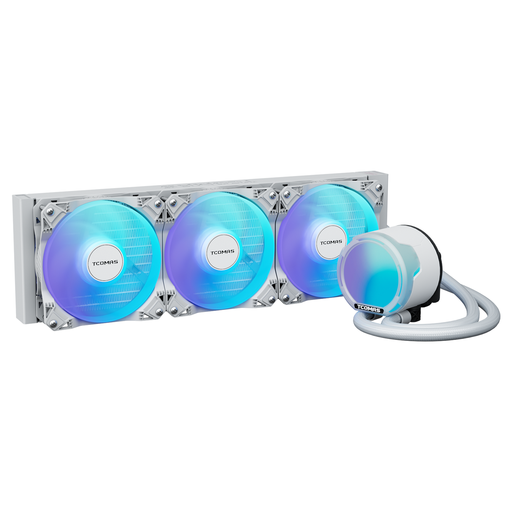
Why this choice suits this profile: This model combines Intel LGA1851 and AMD AM5/AM4 compatibility, PWM fans at 2,500 RPM and ARGB lighting, all in an easy-to-read spec sheet.
The stated figures of 81.8 CFM and 3.2 mmH₂O provide concrete benchmarks, rather than relying solely on looks.
Stated three-phase pump, PWM fans at 2,500 RPM and full ARGB coverage.
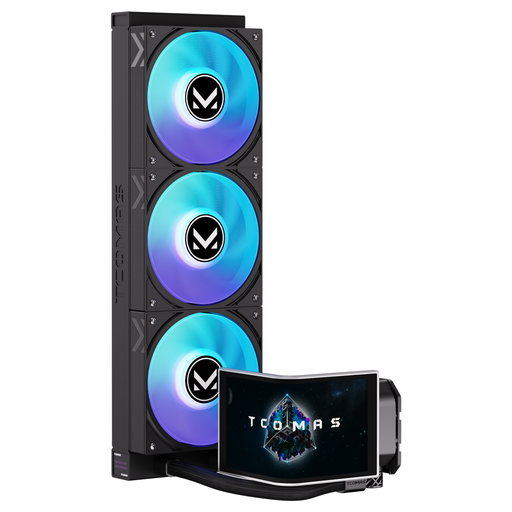
Why this choice suits this profile: Its 6.67-inch curved AMOLED screen and 3D visual effects are aimed at builds where presentation matters as much as liquid cooling.
The spec sheet states the screen size and technology, so you can check whether its display features genuinely match your needs.
Curved AMOLED screen, customisable 3D effects and LGA1851, AM5 and AM4 compatibility.
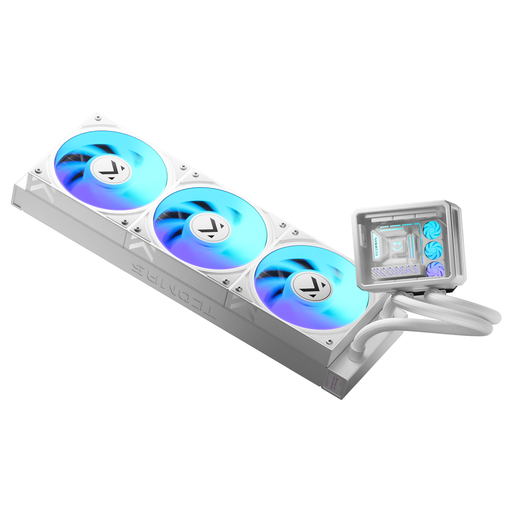
Why this choice suits this profile: Its thicker radiator is designed for builds that regularly run at full load, such as those used for video editing or 3D rendering.
The mention of a thicker radiator draws attention to the clearance you need to check before installation, rather than glossing over it.
Thicker radiator, large pump head and ARGB fans.
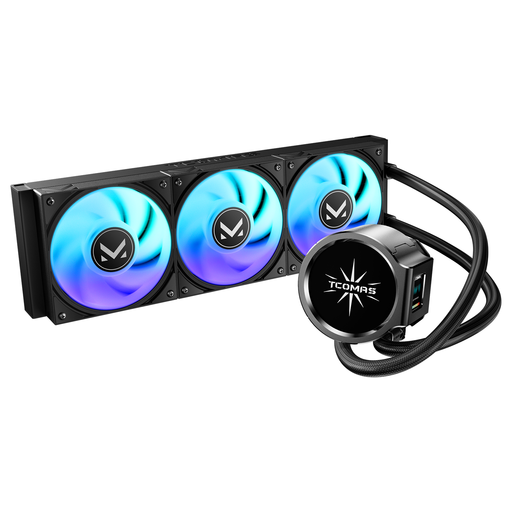
Why this choice suits this profile: Its dual-screen pump, with a round main display and a square secondary screen, fits perfectly into a glass-panelled case or a custom gaming build.
The two display areas are clearly stated: you can therefore verify that the clearance and connectivity suit your case.
Dual screen on the pump, ARGB fans and Intel LGA1851/1700 and AMD AM5/AM4 compatibility.
We've put together a comprehensive, real-time updated selection of products that meet these demanding criteria and European safety standards.
No, it's not essential in every case. However, it does offer a radiator surface well suited to prolonged loads and high-end builds. For this AM5 CPU, check the stated dissipation capacity, mounting system compatibility and airflow inside your case. Final temperatures will also depend on your settings, thermal paste and ambient temperature.
Its lifespan depends on component quality, temperature, dust and usage cycles. An AIO kit is generally not designed to be refilled by the user. Be alert to unusual pump noises, a persistent rise in temperatures or any signs of liquid. Then check the warranty terms and replacement procedure.
The pump and fans consume electricity, but the difference depends on their speed and the profile chosen in the BIOS. In daily use, this consumption is generally secondary compared to the purchase price, case maintenance and potential kit replacement. To keep noise levels down, set a gradual PWM curve and clean the filters regularly.