
Livraison le jour même ou le lendemain

Qualité garantie

Débloquez vos offres de bienvenue: Livraison GRATUITE | Jusqu'à -80 % | 30 jours d'essai gratuits à JoyPlus
Téléchargez l'application
A 360 mm AIO watercooler can be an excellent choice for a powerful gaming PC, a video editing workstation, or a build equipped with a recent Intel processor or an AMD Ryzen. But a large radiator, ARGB lighting, or an integrated screen alone don't guarantee a good purchase.
Some common pitfalls keep cropping up:
For an Intel LGA 1851 AIO CPU cooler, make sure the kit includes the correct mounting bracket. The LGA 1700, LGA 1200, and LGA 115X sockets all use different mounting distances. On the AMD side, an AMD AM5 watercooler might also be listed as compatible with AM4, but you should verify the included accessories and installation method on the product page.
Before placing your order, check:
This check will save you from opening the box only to find a missing bracket or tubes that interfere with your memory modules.
A 360 mm radiator accommodates three 120 mm fans. However, its length alone doesn't guarantee compatibility: the combined thickness of the radiator and fans can conflict with RAM, motherboard heatsinks, or power cables.
Be sure to measure:
PWM ARGB fans are great for customising your build: the PWM signal lets you adjust their speed from the motherboard, while ARGB controls the lighting. Also check the connector type and how many headers are available on your motherboard.
An ARGB pump or a block with a screen can transform the look of your build. On the flip side, these features often add extra cables and require dedicated software. Check whether the screen needs to connect to an internal USB header, whether the lighting can sync with your motherboard, and whether your settings are retained after a restart.
Maximum fan speed, airflow, and static pressure are useful for comparing spec sheets. But they don't give you a universal measure of noise. If you're after a quiet build, also look at the minimum speed, PWM control, and the ability to create a custom fan curve.
The models below are grouped by intended use and the features listed on their product pages. Prices, availability, and box contents can change, so check the product page before finalising your purchase.
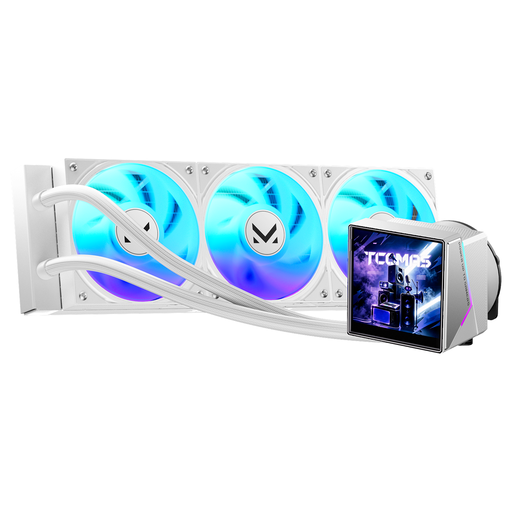
Why this model suits this profile: Its 3.95-inch IPS screen and ARGB lighting let you personalise your build without piling on gimmicky features. It supports Intel LGA 1851 and 1700 sockets, as well as AMD AM5 and AM4 platforms.
Socket compatibility is clearly stated in the model name. Still, it's essential to check the mounting accessories and the available space inside your case.
3.95-inch IPS screen, dynamic ARGB lighting, and support for the listed Intel and AMD platforms.
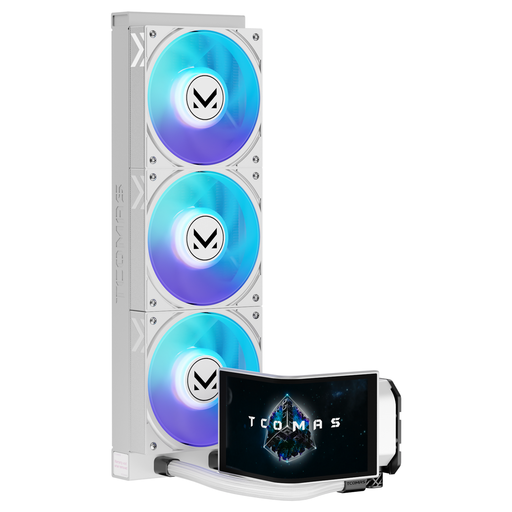
Why this model suits this profile: This kit is aimed at builds where the screen plays a central role in the PC's presentation. Its 6.67-inch curved AMOLED panel is described as customisable and capable of displaying 3D visual effects.
The customisable screen is presented as a feature separate from the cooling function. Before buying, check the required software and internal connections.
6.67-inch curved AMOLED screen, 3D visual effects, and stated compatibility with Intel LGA 1851 and 1700, plus AMD AM5 and AM4.
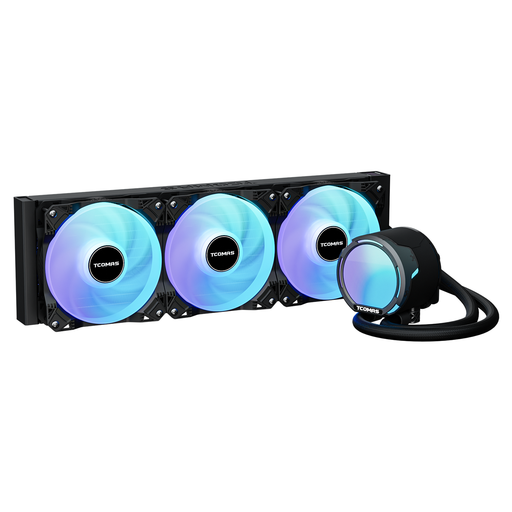
Why this model suits this profile: Users who prioritise technical data will appreciate its FOC three-phase pump, PWM fans rated at 2,500 RPM, airflow of 81.8 CFM, and static pressure of 3.2 mmH₂O.
The ventilation and pressure figures are clearly stated. However, they should be considered alongside the stated noise level, PWM curve, and your case's actual airflow.
PWM ARGB fans, stated maximum speed of 2,500 RPM, airflow of 81.8 CFM, and static pressure of 3.2 mmH₂O.
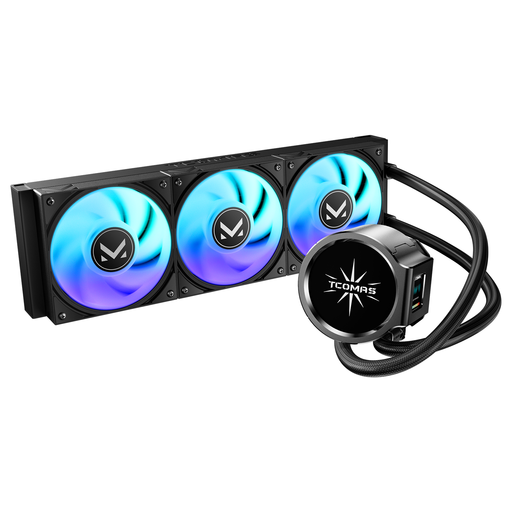
Why this model suits this profile: Its dual-screen pump block — a round main display and a square secondary screen — is aimed at users who want to give their build a distinctive visual identity.
The display feature is described in detail, rather than being reduced to a simple mention of a screen. However, check the customisation options and required connections.
Dual screen on the pump, ARGB fans, and stated compatibility with Intel LGA 1851 and 1700, plus AMD AM5 and AM4.
We've curated a comprehensive, real-time updated list of products that meet these strict criteria, while also taking European safety regulations into account.
When assembling, remove the protective film from the base that contacts the processor, then apply thermal paste following the manufacturer's instructions. Tighten the screws gradually in a cross pattern to distribute pressure evenly. The tubes should not be bent excessively or positioned in a way that pulls on the pump.
To reduce noise:
An AIO is typically designed as a sealed loop. Do not add liquid or disassemble the loop unless the manufacturer explicitly says you can: doing so risks causing a leak and voiding your warranty.
For purchases in the UK, consult the manual, warranty information, return conditions, and safety instructions. CE marking, where required, does not replace the need to check mechanical and electrical compatibility with your build.
No. The case must have space for three 120 mm fans, plus enough clearance for the combined thickness of the radiator and fans. Check your case manual before buying.
It depends on the pump, fans, build quality, and operating conditions. On some models, the fans can be replaced separately. The pump and sealed loop, however, are generally less accessible. Keep an eye out for unusual noises, temperature changes, and any signs of leakage.
No. An LCD, IPS, or AMOLED screen is mainly for displaying information or custom visuals. It can enhance the look of a PC, but it doesn't replace proper socket compatibility, correctly adjusted ventilation, or a radiator that fits your case.