
Livraison le jour même ou le lendemain

Qualité garantie

Débloquez vos offres de bienvenue: Livraison GRATUITE | Jusqu'à -80 % | 30 jours d'essai gratuits à JoyPlus
Téléchargez l'application
For a PC gamer, content creator or system builder, choosing a 360 mm AIO CPU liquid cooler is not simply a matter of counting fans or RGB LEDs. A large radiator may be impossible to install in certain cases, prove noisy or make installation significantly more difficult.
Before ordering your 360 mm CPU water cooler, take the time to check three often-overlooked points: the actual dimensions, socket compatibility and features that may be more aesthetic than genuinely useful. Here are the key criteria to consider, followed by a selection of models suited to different requirements.
A 360 mm radiator is generally nearly 394 mm long once the fans have been installed. Simply seeing ‘360 mm compatible’ on a case’s specifications is therefore not enough. Also check the available height, the position of the motherboard, the location of the RAM modules and any potential obstruction caused by the power supply.
A front-mounted installation can also alter the airflow inside the case. Top mounting often makes it easier to exhaust heat, but it requires sufficient clearance between the top panel and the motherboard heatsinks.
Fast fans are not necessarily quiet. Noise levels, static pressure, the bearing type and PWM control all play a decisive role too. The Cooler Master MasterLiquid 360 Atmos Stealth, for example, has a stated maximum speed of 2 400 rpm, air pressure of up to 3.63 mmH₂O and a noise level of 30 dBA.
These figures are technical values provided by the manufacturer; they do not guarantee silent operation in every configuration. Room temperature, case ventilation and motherboard settings can significantly affect the result.
A CPU cooler with an LCD screen or digital display can show statistics, an image or an animation. However, these features often require an internal USB 2.0 connector and dedicated software. Make sure your motherboard has a spare header and that installing the associated programme will not be an issue.
ARGB water cooling lighting also requires a compatible 5 V ARGB header. Be careful not to confuse it with a 12 V RGB connector: the two are not interchangeable.
Recent Intel and AMD platforms use different mounting systems. An Intel LGA 1851 CPU cooler must come with the correct mounting kit, while an AMD AM5 CPU cooler must support the corresponding mounting system.
The models featured here generally state compatibility with Intel LGA 1851/1700 and AMD AM5/AM4. Even so, check the product listing and the contents of the box before installation, particularly if you are using a specific motherboard or planning an upgrade.
A 360 mm AIO provides a large heat-dissipation area, but it takes up more space than a 240 mm water cooler. The latter uses two 120 mm fans and is often easier to fit in a mid-sized case.
A CPU air cooler, on the other hand, has neither a pump nor a liquid circuit. You mainly need to check its maximum height, as well as the available space around the RAM modules. The MSI MAG CoreFrozr AA13 is 152 mm tall and is compatible with Intel LGA 1700/1851 and AMD AM4/AM5 sockets.
An AIO water-cooling kit is supplied sealed and pre-filled. It must not be opened or modified. In the event of a leak, switch off the computer immediately and stop using it. As with any cooling system, regularly remove dust from the fans and radiator to maintain good airflow.
For installation, switch off and completely unplug the PC. Apply thermal paste correctly if it has not already been applied, then connect the PWM, ARGB and USB cables where required by the model.
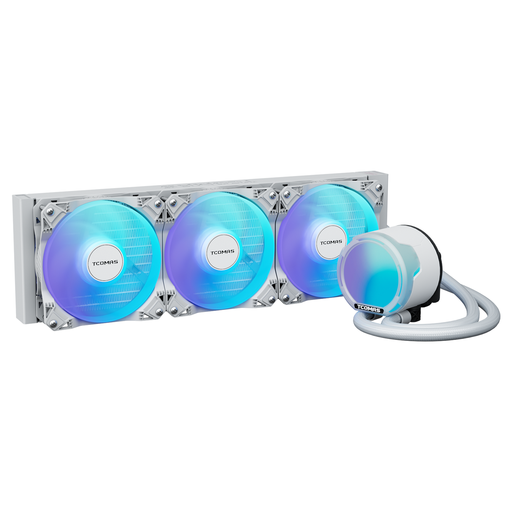
Why this choice suits this requirement: This model combines a 360 mm radiator, a three-phase pump and PWM fans with a stated speed of 2 500 rpm. Its compatibility with Intel LGA 1851/1700/1200/115X and AMD AM5/AM4 sockets covers a wide range of configurations.
The listing specifies the supported sockets and a stated airflow of 81.8 CFM, making it easy to check compatibility before buying.
PWM fans, ARGB lighting on the pump block and broad Intel/AMD compatibility.
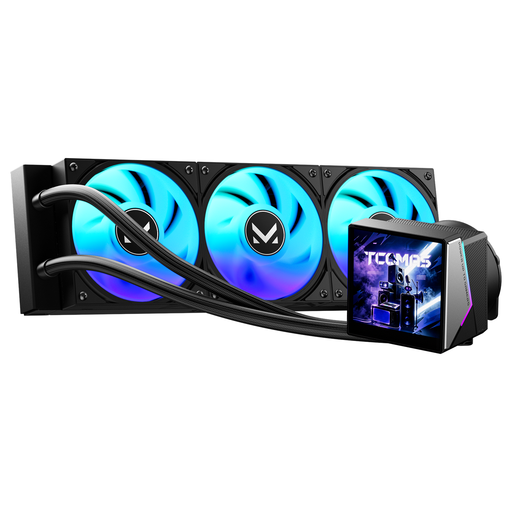
Why this choice suits this requirement: Its 3.95-inch IPS display and dynamic ARGB lighting are ideal for builds where visual customisation matters just as much as performance.
The display is clearly presented as a separate hardware feature from the lighting. You simply need to check the required connections before placing your order.
3.95-inch IPS display, dynamic ARGB and support for Intel LGA 1851/1700 and AMD AM5/AM4.
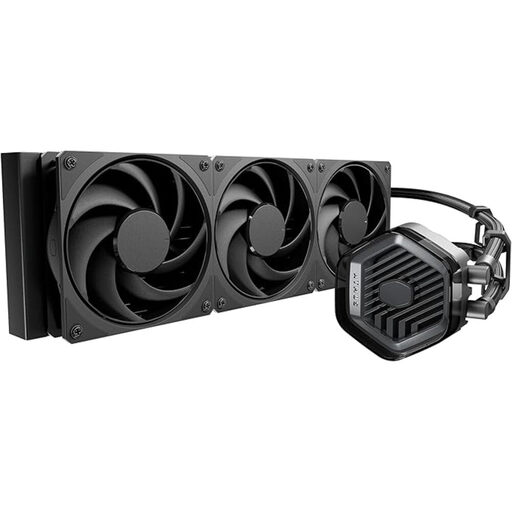
Why this choice suits this requirement: Its understated black design without lighting is a perfect fit for workstations and powerful PCs where a clean, discreet look is preferred.
The three Mobius 120 fans are pre-installed and the radiator dimensions are clearly stated: 394 × 119.2 × 27.2 mm.
Dual-chamber pump, fans reaching 2 400 rpm and a stated five-year warranty.
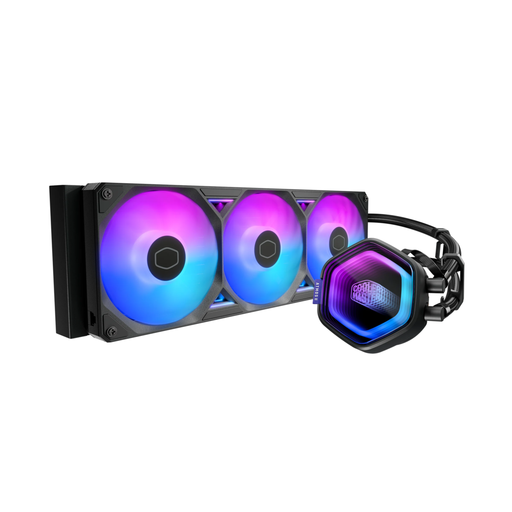
Why this choice suits this requirement: It combines an LCD screen, ARGB fans and several cover customisation options, while remaining compatible with Intel and AMD platforms.
The system includes offset brackets for LGA 1851 and clearly identified PWM/ARGB connectors. However, you still need to check the available space inside the case.
Three SickleFlow Edge ARGB fans, LCD screen, low-profile pump and a stated six-year warranty.
We have brought together a comprehensive, real-time updated selection of products that meet these strict criteria as well as European safety requirements.
Not necessarily. A properly sized 240 mm water cooler or CPU air cooler is sufficient for many gaming configurations. The 360 mm format takes up more space and is mainly worthwhile with a particularly power-hungry processor, when you want plenty of thermal headroom or purely for aesthetic reasons.
It depends on the quality of the components, how the case is used and how well it is maintained. The pump and fans are mechanical parts that eventually wear out. Check the warranty period, watch out for unusual noises and replace the kit as soon as a leak is detected.
The cooling system will generally work without customisation software. However, the screen, statistics display and some ARGB effects may require the programme supplied by the manufacturer. Before buying, check that your motherboard has an internal USB 2.0 connector and a compatible ARGB header.