
Livraison le jour même ou le lendemain

Qualité garantie

Débloquez vos offres de bienvenue: Livraison GRATUITE | Jusqu'à -80 % | 30 jours d'essai gratuits à JoyPlus
Téléchargez l'application
A 360 mm ARGB AIO liquid cooler is just as appealing for its lighting effects as for its ability to cool the most powerful processors. But a large radiator alone doesn’t guarantee a successful installation. Case compatibility, socket support, connections and noise levels can quickly turn an appealing purchase into a real headache.
That’s why Joybuy’s product recommendations manager bases their selection on practical criteria, not just marketing promises.
A cooler that’s compatible with Intel LGA 1851 or AMD AM5 won’t necessarily suit every build. Remember to check:
So, a liquid cooler may be compatible with your processor but still impossible to install properly in a compact case.
A higher speed can improve airflow, but it can also increase noise levels. When comparing 360 mm processor liquid coolers, consider the speed range, airflow, static pressure and PWM control mode together.
PWM control automatically adjusts the speed to match the processor’s temperature. It’s preferable to running the fans at full speed all the time, especially on a computer you use for several hours a day.
5 V three-pin ARGB lighting should not be confused with a four-pin 12 V RGB connector. Connecting it incorrectly can damage the lighting system. Models with an LCD or digital display may also need an internal USB port or dedicated software.
Before placing your order, check which connectors are available on your motherboard and make sure there’s room for the cables.
A 360 mm radiator usually accommodates three 120 mm fans. Its actual dimensions are often greater than 360 mm, particularly because of the fittings and side structure. As a guide, several models in this selection measure around 394 × 120 × 27 mm, not including the thickness of the fans.
Check your case manual to see whether the radiator can be installed:
Recent platforms include sockets such as Intel LGA 1851 and AMD AM5. Depending on the model, the products featured here also support LGA 1700 and AM4 sockets.
The cooler should fit without forcing it into place. Some kits for Intel LGA 1851 processors include offset brackets to position the contact plate more precisely. For example, the Cooler Master ML 360 Atmos II LCD ARGB comes with dedicated offset brackets for this socket.
A processor liquid cooling system consists of a pump, contact plate, radiator, tubes and fans. Here are the most useful details to compare:
An AIO loop is sealed at the factory. Don’t refill it, cut the tubes or modify the pump. If there’s a leak, switch off your computer immediately, unplug it from the mains and stop using the product.
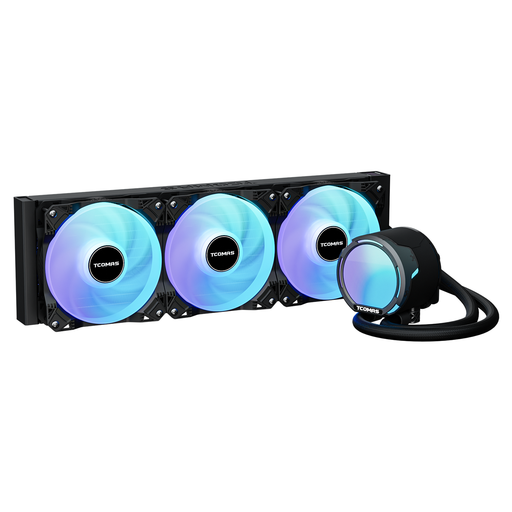
Why it suits this kind of user : This model is designed for straightforward installation, with ARGB lighting, PWM fans reaching up to 2,500 rpm and compatibility with Intel LGA 1851/1700 and AMD AM5/AM4 sockets. It’s a great choice for your first 360 mm build, without an extra display.
Supported sockets are clearly listed, while PWM control stops the fans from running at maximum speed all the time.
Full ARGB lighting, stated airflow of 81.8 CFM and stated static pressure of 3.2 mmAq.
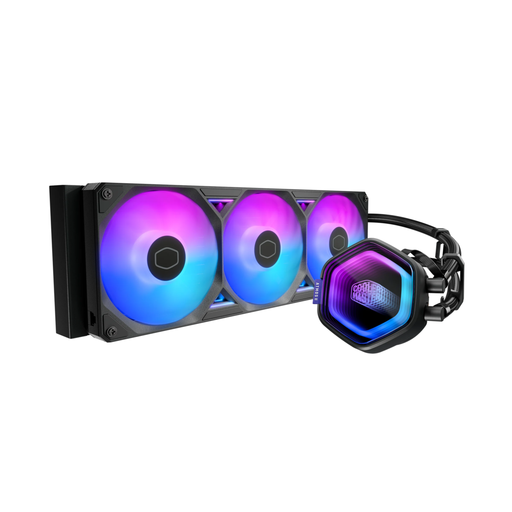
Why it suits this kind of user : If you enjoy custom builds, you’ll appreciate the LCD display and interchangeable magnetic covers. This model supports recent Intel and AMD processors.
The product details specify the PWM and ARGB connectors, as well as the offset brackets for LGA 1851, making it easier to check everything before installation.
LCD display, pump rated at 3,400 rpm and three SickleFlow Edge ARGB fans adjustable from 690 to 2,500 rpm.
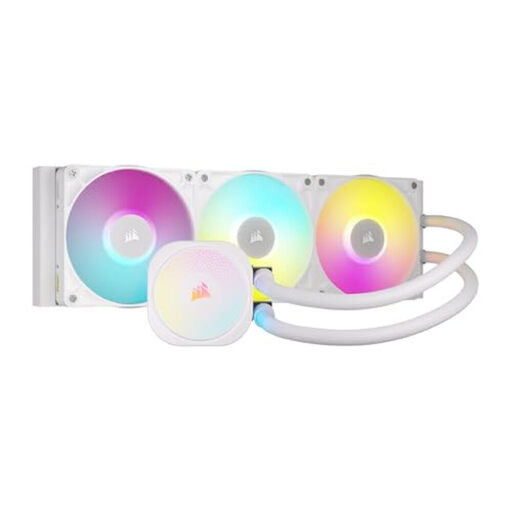
Why it suits this kind of user : Creators and gamers who put their processors through long sessions will appreciate the pre-installed RX ARGB fans and the iCUE LINK magnetic connection system.
Magnetic connections reduce the number of visible cables, while PWM control and lighting integrate with the manufacturer’s ecosystem.
Copper cold plate, 397 × 120 × 27 mm radiator and three 120 mm RX ARGB fans.
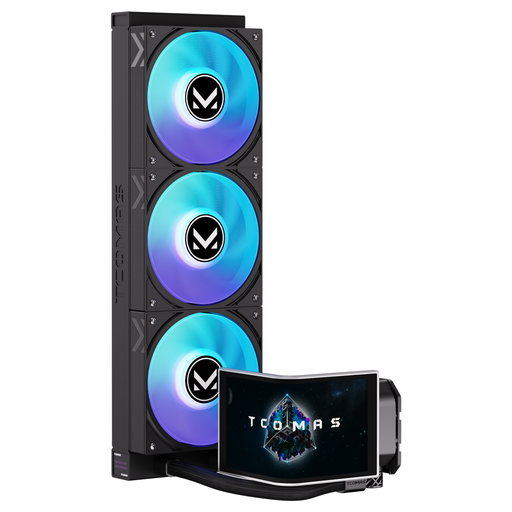
Why it suits this kind of user : Its 6.67-inch curved AMOLED screen is ideal if you want to display personalised visuals at the heart of your build.
Before buying, check the space available above your processor and whether the customisable display requires any additional software.
Stated 6.67-inch curved AMOLED screen, ARGB lighting and compatibility with LGA 1851/1700 and AM5/AM4.
We’ve put together a comprehensive list, updated in real time, of products that meet these strict selection criteria as well as European safety regulations.
Before installation, switch off your computer and unplug the mains cable. Fit the block using even pressure, without overtightening the screws. Then check the CPU_FAN, AIO_PUMP, PWM and ARGB connections.
Regularly dust the radiator using dry air. Never apply liquid to the fans or electrical components. At the end of its life, the product must be taken to an approved waste electrical and electronic equipment collection point, in accordance with WEEE regulations.
No. Check the radiator’s dimensions, its total thickness with the fans, and the position of the mounting points in your case. Front installation may also reduce the space available for your graphics card.
Lifespan depends on the pump, fans, dust build-up and how you use the system. An AIO is sealed, so it isn’t designed to be drained. Keep an ear out for unusual noises and an eye on temperature changes or any signs of moisture. If there’s a leak, shut the system down immediately.
ARGB lighting adds only a small amount to power consumption, but it generally needs a 5 V three-pin connector. The pump and fans have their own power and control connections. Always check your motherboard manual before connecting everything.