
Livraison le jour même ou le lendemain

Qualité garantie

Débloquez vos offres de bienvenue: Livraison GRATUITE | Jusqu'à -80 % | 30 jours d'essai gratuits à JoyPlus
Téléchargez l'application
A 360 mm PC liquid cooler is a popular choice for gamers and content creators who want to keep their processor cool. But a large radiator doesn’t guarantee quiet operation, easy installation or a perfect fit in your case.
Before you splash out on a 360 mm water cooler, it’s worth avoiding three common pitfalls:
A 360 mm radiator accommodates three 120 mm fans. Check your case’s internal dimensions, whether it has a compatible mounting point at the top or front, and how much clearance there is above the motherboard and memory.
Specifications often list radiator thicknesses of between 27 and 40 mm. With the fans fitted, the total assembly can exceed 50 mm. If you mount it at the top, it could foul the motherboard heatsinks or memory modules.
In a compact case, check the tube length too. Models such as the TRYX Panorama have 450 mm tubes, which can make some installations easier, provided you plan the routing inside the case carefully.
Choosing a liquid CPU cooler starts with checking that it’s compatible with your motherboard. Common sockets supported by the models in this selection include:
Some coolers compatible with Intel LGA 1851 include an offset mounting system to improve contact with the processor. The Cooler Master ML 360 Atmos II, for example, comes with offset brackets for LGA 1851. Even so, check the specifications for your chosen model before ordering: the included accessories can vary between versions.
When comparing different quiet water coolers, look at the stated noise levels for the fans and pump separately. The be quiet! Pure Loop 3 360 mm has a stated range of 17.6 to 37.2 dB, while the MSI MPG Coreliquid P13 360 is rated at 28.7 dBA for the fans and 20 dBA for the pump. As these measurements aren’t always taken under the same conditions, they’re best used as a guide to each product’s specifications.
Connections deserve the same attention:
Finally, an AIO is a sealed circuit filled with liquid. Never open a sealed model, and shut down your PC immediately if you notice a leak. Some be quiet! models have an accessible fill port and come with a bottle, but this should only be done by someone who can follow the manufacturer’s instructions precisely.
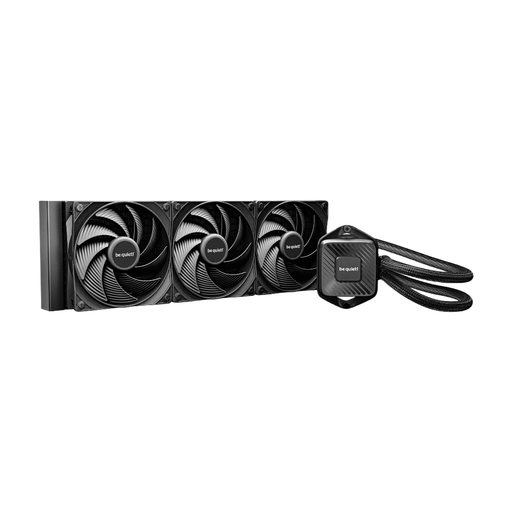
Why it suits this type of user: Its understated design and daisy-chained PWM connections make it easier to install for the first time, without adding unnecessary cables.
Intel LGA 1851/1700 and AMD AM5/AM4 compatibility is clearly stated, reducing the risk of buying an incompatible model.
Three Pure Wings 3 fans, PWM control and a three-year manufacturer’s warranty.
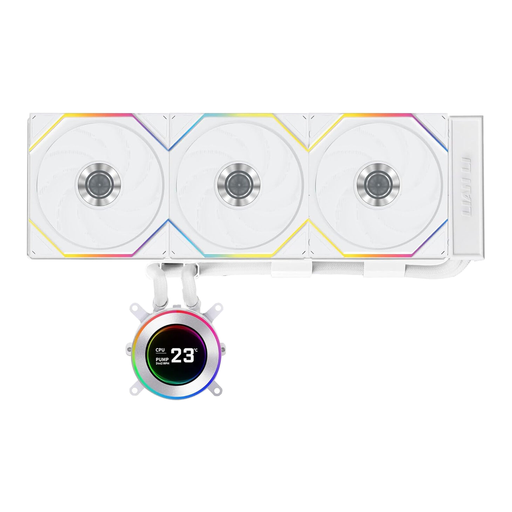
Why it suits this type of user: Its 2.1-inch circular IPS screen and wireless control let you customise a PC with a glass side panel in fine detail.
The three control modes and the USB connection needed for advanced mode are clearly specified before you buy.
480 × 480 IPS screen, slim radiator and compatibility with Intel LGA 1851/1700 and AMD AM5/AM4.
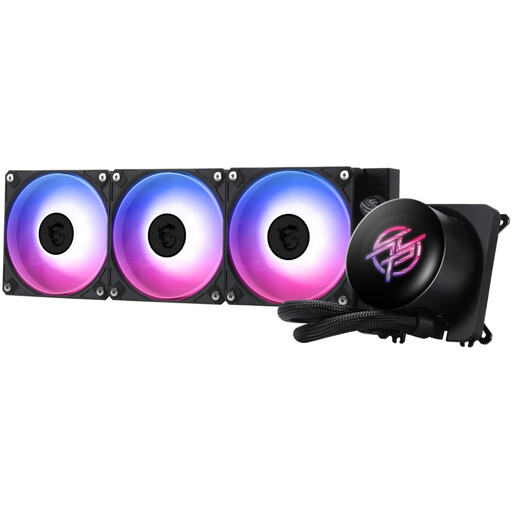
Why it suits this type of user: Its LCD screen, pump rated at up to 3 400 rpm and pre-installed fans make it a good fit for PCs used for gaming, content creation and temperature monitoring.
The fans are already installed, and cables built into the tubes mean less handling and less clutter.
2.1-inch LCD screen with 480 × 480 resolution, copper base with no visible screws, and compatibility with LGA 1851/1700 and AM5/AM4.
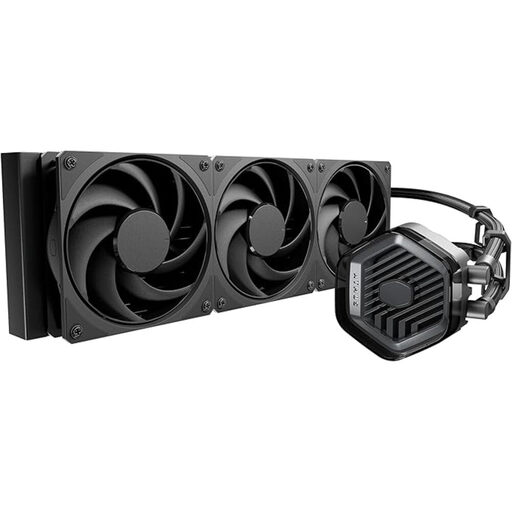
Why it suits this type of user: Its all-black design, with no lighting, fits perfectly into a workstation or a case with a more understated look.
There’s no need to pay for lighting you don’t want, while the pre-installed fans help speed up installation.
Pre-installed Mobius 120 fans, pump rated at a maximum of 25 dBA and a five-year warranty.
Before you start, switch off your PC, unplug the mains cable and discharge any static electricity. If necessary, clean the processor surface with a suitable product, then fit the contact plate, applying pressure evenly.
Next, make sure the airflow is facing the right way:
Regularly remove dust from the radiator fins and fan blades using a can of compressed air. If you spot any liquid, do not restart the PC: switch off the power and unplug it.
No. Compatibility depends on the socket and the mounting system supplied. Check that the model supports your Intel or AMD processor, including LGA 1851, LGA 1700, AM5 and AM4 sockets.
It depends on the pump, how often you use it, dust levels and maintenance. Look out for unusual noises, rising temperatures and any signs of leaks. Warranty periods vary by model: several be quiet! models, for example, come with a three-year warranty, while some Cooler Master models offer up to five or six years.
ARGB lighting uses a small amount of extra power, but the fans, pump and LCD screen can also increase overall consumption. To reduce the number of connections and power use, choose a model without a screen and use a PWM curve suited to your processor’s workload.