
Livraison le jour même ou le lendemain

Qualité garantie

Débloquez vos offres de bienvenue: Livraison GRATUITE | Jusqu'à -80 % | 30 jours d'essai gratuits à JoyPlus
Téléchargez l'application
A 360 mm AIO liquid cooler can be a great match for a powerful processor, a high-performance gaming build or a PC used for content creation. Its radiator typically houses three 120 mm fans, but you’ll need a compatible case and should take care when installing it.
There’s more to consider than ARGB lighting or a built-in display. You’ll also need to check the socket, available space, required connections and the specifications actually listed on the product page. Here’s what to look out for to avoid buying a cooler that won’t fit or is more complicated to install than necessary.
A kit may support Intel LGA 1851, LGA 1700 or AMD AM5/AM4 processors, yet still be impossible to install in a case that’s too compact. A 360 mm radiator is typically around 360 mm long, before you factor in its thickness, the fans and the clearance needed for screws or tubing.
Before placing your order, check your case manual. A front, top or sometimes side-mounted installation won’t always have the same amount of room. Also check the height of your memory modules and the clearance around the socket.
An AIO pump with an LCD, AMOLED or IPS display can show images, system information or custom animations. However, the display may need an internal USB header and dedicated software. If your motherboard doesn’t have the required connection, some features may be unavailable.
A display doesn’t replace checking temperatures in your motherboard’s software, either. It’s primarily a visual and practical feature, and what it can do depends on the functions listed by the manufacturer.
High-performance PWM fans can reach high speeds, but that doesn’t mean they’ll always run quietly. Noise levels also depend on the PWM curve, static pressure, case and processor settings.
To compare two models, look at the available specifications: speed range, airflow, static pressure, bearing type, connections and whether the pump speed can be adjusted. A high maximum speed alone won’t tell you how comfortable the cooler will be to use every day.
For an Intel LGA 1851 CPU cooler, check that the kit includes the correct mounting system. LGA 1700, LGA 1200 and LGA 115X platforms don’t always use the same mounting hardware.
For an AMD AM5 water cooler, also check how it mounts around the motherboard’s original retention bracket. Several models claim compatibility with LGA 1851, LGA 1700, AM5 and AM4 sockets. However, confirm this in the manual and check exactly what’s included in the box.
A 360 mm radiator fits in cases designed to accommodate three 120 mm fans. Measure the available length, the total thickness of the assembly and the clearance around your memory modules and motherboard heatsinks.
A 360 mm cooler may suit a power-hungry processor, but results also depend on overall airflow, thermal paste, pump settings and air circulation inside the case. Radiator size alone doesn’t guarantee a particular temperature.
ARGB liquid coolers typically use a 5 V, three-pin connector. Don’t confuse this with a 12 V, four-pin RGB connector: connecting them incorrectly can damage the lighting.
Before you buy, check which headers are available on your motherboard: pump power, PWM fan headers, ARGB and, if needed, an internal USB header for the display. If the liquid cooler has an AMOLED, IPS or LCD display, also check that the supplied software is compatible with your system.
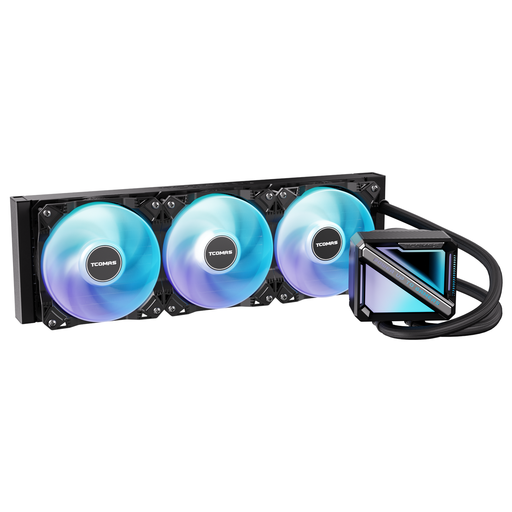
Why it’s a good choice for this kind of build : This black model has a clean, understated look, with a square pump head featuring ARGB lighting. It’s listed as compatible with Intel LGA 1851/1700 and AMD AM5/AM4 processors. It’s a good option for your first 360 mm build if appearance matters, but you don’t need a display.
The product details clearly list the supported sockets, making it easier to check compatibility before you order. With no display, there are also fewer connections to worry about.
360 mm radiator, square pump design and listed ARGB lighting.
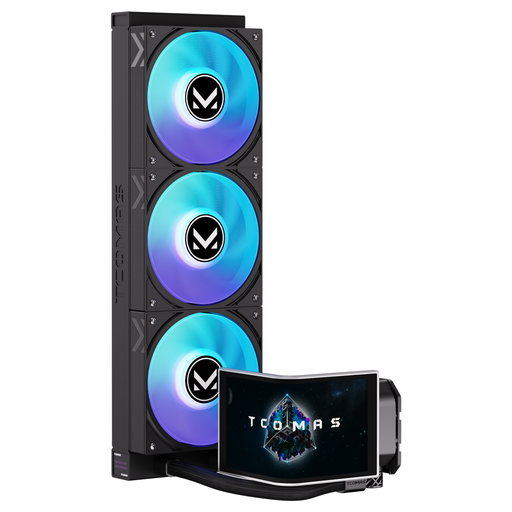
Why it’s a good choice for this kind of build : Its curved 6.67-inch AMOLED display and customisable 3D visual effects are ideal for a build where a glass-sided case and personalisation take centre stage.
The display is clearly mentioned in the product details. Even so, check that you have an internal USB header and enough room around the radiator before installation.
Curved 6.67-inch AMOLED display, listed customisation options and Intel/AMD compatibility.
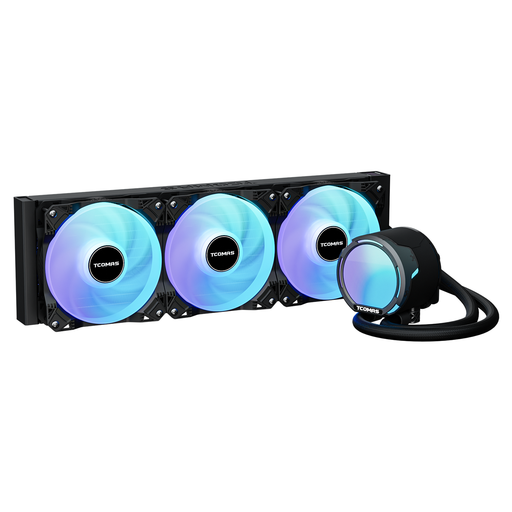
Why it’s a good choice for this kind of build : The product details list PWM fans running at 2,500 rpm, airflow of 81.8 CFM and static pressure of 3.2 mmAq. These figures will appeal if you prefer to compare specific data for a PC that’s going to be under heavy load.
Fan performance is set out in detail, rather than summed up with a vague marketing claim. Remember to adjust the PWM curve to keep noise down when your processor isn’t under load.
Fans rated at 2,500 rpm, 81.8 CFM, 3.2 mmAq and a three-phase FOC pump.
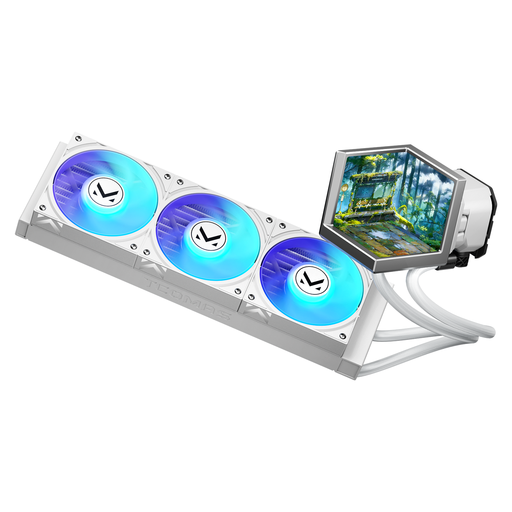
Why it’s a good choice for this kind of build : Its white finish and triple 3.95-inch display make it a good fit for a gaming build where cooling and aesthetics need to work together.
The display size is specified in the product details. However, check the software requirements and case compatibility before making the display your priority.
Triple 3.95-inch display, listed glasses-free 3D effects and support for Intel LGA 1851/1700 and AMD AM5/AM4.
We’ve put together a comprehensive selection, updated in real time, of products that meet these demanding criteria and European safety standards.
No. Your case needs a suitable mounting point for a 360 mm radiator and three 120 mm fans. Also check the total thickness of the assembly, clearance around your memory and the length of the tubes.
It depends on the pump, fans, maintenance and conditions of use. Look out for unusual noises, changes in temperature and any signs of moisture. Dust the radiator regularly, and keep the manual and warranty information somewhere safe.
No. The display shows images, animations or data supported by the supplied software. Thermal performance mainly depends on the radiator, pump, fans, processor, thermal paste and case ventilation.