
Livraison le jour même ou le lendemain

Qualité garantie

Débloquez vos offres de bienvenue: Livraison GRATUITE | Jusqu'à -80 % | 30 jours d'essai gratuits à JoyPlus
Téléchargez l'application
Monitoring your home, keeping an eye on your baby, or checking in on your pet has never been easier thanks to connected devices. But with the overwhelming number of available models, choosing the right 360° indoor Wi-Fi security camera can quickly become a headache. Between resolution, tracking features, and storage options, it's easy to get lost.
This guide is here to help you see things more clearly. We've broken down the essential features to help you find the model that perfectly meets your needs: whether it's watching over a newborn, monitoring your cat during the holidays, or simply securing your apartment.
Before we dive into our selection, here are the key points to consider to make the right choice—one that truly fits your needs.
This is the most crucial aspect. A high resolution, like 2K (or 4MP), ensures you can make out the finest details. This is essential for identifying a face or simply checking that your baby is sleeping peacefully. Night vision is another non-negotiable feature. Thanks to its infrared LEDs, it guarantees a clear image even in complete darkness, for effective 24/7 surveillance.
A motorised 360° camera scans the entire room, eliminating blind spots. You can control its rotation (horizontal and vertical) remotely from your smartphone. Paired with smart motion detection, this feature becomes a powerful tool. Some models include AI that can automatically track a person or pet on the move, ensuring you never miss a thing.
Two-way audio turns your camera into an intercom. With its built-in microphone and speaker, you can listen to what's happening and speak through the camera. This is a much-loved feature for reassuring a stressed pet, saying goodnight to the kids, or even scaring off an intruder. Finally, the storage question is crucial: do you prefer local recording on a microSD card (no subscription) or the flexibility of online cloud storage, which usually requires a subscription?
Here are some models that stand out for their features and cater to a variety of needs, from a video baby monitor to pure security.
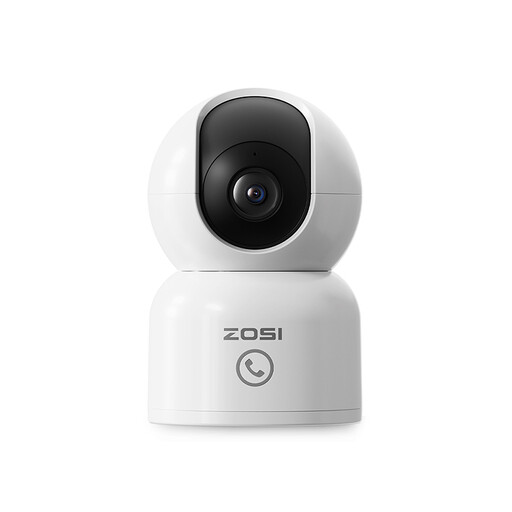
ZOSI 4MP Indoor Security Camera
Why it stands out: Its "Direct Call" feature is a real plus. A single press of its button sends a notification to your smartphone, allowing a child or an elderly person to reach you in the blink of an eye.
Pros:
Who is it for? Ideal for families with young children or elderly parents, thanks to its simple call function and very high resolution.
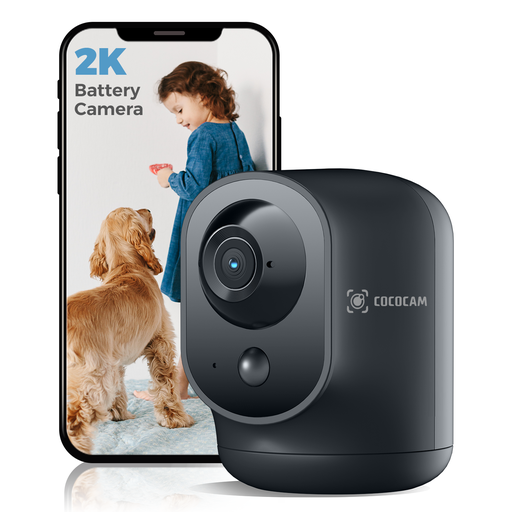
COCOCAM 2K Wireless Indoor Battery Camera
Why it stands out: Its 5200mAh rechargeable battery makes it completely portable. No more searching for a power outlet! It's the perfect solution for renters or for temporary surveillance in different rooms.
Pros:
Who is it for? For anyone who wants a flexible solution without the hassle of cables. Ideal for renters or for easily moving your indoor IP camera from one room to another.
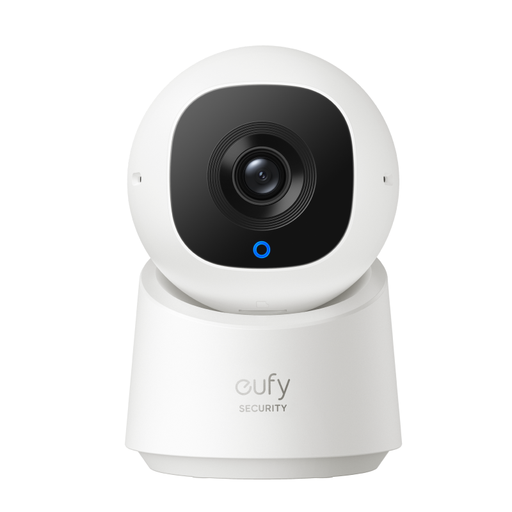
Why it stands out: This model is all about privacy and no hidden fees. Storage is 100% local (on a microSD card), and its "Privacy" mode physically rotates the lens to cover the camera. Peace of mind guaranteed.
Pros:
Who is it for? For anyone concerned about their privacy who wants a subscription-free solution. A one-time purchase, and you're all set.
Our selection highlights a few gems, but the market is full of options. To explore other features or compare more models, feel free to browse our full catalogue.
Discover our range of remote-controlled security cameras
1. Is it legal to install a security camera in your home? Yes, installing a camera inside your home is perfectly legal. However, you must respect everyone's right to privacy. If you employ domestic staff (nanny, cleaner, etc.), you are obligated to inform them. Note that it is forbidden to film public property (the street from your window) or your neighbours' gardens.
2. AI Motion Detection: How does it work? Traditional motion detection is triggered by any change in pixels in the image (a curtain moving, a passing shadow, etc.). Detection by artificial intelligence (AI) goes a step further: its algorithm is trained to recognise specific shapes, like a human silhouette or an animal. The result: far fewer false alarms and notifications that truly matter.
3. Is a subscription required to store videos? Not necessarily. Two solutions exist: