
Livraison le jour même ou le lendemain

Qualité garantie

Débloquez vos offres de bienvenue: Livraison GRATUITE | Jusqu'à -80 % | 30 jours d'essai gratuits à JoyPlus
Téléchargez l'application
A 360° dash cam for your car can capture the road ahead, behind, inside the cabin and the sides of your vehicle. This wider coverage gives drivers peace of mind in the event of a collision, hit-and-run, parking damage or a dispute when changing lanes. But you need to make sure the marketing claims actually match what the camera records.
Before ordering a dash cam, keep three common pitfalls in mind:
A 4-channel dash cam typically records the front, rear, left and right. It’s aimed at drivers who want more comprehensive surveillance than a simple front-and-rear camera. However, check the resolution of each sensor: some models combine a main 2K or 3K camera with three cameras limited to 1080P.
For everyday use, a front 2K camera already provides a good level of detail in decent conditions. A 4K dash cam sharpens number plates and road signs further, but it also produces larger files. Maximum capacity, memory card type and H.265 video compression should all be considered together.
A dash cam with night vision shouldn’t be judged solely by the presence of that term on the spec sheet. Instead, look at the lens aperture, HDR or WDR technology, the sensor used and, where applicable, the infrared lighting for the cabin.
A wide aperture, such as F1.8 or F2.0, lets in more light, but it doesn’t guarantee a sharp image in every situation on UK roads. Oncoming headlights, tunnels and poorly lit car parks are particularly demanding conditions. If your vehicle is parked outside, also check whether the camera triggers recording after an impact, movement or sudden acceleration.
GPS typically adds your vehicle’s position, speed and route to the video. Wi-Fi, especially 5 GHz, lets you view and download footage to your smartphone without removing the memory card.
24-hour parking mode doesn’t necessarily mean the camera can run all day on its own. On many models, a hardwire kit connected to the fuse box is essential. Check its compatibility with your vehicle and the protection against battery drain. If you’re not comfortable with this type of wiring, it’s best to have a professional install it.
In the UK, a camera fitted behind the rear-view mirror must not reduce the driver’s field of vision. Footage recorded on public roads should be used appropriately, for example to build a case after an incident. Avoid sharing identifiable faces or number plates without a valid reason. Voice control can also be disabled if audio recording raises privacy concerns.
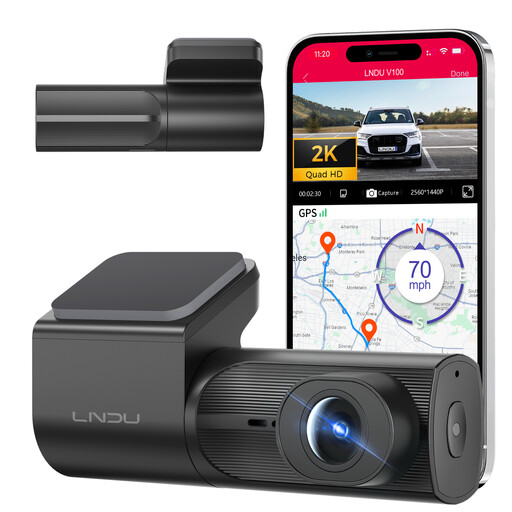
Why this suits this profile: A compact front camera to get started with 2K, enjoy Wi-Fi and a mobile app, without jumping straight to a multi-channel setup.
The spec clearly states it’s a single-channel model, so the coverage is unambiguous and doesn’t promise side protection. The kit needed for parking mode is listed separately.
2K resolution, F1.8 aperture, Wi-Fi, G-sensor and night vision. 24-hour parking mode works with the LNDU JYX05 kit.
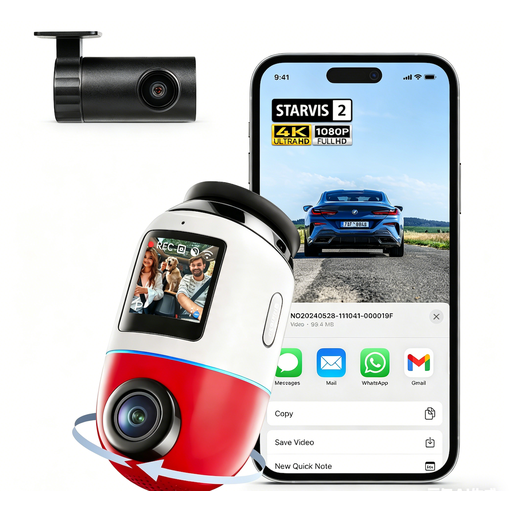
Why this suits this profile: A tech-forward solution for drivers who want a rotating camera, 4K front capture, a rear camera and full connectivity.
The spec clearly separates features that require a kit: parking mode and 4G should not be confused with the included functions.
Front recording in 4K at up to 60 frames per second, rear 1080P HDR camera, built-in GPS and Wi-Fi 6 5 GHz. MicroSD card not included.
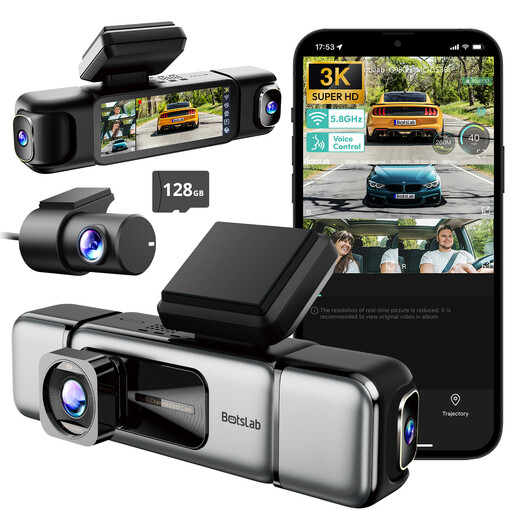
Why this suits this profile: High-mileage drivers, vehicles often parked outside and owners who want to monitor multiple sides will benefit from its four channels.
The four angles are clearly detailed: front in 3K, rear at 150° and two side cameras at 120°. Parking mode does require a hardwire kit.
3.18-inch touchscreen, built-in GPS, 5.8 GHz Wi-Fi, voice control, G-sensor and a 128 GB memory card mentioned in the contents.
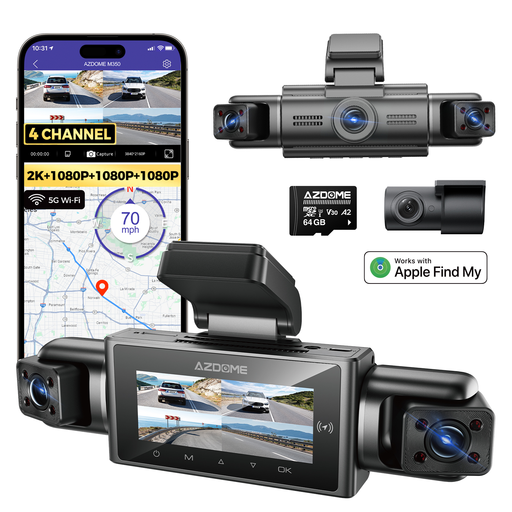
Why this suits this profile: This model targets iPhone users who want to pair a 360° dash cam with location tracking via the Apple Find My network.
The spec clearly separates Apple Find My location from video recording. The coverage relies on four cameras, not a single rotating camera.
Front 2K camera, three 1080P cameras, built-in GPS, 5 GHz Wi-Fi, infrared night vision, English voice control and 24-hour parking recording advertised.
Install the front camera behind the rear-view mirror, without obstructing your view. Clean the windscreen before attaching the mount and route the cable away from airbag deployment zones. For a rear camera, allow for a cable length suitable for your vehicle.
Choose a Class 10 or U3 microSD card, ideally designed for continuous recording. Enable loop recording and regularly check the files protected by the G-sensor to avoid filling the card. A dash cam with a supercapacitor can also better withstand temperature variations in a parked car.
No. It records footage and can provide visual assistance, but it does not replace your mirrors, direct checks or your attention to the road. ADAS features and blind-spot camera systems should always be treated as aids, never as a guarantee against accidents.
The budget doesn’t stop at the camera’s price. It may also include a high-endurance memory card, a hardwire kit for 24-hour parking mode and, on some connected models, a data module or subscription. Local Wi-Fi is usually enough to transfer videos without a mobile data plan.
It depends on the memory card, temperature, power supply and recording mode. In loop mode, the camera overwrites unprotected files when the card is full. To keep an important clip, export it quickly after the incident and regularly check that the camera starts up and records properly.