
Livraison le jour même ou le lendemain

Qualité garantie

Débloquez vos offres de bienvenue: Livraison GRATUITE | Jusqu'à -80 % | 30 jours d'essai gratuits à JoyPlus
Téléchargez l'application
A 34-inch curved gaming monitor doesn't just make the picture bigger—it revolutionizes the visual experience, whether for gaming, creative work, or multitasking. Its 21:9 panoramic format offers an ultra-immersive field of view that plunges you right into the action and massively expands your workspace. But between the different panel types, refresh rates, and connectivity options, the technical jargon can quickly become a headache. Don't worry, we're here to help you make sense of it all.
Our mission at Joybuy is to guide you with clear, objective advice to find the perfect monitor, suited to both your needs and your budget—all without the indigestible marketing fluff. This guide breaks down the essential criteria and presents our selection of the best models for 2026.
Before diving into our top picks, let's review three key technical points to ensure you make the right choice.
The panel technology is the heart of your visual experience: it's what defines the image quality.
For gaming, this duo is non-negotiable.
Most 34-inch ultrawide monitors feature a UWQHD resolution (3440x1440 screen). This 21:9 monitor format offers 34% more screen real estate than a 16:9 QHD (2560x1440) display, perfect for juggling multiple windows without squinting.
A word of caution for console gamers: despite their power, the PS5 and Xbox Series X still largely shun the 21:9 format. Most games will therefore display in 16:9, with large black bars on the sides. The experience remains optimal on PC. However, a console-compatible monitor with an HDMI 2.1 port will at least allow you to enjoy 120Hz and VRR (Variable Refresh Rate) in 1440p on supported titles.
We have selected three models with distinct profiles that shine thanks to their specs and price points.
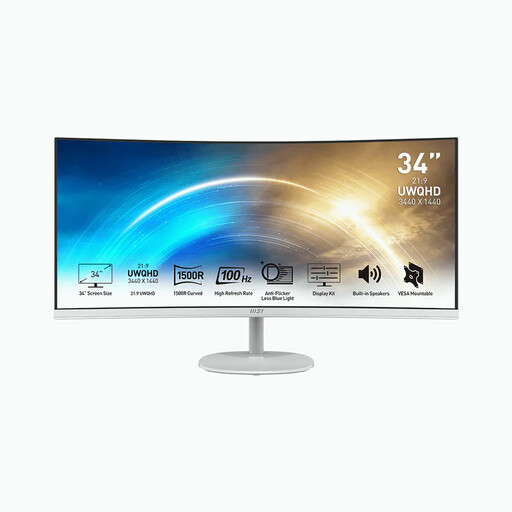
Why It Stands Out This monitor is an excellent entry ticket into the world of ultrawide. Versatile, it combines a large, immersive curved panel with features well-suited for productivity and casual gaming.
Key Features
Who Is It For? For professionals seeking a workspace optimized for multitasking, as well as casual gamers who want a taste of 21:9 immersion without breaking the bank.
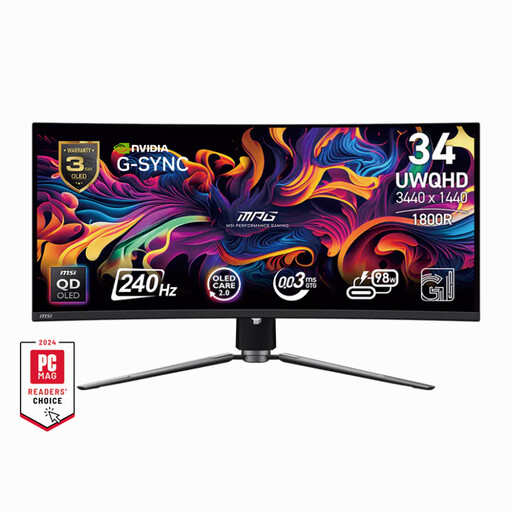
Why It Stands Out This model embodies pure performance. Its QD-OLED panel is a true visual knockout, with abyssal blacks and colors that pop off the screen. Add a 240Hz refresh rate, and you have the ultimate weapon for the most demanding competitive games.
Key Features
Who Is It For? For passionate gamers, on both PC and console, who demand absolute smoothness and uncompromising image quality. Cinephiles will also find it a perfect match, thanks to its breathtaking HDR performance.
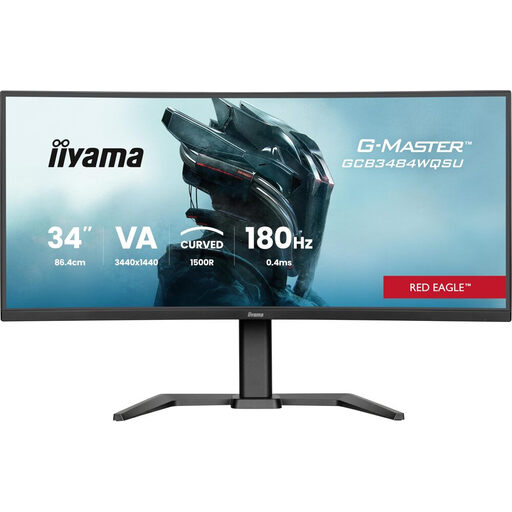
Why It Stands Out The iiyama G-MASTER is the champion of the price-to-performance ratio. With its high 180Hz refresh rate and high-contrast VA panel, it targets gamers looking for an immersive and responsive experience without stretching to the higher budget of an OLED.
Key Features
Who Is It For? An excellent ally for dedicated PC gamers whose priority is smoothness and immersion. Its 180Hz frequency makes it a major asset in shooters and racing games.
Our selection focuses on three well-defined profiles, but the monitor market is a veritable ocean of models. If you haven't found your perfect match, don't worry: our full catalog is full of other gems.
To explore a wider range, with other sizes and features, take a look at our complete PC monitors category.
1. Is a 34-inch curved monitor suitable for work? Yes, and it's actually one of its greatest strengths! The 21:9 format is a tremendous productivity boost, allowing you to display multiple windows side-by-side, effectively replacing a dual-monitor setup. The panel's curve isn't just a gimmick; it helps reduce eye strain by keeping the edges of the screen at a more consistent distance from your eyes.
2. What graphics card is needed for a 3440x1440 screen? To run recent games in UWQHD (3440x1440) with graphics settings maxed out, a mid-range to high-end graphics card is essential. If you're aiming for over 100 frames per second (FPS) for perfect fluidity, an NVIDIA GeForce RTX 4070 or an AMD Radeon RX 7800 XT (or their more powerful equivalents) are an excellent starting point.
3. Are the PS5 and Xbox Series X compatible with 21:9 monitors? Compatibility is limited. While the Xbox Series X|S supports 1440p resolution, native 21:9 format support remains anecdotal on both consoles. In practice, the majority of games will display in 16:9, flanked by black bars. The ultrawide experience is therefore primarily designed for PC. However, a monitor with an HDMI 2.1 port is still a plus, as it will allow you to benefit from 120Hz and VRR on compatible games (displayed in 16:9).