
Livraison le jour même ou le lendemain

Qualité garantie

Débloquez vos offres de bienvenue: Livraison GRATUITE | Jusqu'à -80 % | 30 jours d'essai gratuits à JoyPlus
Téléchargez l'application
For competitive gamers, every millisecond counts. In fast-paced games like FPS or racing sims, image smoothness and command responsiveness are not a luxury, but a necessity to gain a competitive edge. A 300Hz PC gaming monitor (or higher) is a true performance asset, capable of displaying a frame rate that shatters what standard monitors can offer.
This guide is designed to help you navigate the jungle of technical specifications and to present our selection of the best monitors with very high refresh rates. The goal: to give you all the keys to choosing the monitor that will meet your ambitions.
Before you take the plunge, let's review the criteria that define an excellent esports monitor.
The refresh rate, measured in Hertz (Hz), indicates the number of images the screen can display each second. A high-refresh-rate PC monitor of 300Hz or even 320Hz ensures exceptional sharpness and fluidity, crucial for tracking a target without ever losing sight of it.
But be warned, this speed is nothing without an ultra-low response time (ideally 1?ms or less). A low response time eliminates ghosting (those infamous phantom images) and motion blur. The result: every action is rendered on-screen instantly, with absolute clarity.
In competitive gaming, 4K is rarely the priority. Achieving over 300 frames per second at that resolution requires colossal graphics power, and therefore an equally colossal budget. This is why most pro players opt for Full HD (1920x1080) or QHD (2560x1440) panels.
A 27-inch QHD PC monitor represents an excellent sweet spot between display sharpness and raw performance. Meanwhile, 24 or 25-inch models in Full HD are perfect for maximizing FPS and taking in the entire field of view at a glance.
Screen tearing occurs when your graphics card and monitor are out of sync. This is where adaptive sync technologies like FreeSync (AMD) and G-SYNC (NVIDIA) come in. They force the graphics card and the screen to work in sync, eliminating these artifacts for a perfectly smooth gaming experience. Today, most gaming monitors are compatible with both standards.
Here are a few models that stand out with their specs tailor-made for high-performance gaming.
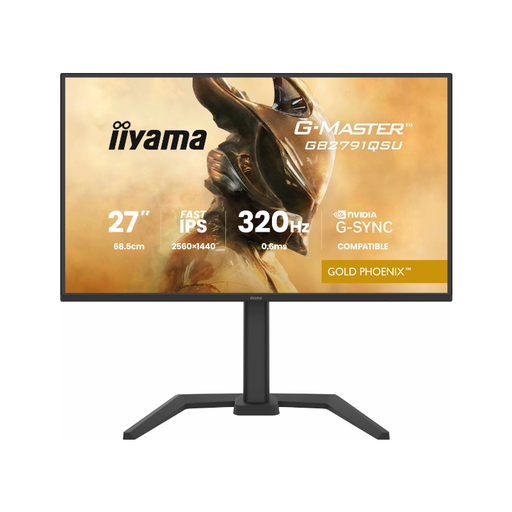
What sets it apart: This monitor bridges the gap: a QHD (2560 x 1440) resolution for ultra-detailed images, coupled with a staggering 320Hz refresh rate. Its Fast IPS panel guarantees both vibrant colors and a minimal response time, making it a champion of versatility.
Key Features:
Who is it for? The demanding gamer who refuses to choose between image quality and speed. Ideal for fans of fast-paced games who also love to be wowed by gorgeous graphics.
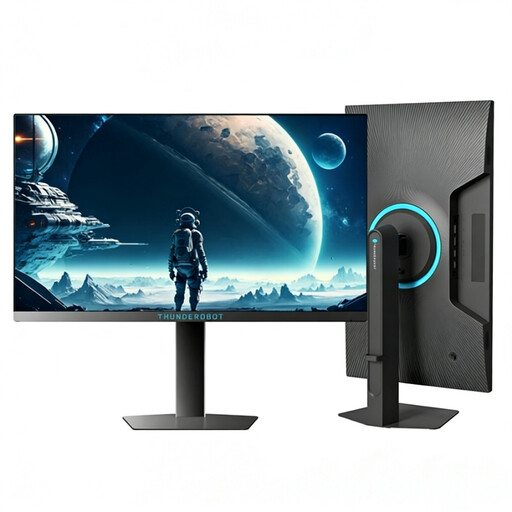
What sets it apart: This monitor is built for raw performance. With its 24.5-inch FHD (1920x1080) panel and 320Hz frequency, it's optimized for one thing: shattering the FPS counter. Its peak brightness of 450 nits makes it formidable, even in a brightly lit room.
Key Features:
Who is it for? The esports purist, especially the FPS player, for whom every frame per second is a strategic advantage. Its compact format is ideal for staying focused on what matters: the action.
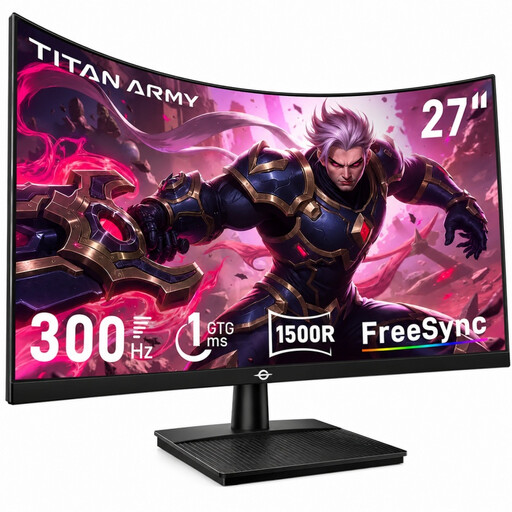
What sets it apart: This monitor goes all-in on immersion with its 27-inch 1500R curved panel. Its 300Hz frequency and 1ms (GTG) response time make it a weapon of choice for fast-paced games, while its VA panel technology ensures high contrast (4000:1) and truly deep blacks.
Key Features:
Who is it for? The gamer looking to combine speed and immersion. Particularly well-suited for racing or action-adventure games, it will appeal to anyone who loves to feel enveloped by the image.
Not convinced by the models in our selection? Or simply want to explore other avenues? Feel free to browse our complete catalog of monitors.
Discover our full collection of monitors on Joybuy.fr
The difference is more subtle than the jump from 144Hz to 240Hz, but it is real. For elite players, this gain in fluidity can translate into a micro-improvement in reaction time and even sharper target tracking. For the majority of gamers, 240Hz is already an excellent tier, but 300Hz (and above) represents the current pinnacle of performance.
To fully leverage a 300Hz PC gaming monitor, you need a graphics card capable of consistently maintaining over 300 frames per second (FPS) in your favorite games. This typically means a very high-end model, like a NVIDIA GeForce RTX 40 series or an AMD Radeon RX 7000 series. It is therefore crucial to ensure your PC has enough horsepower to keep up with the pace set by the monitor.
Outside of gaming, the benefit is limited. For office work, web browsing, or watching videos, such a high refresh rate offers no concrete advantage. Sure, scrolling through windows on your desktop will feel silkier, but the investment is only truly justified for competitive gaming at very high frame rates.