
Livraison le jour même ou le lendemain

Qualité garantie

Débloquez vos offres de bienvenue: Livraison GRATUITE | Jusqu'à -80 % | 30 jours d'essai gratuits à JoyPlus
Téléchargez l'application
Whether you're a creative professional, a remote worker, or a dedicated gamer, choosing the right monitor is crucial for transforming your workspace. A 27-inch WQHD PC monitor currently represents the ideal balance of viewing comfort, sharp detail, and high performance. But with an overwhelming number of options and often confusing spec sheets, finding your way can be tough. This guide is here to decode the technical jargon and help you find the model that truly fits your needs—no marketing fluff.
Before we dive into our top picks, let's review the key criteria for making the right choice.
The refresh rate, measured in Hertz (Hz), is the number of times your screen updates with a new image each second.
A good monitor should adapt to you, not the other way around. A height-adjustable stand that also tilts and swivels is essential for protecting your back and neck during long sessions.
Connectivity, meanwhile, is far from a minor detail. An integrated USB hub turns your monitor into a true docking station, allowing you to plug your keyboard, mouse, or USB drive directly into it. This helps you clean up cable clutter and frees up ports on your computer.
Most modern monitors feature an IPS (In-Plane Switching) panel. This technology is renowned for its wide viewing angles and excellent colour reproduction, making it the top choice for office work, multimedia, and creative tasks.
For your eyes' sake, look for models equipped with protective features like Flicker-Free (anti-flicker) technology and a low blue light mode. These features reduce eye strain during extended use.
We've selected three standout models, each tailored to a specific user profile.
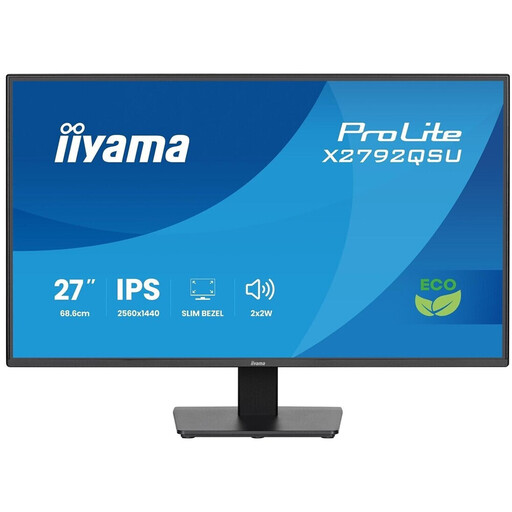
Why it stands out?: This monitor is an excellent work companion. Its WQHD (2560x1440) resolution on a 27-inch IPS panel provides a vast workspace and a sharp image, perfect for multitasking across multiple applications. Its slim-bezel design is ideal for multi-monitor setups.
Highlights?:
Who is it for?? For professionals, remote workers, and creatives looking for a high-performance, ergonomic monitor for intensive daily use.
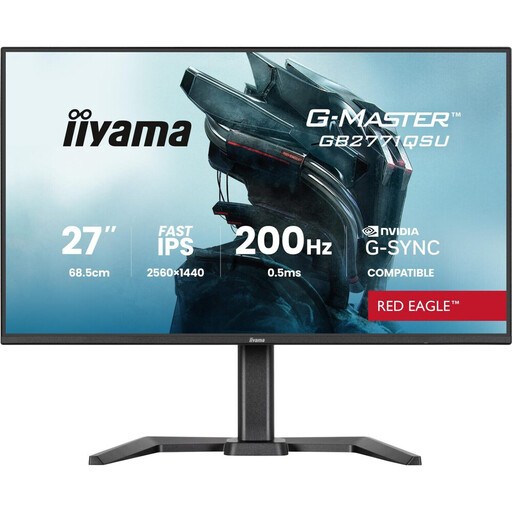
Why it stands out?: This model from the G-MASTER series is built for gamers. It combines the precision of a WQHD Fast IPS panel with a 165?Hz refresh rate. The result is an incredibly sharp and fluid image, giving you a decisive edge in competitive games.
Highlights?:
Who is it for?? For gamers, from passionate players to esports competitors, who demand an ultra-responsive monitor without sacrificing image quality for other activities like work or multimedia.
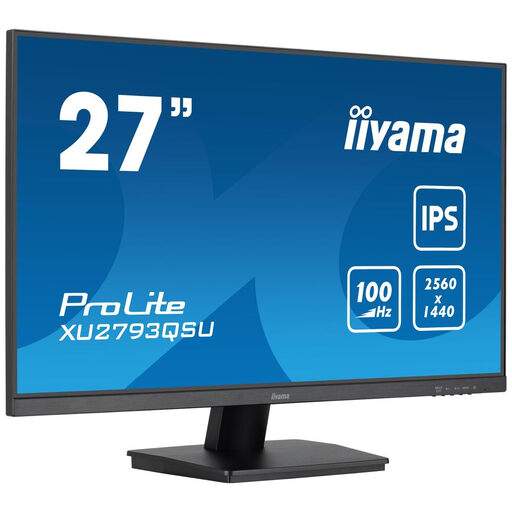
Why it stands out?: This ProLite monitor strikes the perfect balance. It offers an IPS panel with WQHD resolution and a 100?Hz refresh rate, which provides a real boost in smoothness over the 60?Hz standard. Its 3-side borderless design and USB hub make it a smart, versatile choice.
Highlights?:
Who is it for?? For remote workers and all-round users looking for a responsive monitor for office work, multimedia, and casual gaming, with a very attractive price-to-performance ratio.
If the models featured don't perfectly match your needs, or if richer connectivity is a non-negotiable criterion, other solutions are available. A monitor equipped with a full USB hub can transform your desk into a clean and ultra-functional workspace.
? Discover our full selection of monitors with an integrated USB hub
WQHD (2560 x 1440 pixels) resolution provides a very sharp image on a 27-inch screen without forcing you to use display scaling (unlike 4K, where text and icons can appear too small). Furthermore, achieving high refresh rates in 4K requires an extremely powerful graphics card. For mixed-use, WQHD is the "sweet spot"—the ideal balance between performance and visual quality.
Absolutely! For most users, a 100?Hz monitor represents a significant leap forward from the 60?Hz standard. This extra comfort is felt in daily tasks, from simple web browsing to video games. Unless you're a high-level esports player, 100?Hz offers excellent visual comfort and responsiveness for all-round use.
More than ever. Spending hours in front of a poorly positioned screen can cause neck pain, backaches, and premature eye strain. A height-adjustable stand with tilt and swivel functions allows you to align the top of the screen with your eye level, promoting a natural posture and reducing strain. It's an investment in your long-term health and comfort.