
Livraison le jour même ou le lendemain

Qualité garantie

Débloquez vos offres de bienvenue: Livraison GRATUITE | Jusqu'à -80 % | 30 jours d'essai gratuits à JoyPlus
Téléchargez l'application
Choosing a new PC gaming monitor can quickly become a headache. Between cryptic spec sheets and marketing jargon, it's easy to feel lost or make a purchase you'll regret. The goal is simple: find a 27-inch QHD gaming monitor that gives you a real in-game advantage, without making you pay for superfluous features.
Before you dive in, watch out for these common and costly pitfalls:
To make an informed decision, focus on the specifications that have a direct impact on your daily experience, whether in-game or at your desk.
These two elements are inseparable. A high refresh rate, like on a 144Hz gaming monitor or a 165Hz 2K monitor, ensures a smoother, sharper image, which is crucial in fast-paced games like FPS. However, this fluidity can only be achieved if the pixel response time is low enough to keep up.
This is where Fast IPS panels shine. They combine the responsiveness of older TN panels with the colour fidelity and wide viewing angles of traditional IPS panels. A 27-inch 180Hz monitor with a Fast IPS panel represents the ideal compromise for demanding gamers today.
The 27-inch diagonal paired with a QHD (2560 x 1440 pixels) resolution, also known as a 1440p gaming monitor, is considered by many to be the current sweet spot: the perfect balance. It offers a much higher pixel density than Full HD (1080p), resulting in finer, more detailed images, without demanding the colossal GPU firepower needed to run games in 4K at a high framerate. It's the ideal format for gaming, as well as for productivity and content creation.
Adaptive sync technology, such as AMD FreeSync or NVIDIA G-Sync, synchronises the monitor's refresh rate with the number of frames per second generated by the graphics card. The result? A near-total elimination of screen tearing and stuttering. The vast majority of modern monitors are at least G-Sync Compatible, meaning they work with NVIDIA cards even if they are based on the open FreeSync standard. This is also a key feature for new-gen console owners, as a monitor for PS5 or Xbox Series X that is VRR (Variable Refresh Rate) compatible will offer a much more stable 120?Hz gaming experience.
Rather than searching for a one-size-fits-all solution, it's better to find the model that truly matches your use case. Here are a few options that meet specific needs.
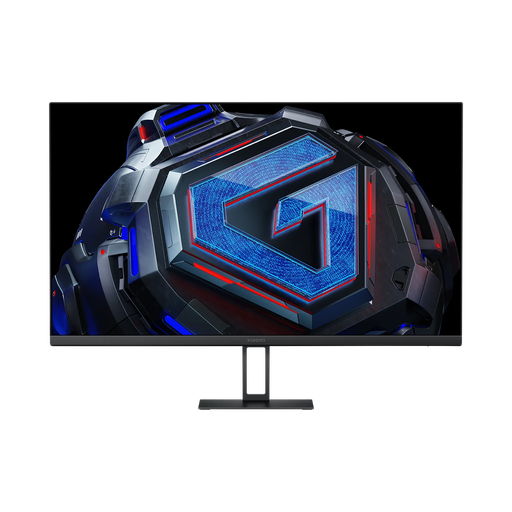
Why it's a great deal: It packs high-end technical specs (180 Hz, Fast IPS, QHD) at a often unbeatable price, making it a smart choice for those who want to maximise performance without breaking the bank.
It makes no compromises on panel technology by offering a true Fast IPS panel, and its G-Sync/FreeSync compatibility provides the expected fluidity without the extra cost of a dedicated hardware module.
Excellent price-to-performance ratio with a 180 Hz refresh rate and accurate colours (95% DCI-P3), suitable for both gaming and creative work.
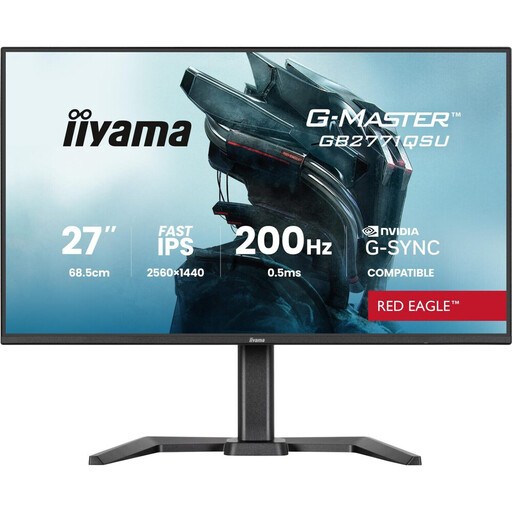
Why it's a great deal: Ideal for those who juggle gaming and work on their PC. Its fully adjustable stand (height, tilt, pivot) is a major asset for comfort during long sessions, and the USB hub simplifies peripheral management.
It goes beyond simple gaming specs to meet a practical need for ergonomics, an aspect often sacrificed on entry-level models. A durable investment for mixed use.
Full ergonomics with a fully adjustable stand (height and pivot), combined with a 165 Hz Fast IPS panel and a USB hub for a clean and functional desk setup.
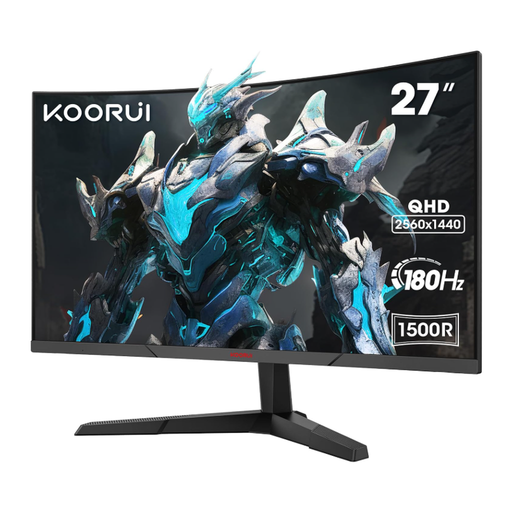
Why it's a great deal: For RPG, simulation, or adventure gamers who prioritise immersion. The monitor's 1500R curve wraps around your field of view, enhancing the feeling of being *in* the game.
It owns its niche: immersion over pure competitive performance. It doesn't claim to be the fastest, but it offers an enveloping visual experience that flat screens can't match.
The curved 1500R panel provides superior immersion while maintaining solid gaming specs (180 Hz refresh rate and QHD resolution).
We've curated a complete selection of monitors that check all the right boxes, tested and approved by our experts.
Absolutely. It's an excellent choice. Both consoles now natively support 1440p output. This allows you to enjoy a sharper image than 1080p while more easily hitting the 120 fps performance mode (if the game supports it) than with a 4K screen. Make sure the monitor has an HDMI 2.0 or 2.1 port and supports VRR for the best experience.
The GTG (Grey-to-Grey) response time measures how long it takes for a pixel to change from one shade of grey to another. It's the most relevant indicator for assessing motion clarity and avoiding the infamous "ghosting" effect. MPRT (Motion Picture Response Time), on the other hand, measures the persistence of an image. To improve it, manufacturers use a backlight strobing technique that can reduce brightness and sometimes cause visual discomfort. A good GTG response time (under 4?ms) is therefore preferable to a 1?ms MPRT achieved artificially.
To ensure you can enjoy QHD (2560x1440) resolution at a refresh rate of 144?Hz, 165?Hz, or higher, it is highly recommended to use a DisplayPort 1.4 cable. Although some versions of HDMI (2.0 or 2.1) can support it, DisplayPort remains the most reliable and straightforward connection for achieving high refresh rates on PC. Most gaming monitors also come with the appropriate cable in the box.