
Livraison le jour même ou le lendemain

Qualité garantie

Débloquez vos offres de bienvenue: Livraison GRATUITE | Jusqu'à -80 % | 30 jours d'essai gratuits à JoyPlus
Téléchargez l'application
Choosing a new gaming monitor can often feel like an uphill battle. Between size, resolution, and refresh rate, it's easy to get lost in a sea of technical specs. For those aiming for absolute performance, the 27-inch QHD 240 Hz gaming monitor combination has become the new Holy Grail. It's a perfect balance, sought after by competitive gamers and demanding enthusiasts alike.
This winning duo combines the sharpness of a QHD (2560 x 1440 pixels) image with formidable fluidity, which is essential in the most fast-paced games. As a product expert at Joybuy, my mission is to guide you through this jungle. This guide gets straight to the point: decoding the specs that truly matter and presenting a selection of monitors that deliver on their promises.
Before we dive into our selection, let's review the essential criteria for making the right choice—one that will perfectly match your setup and gaming style.
The refresh rate, measured in Hertz (Hz), indicates the number of images your monitor displays each second. A 240 Hz monitor refreshes the image 240 times per second, offering fluidity and motion clarity far beyond the standard 144 Hz or 60 Hz. This provides a decisive advantage in first-person shooters (FPS) or racing games, where every millisecond makes a difference. Even a 200hz 27-inch monitor is already a spectacular improvement.
Response time, in milliseconds (ms), measures how quickly a pixel changes colour. A 1440p gaming monitor with 1ms or less is the standard for limiting "ghosting" (those unsightly phantom trails), ensuring that fast movements remain perfectly sharp and precise.
The panel type has a direct impact on image quality and responsiveness.
To eliminate screen tearing, which occurs when the graphics card and monitor are out of sync, adaptive sync technologies are simply indispensable. A 240hz G-Sync monitor is optimised for NVIDIA graphics cards, while FreeSync is AMD's solution. The good news is that most modern monitors support both technologies, ensuring a perfectly smooth gaming experience regardless of your setup. This is also a key feature to check for a 1440p PC monitor for PS5, as next-gen consoles use this technology for their 120 Hz mode.
Here are three models that have caught our eye, each with its own strengths.
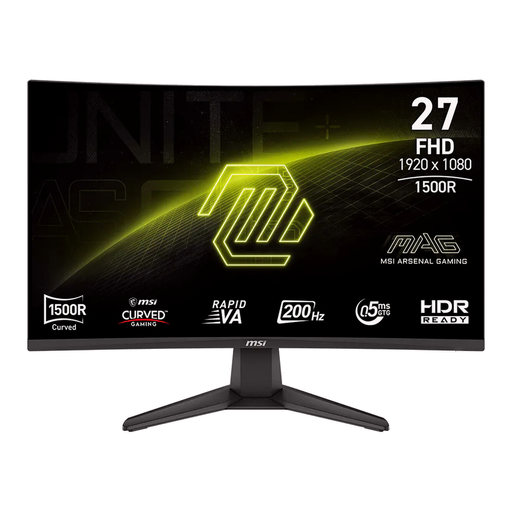
Its Strengths: This model is all about immersion and pure speed. Its curved VA panel (1500R) wraps around your field of view, while its 200 Hz refresh rate and 0.5 ms response time make it a beast of responsiveness for competitive players. Although it settles for an FHD (1920 x 1080) resolution, it allows you to max out your FPS counter, even with a mid-range graphics card.
Key Features:
Who is it for? For FPS and sim-racing fans who want absolute fluidity and great immersion without necessarily investing in a QHD-ready setup. A very smart option for optimising a machine built for 1080p at very high refresh rates.
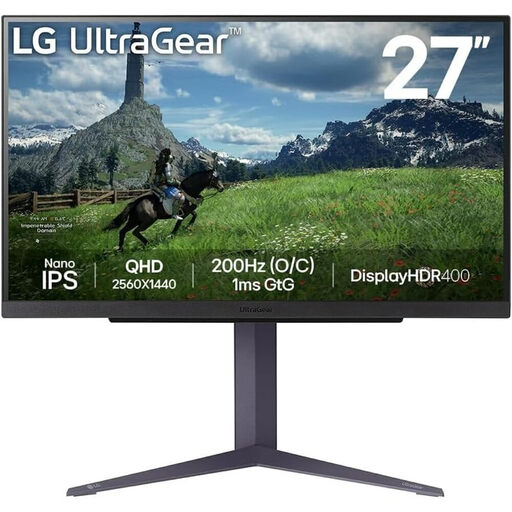
Its Strengths: The LG 27GS85Q-B is the archetype of the versatile and high-performance 27-inch 2K PC monitor. It combines a Nano IPS panel, renowned for its accurate and vibrant colours (98% DCI-P3), with excellent gaming performance. Its 180 Hz refresh rate, overclockable to 200 Hz, and 1 ms (GtG) response time make it the ideal compromise for those who refuse to choose between image beauty and fluidity.
Key Features:
Who is it for? For the jack-of-all-trades gamer who switches between intense competitive sessions and contemplative AAA adventures. It's a highly versatile monitor, also perfect for console players looking to leverage the 1440p at 120 Hz mode on their PS5 or Xbox Series X.
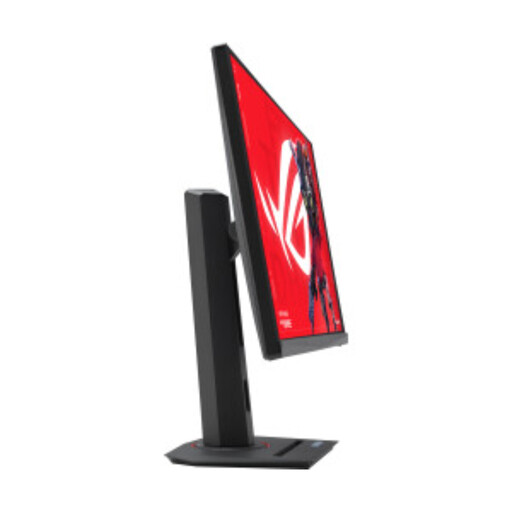
Its Strengths: This model from the ROG Strix line pushes the limits of performance. With a staggering 320 Hz refresh rate on a QHD panel, it squarely targets esports pros and those obsessed with ultimate smoothness. Its minimal 0.3 ms response time and Fast IPS panel ensure surgical motion clarity.
Key Features:
Who is it for? For hardcore competitors armed with a powerhouse graphics card capable of running games in QHD at over 240 frames per second. A monitor built for pure performance, making it a benchmark esports monitor.
This selection is just a glimpse, and the monitor market is full of hidden gems. To explore other sizes, resolutions, or technologies, feel free to browse our full catalogue.
️ Discover our full range of LCD monitors on Joybuy
Yes, and without a doubt for fast-paced games. The difference between 144 Hz and 240 Hz is very real: movements are sharper, target tracking becomes more precise, and the overall experience is much more responsive. Be aware, however: to take advantage of it, your graphics card must be able to keep up and display nearly 240 frames per second (FPS) in QHD, which requires a powerful setup.
Absolutely. The PS5 and Xbox Series X consoles support 1440p (QHD) resolution and can go up to 120 Hz on compatible games. Even though you won't push the monitor to 240 Hz (as consoles are limited to 120 Hz), you'll enjoy a much sharper image than 1080p and unparalleled fluidity compared to the 60 Hz standard. It's an excellent long-term investment.
To put it simply, in the consumer market, QHD and 2K have become synonyms for the 2560 x 1440 pixel resolution. Technically, the cinematic "2K" standard is slightly different (2048 x 1080). But rest assured: when you see 27-inch 2K PC monitor, in 99% of cases, it refers to a 1440p QHD monitor.