
Livraison le jour même ou le lendemain

Qualité garantie

Débloquez vos offres de bienvenue: Livraison GRATUITE | Jusqu'à -80 % | 30 jours d'essai gratuits à JoyPlus
Téléchargez l'application
Choosing a new 27-inch PC gaming monitor can quickly become overwhelming. Navigating the jungle of technical specs (refresh rate, response time, panel type, resolution...) makes it difficult to find your way. Yet, every detail counts for a truly smooth and immersive gaming experience. This guide is here to demystify the jargon and present our selection of the best monitors available right now, tailored for every type of gamer. The goal: to help you make the right choice, without any regrets.
Before diving into our selection, let's review the three pillars that define a great gaming monitor.
Resolution determines image sharpness, and on a 27-inch screen, the choice will largely depend on your usage and the power of your graphics card.
These two values are crucial for responsiveness.
The panel technology determines colour quality and contrast.
Here are three models that stand out and meet specific needs.
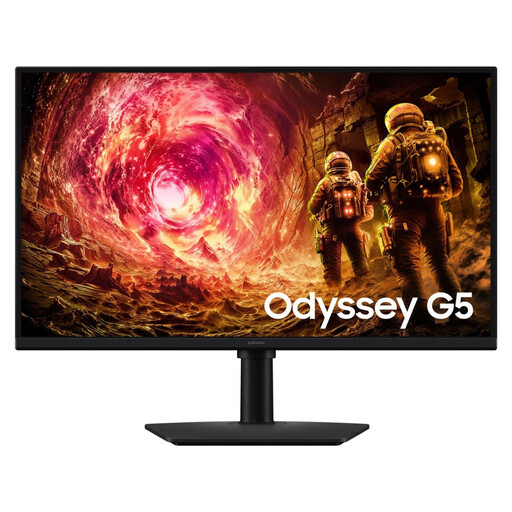
Why it stands out: The Samsung Odyssey G5 G50F is the perfect compromise for gamers who want a taste of QHD sharpness and high fluidity without breaking the bank. It's a highly versatile monitor, equally at home in fast-paced FPS games and open-world adventures.
Key Specifications:
Who is it for? This 1440p 180?Hz monitor is aimed at PC gamers looking to upgrade from Full HD while maintaining top-tier responsiveness for multiplayer. Its performance-to-price ratio is simply excellent.
See the Samsung Odyssey G5 G50F
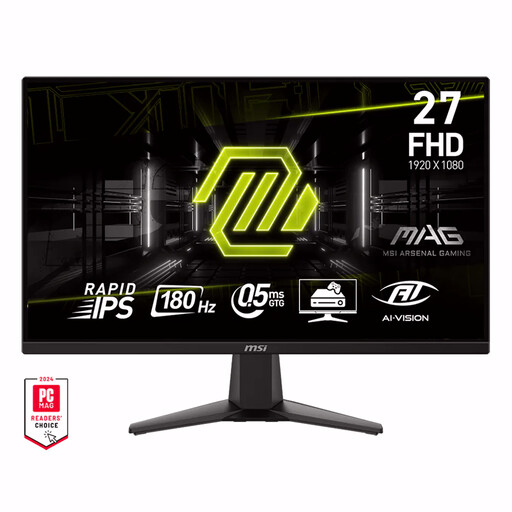
Why it stands out: The MSI MAG 275F is a speed demon that bets everything on velocity. Its FHD resolution allows mid-range setups to maintain stratospheric frame rates, while its Rapid IPS panel and 0.5?ms response time guarantee impeccable sharpness, even in the heat of battle.
Key Specifications:
Who is it for? The ideal weapon for competitors and FPS players (Valorant, CS:GO, Apex Legends) for whom every millisecond counts. It's the choice for raw performance for those who refuse to compromise on responsiveness.
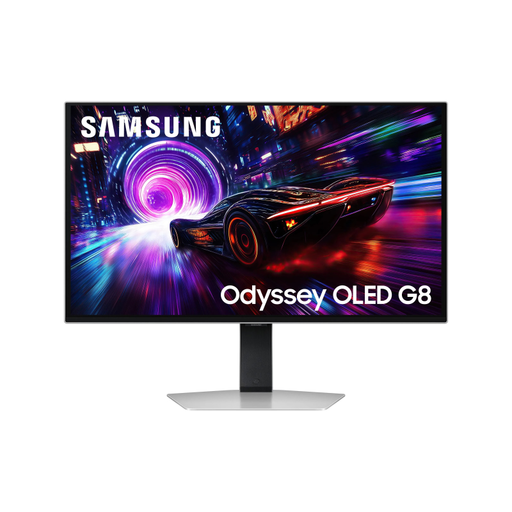
Why it stands out: The Odyssey OLED G8 is the ultimate monitor, a technological showcase par excellence. The marriage of an OLED panel, 4K resolution, and a 240?Hz refresh rate offers a gaming experience that borders on the sublime. Abyssal blacks, vibrant colours, and blistering fluidity create total immersion.
Key Specifications:
Who is it for? This monitor is for enthusiasts with a very powerful setup (PC or next-gen console) who demand the best possible image quality for their AAA games and narrative adventures, without sacrificing e-sports level responsiveness.
See the Samsung Odyssey OLED G8
Our selection is just a glimpse of the excellent models available on the market. If, for you, the image quality and stunning contrasts of OLED take precedence over everything else, other gems might catch your eye.
To discover a wider range of monitors offering a cutting-edge visual experience, feel free to explore our dedicated category.
Explore our range of ultra-high-definition OLED gaming monitors
On a 27-inch display, QHD (1440p) resolution already provides remarkable sharpness. 4K (2160p) pushes the level of detail even further, but the visual gain is less noticeable than on a larger screen. The real deciding factor is the power of your PC: 4K is much more demanding and may force you to make concessions on graphics settings to keep your game running smoothly.
Yes, and by a wide margin! A 180?Hz rate is excellent for the vast majority of gamers, including in competitive play. The experience is incredibly smooth and responsive, light-years ahead of the old 60 or 75?Hz standards. Monitors with 240?Hz (and higher) provide an additional gain, but the difference is more subtle and is primarily aimed at professional or semi-professional players.
An OLED gaming monitor offers simply spectacular image quality: infinite contrast for deep, inky blacks, vibrant colours, and a near-instantaneous response time. It's the premium choice for total immersion. The only potential drawback is the risk of burn-in if static images (like a game's UI) are displayed for very long periods. Fortunately, manufacturers like Samsung now integrate effective protection technologies, such as the OLED Safeguard+ system, to drastically limit this phenomenon.