
Livraison le jour même ou le lendemain

Qualité garantie

Débloquez vos offres de bienvenue: Livraison GRATUITE | Jusqu'à -80 % | 30 jours d'essai gratuits à JoyPlus
Téléchargez l'application
Choosing a new PC gaming monitor can feel like navigating a dense jungle of confusing technologies and spec sheets. The 27-inch screen size has established itself as the gold standard, offering a perfect balance between immersion and visual comfort without requiring you to sit across the room. But with so many options for resolution, refresh rate, and panel type, how do you make the right choice?
Our mission at Joybuy is to help you find clarity. This guide is designed to decode the technical jargon and point you toward the monitor that truly fits your gaming style, whether you're an esports pro, a fan of graphic-intensive epics, or a content creator.
Before we unveil our top picks, let's review the features that define a great gaming monitor.
Resolution determines the sharpness of the image, while the refresh rate (in Hertz, or Hz) corresponds to the number of frames the screen can display per second.
The panel technology directly impacts colours, contrast, and responsiveness.
Adaptive sync technologies like G-Sync (NVIDIA) and FreeSync Premium (AMD) match the monitor's refresh rate to your graphics card's frame rate. Their purpose is to eliminate screen tearing and micro-stuttering. The good news is that most monitors today are compatible with both standards. For console gamers, be sure to check for an HDMI 2.1 port to enjoy 120 Hz on your PS5 or Xbox Series X/S.
Now for our top picks: three models that caught our eye, each tailored to a specific type of gamer.
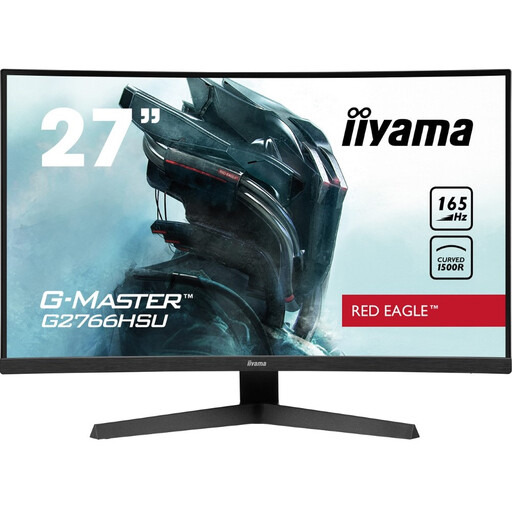
Why we love it: This is the perfect entry point into the world of high-refresh-rate gaming. Its curved screen (1500R) and VA panel provide great immersion and appealing contrast, while the 165 Hz refresh rate ensures excellent fluidity in action games.
Key Features:
Who is it for? The budget-conscious gamer who prioritises fluidity in Full HD, or the console owner who wants to experience 120 Hz without breaking the bank.
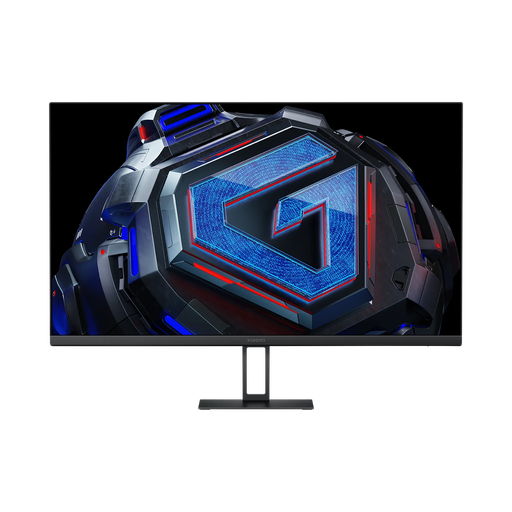
Why we love it: This monitor is the master of balance. It checks all the right boxes: the sharpness of QHD (1440p), the smoothness of a high refresh rate (up to 180 Hz via DisplayPort), and the responsiveness of a Fast IPS panel. Its panel ensures accurate colours (95% DCI-P3) and a 1 ms response time, making it just as capable for gaming as it is for photo editing.
Key Features:
Who is it for? The all-around gamer who wants the best performance-to-price ratio for 1440p gaming, but also for work or occasional creative projects.
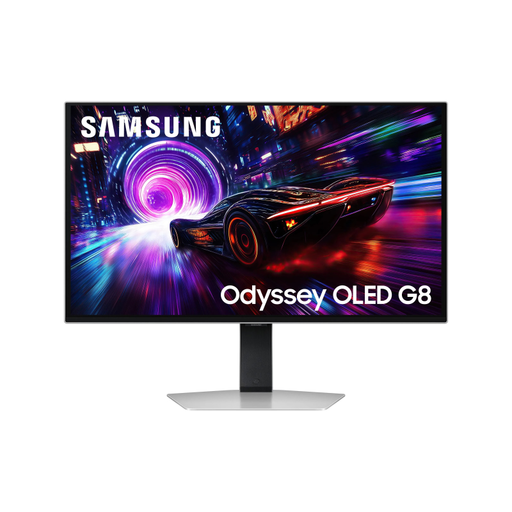
Why we love it: This is the no-compromise option. This OLED monitor combines a 4K panel with a 240 Hz refresh rate for the ultimate in image quality and responsiveness. OLED technology delivers abyssal blacks, infinite contrast, and a near-instantaneous response time (0.03 ms). Samsung also highlights its Glare-Free technology, designed to reduce reflections.
Key Features:
Who is it for? For enthusiasts and demanding creators who want the absolute best and have the powerhouse PC build to take full advantage of it.
Our selection covers a range of profiles, but the monitor market is vast. If you haven't found the right one for you yet, feel free to explore our full catalogue.
Explore our complete collection of computer monitors
A curved screen promises greater immersion by wrapping around your field of view, which can create a more engaging experience, especially in simulation (racing, flight) or adventure games. It can also reduce distortion at the edges. However, it's ultimately a matter of personal preference. A flat screen remains an excellent choice and is often preferred by competitive FPS players for its perfect, distortion-free geometry.
On a 27-inch PC gaming monitor, 1440p (QHD) already provides excellent pixel density (around 109 PPI) for a very sharp image. Stepping up to 4K on the same screen size increases that density to 163 PPI. The difference is noticeable, with even finer text and details, but it isn't as dramatic as it would be on a large TV. The trade-off is that 4K is extremely demanding and requires a very powerful graphics card to maintain smooth frame rates.
No. The PS5 is not compatible with G-Sync or FreeSync. It relies on the VRR (Variable Refresh Rate) standard, which operates over the HDMI 2.1 connection. In practice, many FreeSync-compatible monitors work well with the PS5's VRR, but it's not an absolute guarantee. To be certain, look for a "PS5 Compatible" label or explicit support for "HDMI 2.1 VRR" on the monitor's spec sheet.