
Livraison le jour même ou le lendemain

Qualité garantie

Débloquez vos offres de bienvenue: Livraison GRATUITE | Jusqu'à -80 % | 30 jours d'essai gratuits à JoyPlus
Téléchargez l'application
Finding the ideal gaming monitor can feel like an uphill battle. Drowning in technical jargon from product sheets and a sea of models, it's easy to get overwhelmed. Do you dream of a perfectly smooth image, free from tearing and motion blur, to get the most out of your PC or console games? This guide is here to decode the essential features and present a selection of monitors that will help you gain clarity and make the right choice.
As a Product Expert at Joybuy, my role is to provide practical advice to guide you toward the hardware that truly matches your needs and budget.
Choosing a monitor is about more than just its size. For an optimal gaming experience, focus on three key factors: resolution, responsiveness, and sync technology.
The 27-inch screen size has become a standard for good reason: it offers comfortable immersion without requiring you to sit too far back. Paired with a QHD (2560 x 1440 pixels) resolution, often marketed as a 2K 144?Hz monitor, it represents the ideal sweet spot. You get a much sharper and more detailed image than Full HD (1080p) without bringing your graphics card to its knees like 4K would. It's a smart choice for most current setups.
The refresh rate, measured in Hertz (Hz), is the number of images your monitor can display per second. A 27-inch 144?Hz PC gaming monitor refreshes the image 144 times per second, delivering visual fluidity that is worlds apart from a standard 60?Hz screen. In practice, this translates to sharper motion and increased responsiveness in fast-paced games.
Response time, on the other hand, is crucial for eliminating "ghosting" (those infamous phantom images). A 1?ms gaming monitor ensures that pixels change colour almost instantaneously, which is essential for shooters or racing games where every millisecond counts.
To put an end to screen tearing, adaptive sync technologies are a must-have. A FreeSync Premium monitor (AMD) and a G-Sync compatible monitor (NVIDIA) sync the monitor's refresh rate with the frames per second (FPS) delivered by your graphics card. The result: a perfectly stable image, even when the framerate drops. Many monitors are now compatible with both standards, which is a real bonus for flexibility.
Here are a few models that caught our eye, catering to different needs and budgets.
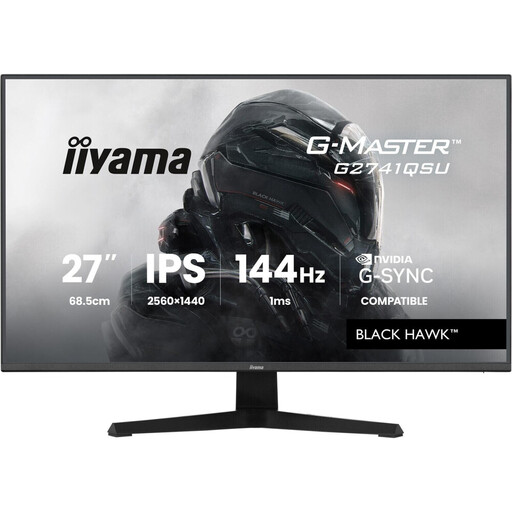
Why It Stands Out This iiyama monitor checks all the boxes for the demanding gamer. With its 27-inchFast IPS panel, WQHD (2560x1440) resolution, and 144?Hz refresh rate, it delivers the winning trio for a gaming experience that is as immersive as it is competitive. Its FreeSync Premium compatibility is enabled by Adaptive Sync technology.
Pros
Who Is It For? For PC and console gamers (it's perfect as a 144?Hz monitor for PS5 in 1440p/120?Hz mode) looking for a high-performance, versatile monitor that shines in both adventure games and e-sports titles.
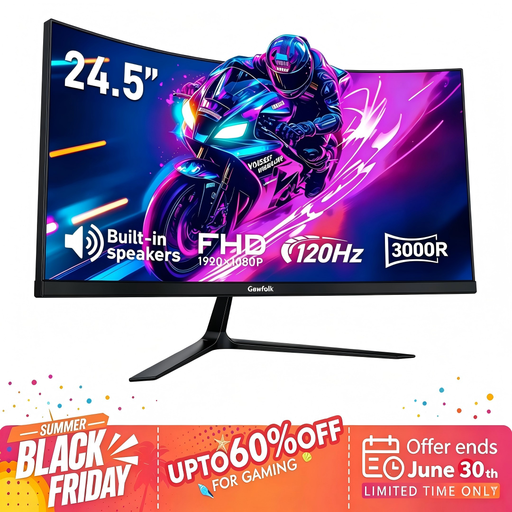
Why It Stands Out This Gawfolk model gets straight to the point: fluidity. Its 120?Hz refresh rate and 1?ms (MPRT) response time make it an excellent entry point into the world of high-refresh-rate gaming, all in a compact, curved 24.5-inch format for enhanced immersion.
Pros
Who Is It For? Ideal for gamers just starting on PC or those on a tight budget. Its more compact size is also a plus for FPS players who want to keep the entire action within their field of view.
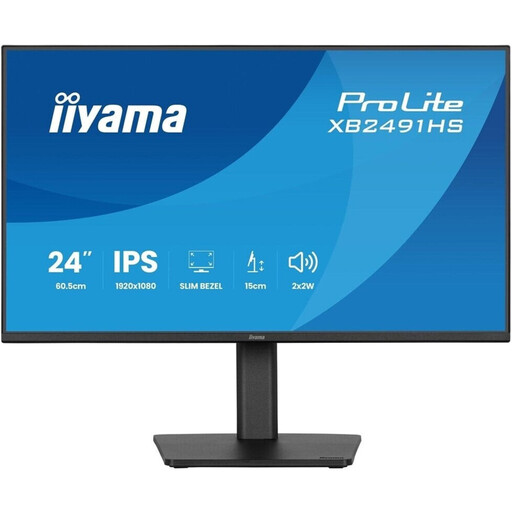
Why It Stands Out The ProLite XB2491HS-B1 is a true Swiss Army knife, focusing on versatility and ergonomics. Its main advantage is its height-adjustable (HAS), tiltable, swivelling, and rotating stand. An excellent choice for those who juggle gaming, work, and multimedia.
Pros
Who Is It For? For the user with a mixed-use case for their computer. If you spend long hours working before jumping into a game, the comfort provided by its ergonomics and eye-care technologies will make all the difference.
A successful gaming experience doesn't stop with the visuals. Sound is just as crucial for total immersion. If you're looking to complete your setup with a quality audio system, the right gear can change everything.
Discover our selection of Black Speakers to complete your setup.
1. Isn't a 27-inch monitor too big for gaming? The ideal size is primarily a matter of personal preference and viewing distance. For adventure or strategy games, a 27-inch monitor offers fantastic immersion. For competitive first-person shooters (FPS), some pro players prefer 24 or 25-inch screens to scan the entire play area at a glance without moving their head.
2. What's the difference between G-Sync and FreeSync? They are two adaptive sync technologies that eliminate screen tearing. G-Sync is a proprietary technology from NVIDIA, while FreeSync is an open standard promoted by AMD. The good news is that many FreeSync monitors are now certified as "G-Sync Compatible." This means they work perfectly with NVIDIA graphics cards, giving you a great deal of freedom when choosing your hardware.
3. Do I really need a 144?Hz monitor to play on a PS5 or Xbox Series X? Yes, it's a significant advantage! The PlayStation 5 and Xbox Series X/S consoles can run many games at 120 frames per second (i.e., 120?Hz). A 144?Hz monitor can display this signal, offering a noticeably smoother and more responsive gaming experience than a standard 60?Hz TV or monitor. It's a logical next step for any console gamer looking to optimise their performance.