
Livraison le jour même ou le lendemain

Qualité garantie

Débloquez vos offres de bienvenue: Livraison GRATUITE | Jusqu'à -80 % | 30 jours d'essai gratuits à JoyPlus
Téléchargez l'application
Navigating the jungle of gaming monitors is no easy feat. Resolutions, refresh rates, panel types... the technical jargon can quickly make your head spin. This guide is here to break down the key features of a 27-inch 1440p gaming monitor and present a selection of the best models currently available. Whether you're a die-hard PC competitor or a fan of next-gen consoles, follow our guide to make the right choice.
Before we dive into our top picks, let's review the essential criteria for finding the perfect monitor for your needs.
The combination of a 27-inch screen and QHD (2560 x 1440 pixels) resolution, also known as 1440p, has established itself as the perfect balance. It offers a much higher pixel density than Full HD (1080p) for a sharper, more detailed image, without requiring the top-tier graphics card firepower needed for 4K. This format is perfect for immersive gaming, but it's also excellent for office work and content creation.
For a smooth gaming experience, the refresh rate (measured in Hertz, Hz) is the number one criterion. A 1440p 165?Hz monitor or a 180?Hz gaming monitor displays 165 or 180 frames per second respectively, ensuring a much sharper moving image than a standard 60?Hz screen.
The panel type also plays a crucial role. Modern Fast IPS panels offer the best of both worlds: they combine the strengths of IPS (accurate colours, wide viewing angles) with lightning-fast responsiveness (1?ms response time), ideal for fast-paced games.
Make sure your future monitor is compatible with your hardware. Adaptive sync technologies, like NVIDIA G-Sync and AMD FreeSync, are essential for eliminating screen tearing. Their job is to synchronise the monitor's refresh rate with the frame rate output by the graphics card. A G-Sync Compatible or FreeSync Premium monitor ensures flawless fluidity.
For console gamers, compatibility is another key point. A good PC monitor for PS5 or Xbox Series X must support 1440p and, if possible, reach 120?Hz via its HDMI port to take full advantage of the consoles' capabilities.
Now for our top picks. Here are three models that caught our eye for their technical specs and value for money.
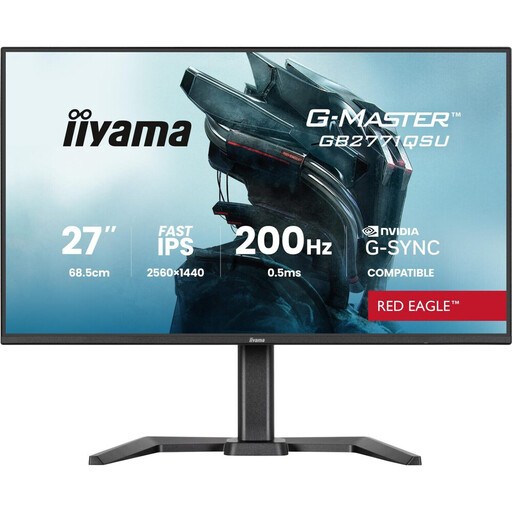
What sets it apart
This iiyama monitor is an excellent entry point into the world of high-refresh-rate QHD gaming. It combines a 27-inch Fast IPS panel with WQHD resolution and a 165?Hz refresh rate, striking a compelling balance between image quality and smoothness. Its well-designed ergonomics are a real plus for daily use.
Key Features
Who is it for? Ideal for gamers looking for a versatile 27-inch QHD gaming monitor that is just as comfortable for competitive gaming as it is for office work or content creation, without sacrificing comfort or display quality.
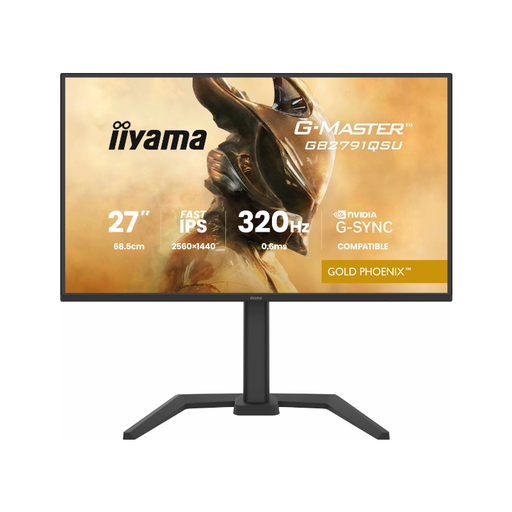
What sets it apart
The Gold Phoenix GB2791QSU-B1 kicks things up a notch with a staggering 320?Hz refresh rate. Built for competition, it goes all out to deliver absolute smoothness and responsiveness. Its G-SYNC and FreeSync Premium compatibility ensures a flawless experience.
Key Features
Who is it for? This monitor is aimed at esports and competitive gamers for whom every millisecond counts. If you're aiming for pure performance and your PC is powerful enough to handle such high frame rates, this model is for you.
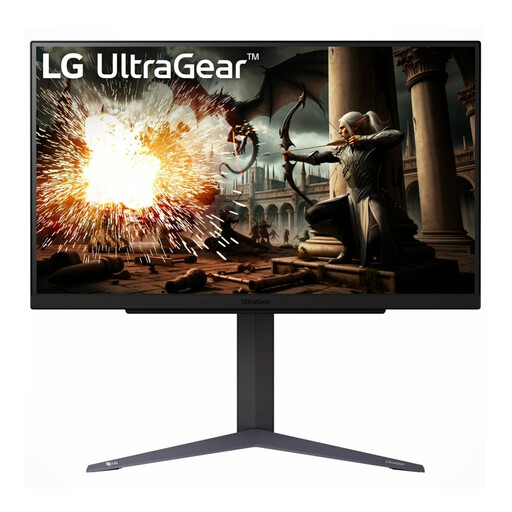
What sets it apart
LG, with its UltraGear line, offers a very well-balanced monitor. The 27GS75Q-B features a QHD IPS panel that reaches 180?Hz with a 1?ms (GtG) response time. It is equipped with specific gaming features like Black Stabilizer and Dynamic Action Sync, while also being certified G-Sync Compatible and FreeSync Premium.
Key Features
Who is it for? This monitor is for passionate gamers looking for a high-performance, reliable monitor from a renowned brand. Its 180?Hz refresh rate and gaming features make it an excellent companion for all types of games, from immersive blockbusters to the most demanding esports titles.
Our selection focuses on three flagship models in the 27-inch 1440p segment, but the market is obviously full of other gems. If you want to explore a wider range, with other sizes, designs, or features, feel free to browse our catalogue.
For more options, discover our complete collection of gaming monitors.
1. Is 1440p resolution really a good choice for a 27-inch monitor? Absolutely. It's the current winning combination. The pixel density (109 PPI) is ideal for this screen size: the image is much sharper and more detailed than in Full HD, which is a real bonus for both gaming immersion and reading comfort.
2. Is a 1440p monitor compatible with a PS5 or Xbox Series X? Yes, without any issues. The PS5 has supported 1440p since a system update, and the Xbox Series X|S has supported it natively since launch. To enjoy 120?Hz mode, just check that the monitor can achieve this frequency via its HDMI 2.0 or 2.1 port.
3. What's the difference between G-Sync and "G-Sync Compatible"? Native G-Sync monitors include a dedicated hardware chip from NVIDIA. This very strict certification process affects the final price, which is generally higher. "G-Sync Compatible" monitors, on the other hand, are originally FreeSync displays that have been tested and approved by NVIDIA. They guarantee a smooth, tear-free variable refresh rate experience with GeForce graphics cards. In practice, for the gamer, the result is nearly identical: a smoother game free from screen tearing.