
Livraison le jour même ou le lendemain

Qualité garantie

Débloquez vos offres de bienvenue: Livraison GRATUITE | Jusqu'à -80 % | 30 jours d'essai gratuits à JoyPlus
Téléchargez l'application
For content creators, every second counts. High-end gear is an investment, but a single weak link can slow everything down: your memory card. Transfer times that drag on forever? 8K recordings that cut out mid-action? Look no further for the culprit: your current memory card is likely lagging behind.
This guide breaks down the next generation of storage, the 256?GB SD Express card, and helps you decide if it's right for you. We'll dissect the key technical points and present our top picks to supercharge your workflow.
Choosing a memory card shouldn't be taken lightly, especially when performance and reliability are non-negotiable. Here are the key points to check.
The SD Express standard is a game-changer. Gone is the traditional UHS bus: it now incorporates PCIe and NVMe interfaces—the same technologies found in the fastest SSDs in our computers. This architecture allows it to achieve spectacular theoretical speeds, turning the card into a true mini-SSD. In practical terms for pros, this means that transferring massive files (RAW bursts, 8K footage) now takes just a few seconds, instead of long minutes.
For recording 8K video, sustained write speed is the number one criterion. A card that's too slow will inevitably cause your camera's buffer to overflow, leading to an abrupt stop in recording. Likewise, a high read speed, like on an 800?MB/s SD card, is critical for quickly offloading your footage to your editing station. Pay attention to the maximum advertised speeds, but don't overlook the video speed classes (V30, V60, V90): they are what guarantee a constant minimum performance, the best safeguard against nasty surprises.
SD Express technology is still new. Before you pull out your credit card, it is imperative to verify that your camera body, video camera, or card reader is compatible with the SD Express standard. The good news is that these cards are backward-compatible and will work in older devices (usually at UHS-I speeds). But to unlock their full power, there's no secret: you'll need compatible hardware.
Now for our selection. We've chosen cards that meet different needs and budgets, with a focus on performance and reliability for the most demanding workflows.
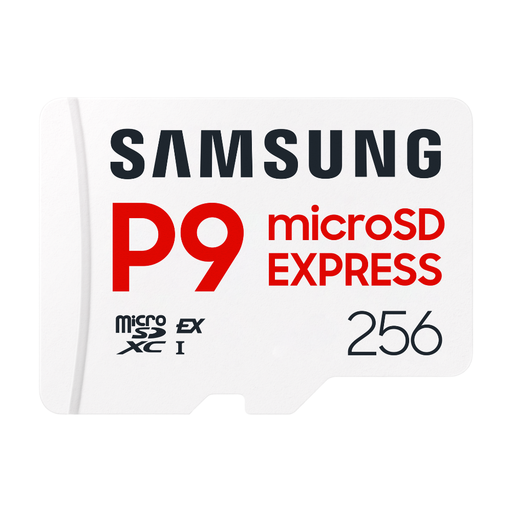
Why it stands out: The Samsung P9 Express is for creators who refuse to compromise on speed. Thanks to its SD Express PCIe Gen3 x1 interface, it promises read speeds of up to 800?MB/s, rivaling some internal SSDs. Its purpose: to obliterate bottlenecks during 4K, 6K, and 8K video capture or when shooting RAW bursts.
Advantages:
Who it's for: Professional videographers and photographers equipped with the latest SD Express-compatible hardware. A smart investment for those who juggle very large files and for whom every minute saved in post-production is priceless.
Is your hardware not SD Express compatible? Don't worry, other cards offer an excellent price-to-performance ratio.
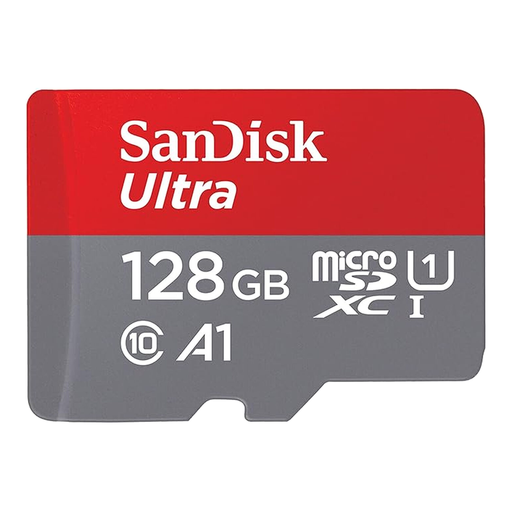
Why it stands out: A classic, reliable, and versatile choice for everyday use. While it's not in the same league as Express cards, its 140?MB/s read speed is more than enough for Full HD video and for use in a smartphone, tablet, or entry-level camera.
Advantages:
Who it's for: Smartphone, tablet, or drone users looking for a budget-friendly way to expand their storage. It's also perfect for Full HD photo and video on consumer-grade devices.
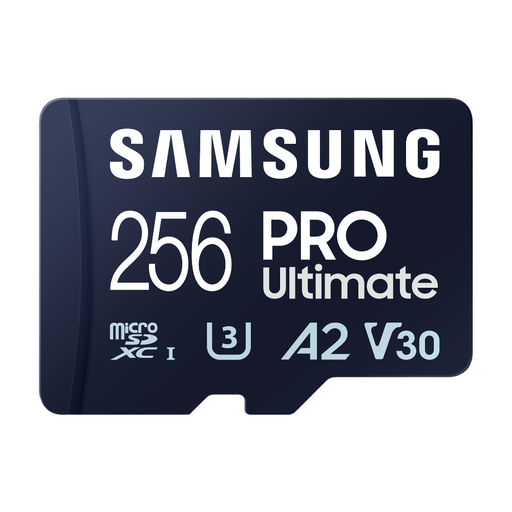
Why it stands out: An excellent compromise for recent devices that are not SD Express compatible. With speeds reaching 200?MB/s read and 130?MB/s write, this is a powerful UHS-I card capable of handling 4K UHD video without breaking a sweat.
Advantages:
Who it's for: Owners of action cameras, drones, or recent mirrorless cameras who shoot in 4K but whose device lacks an SD Express port.
The world of memory cards moves very fast. If our selection doesn't perfectly match your needs, many other options are available.
Explore our full range of SDXC memory cards to discover other capacities and models suited for all types of devices and budgets.
The difference is primarily technical and physical. UHS-II uses a second row of pins to achieve higher speeds (up to 312?MB/s). The SD Express card, however, uses that same second row of pins to run a PCIe/NVMe protocol. The result: theoretical speeds skyrocket, approaching 1?GB/s (985?MB/s to be precise) for the first generation.
Yes, absolutely. To take advantage of the maximum speeds (like the promised 800?MB/s), an SD Express-compatible card reader is essential. If you insert it into a standard reader (UHS-I or UHS-II), the card will work, but its performance will be throttled to the reader's speed, which is about 100?MB/s for a typical UHS-I model.
A 256?GB card is a good starting point for getting into 8K video. The actual recording time will depend entirely on the codec and bitrate you select on your camera. To give you an idea, one minute of 8K video at a moderate bitrate weighs between 10 and 20?GB. A 256?GB card will therefore allow you to store between 15 and 25 minutes of footage. For longer shoots, plan on having several cards or upgrading directly to higher capacities.