
Livraison le jour même ou le lendemain

Qualité garantie

Débloquez vos offres de bienvenue: Livraison GRATUITE | Jusqu'à -80 % | 30 jours d'essai gratuits à JoyPlus
Téléchargez l'application
An Android 16 tablet with keyboard can sometimes replace a laptop for writing emails, attending classes, viewing documents or streaming content. The difficulty is that product specifications can list figures that are hard to compare, such as virtual RAM, expandable storage, claimed battery life or 4G compatibility.
To avoid any nasty surprises, focus on how you’ll actually use the tablet, its connections and the exact components it contains. Here are the points to check before choosing an Android 16 tablet.
A listing that mentions 36 GB RAM may actually combine 6 or 12 GB of physical memory with a virtual extension that uses the internal storage. This feature can make switching between apps a little smoother, but it isn’t a substitute for an equivalent amount of physical RAM.
For office work, web browsing and streaming, a well-optimised tablet can be perfectly adequate. For demanding games or video editing, the processor, physical memory and heat management will make the biggest difference.
A 512 GB tablet gives you plenty of space for files, photos and apps. However, the actual available capacity will be lower, as some storage is taken up by the operating system and pre-installed apps.
Expansion up to 1 TB also depends on the TF or microSD card you use. Check its maximum capacity and speed, and whether you can install certain apps on it. In practice, a memory card is most useful for documents, photos and videos.
An 8,000, 9,800 or 10,000 mAh battery is a useful indicator, but battery life depends heavily on screen brightness, mobile network use, gaming, video calls and the number of active apps. Claims such as ‘12 hours of use’ generally refer to a test scenario defined by the manufacturer.
For using your tablet on the go in France, also check which charger is included, how long charging takes and whether there’s a USB-C port.
A 10-inch tablet slips easily into a bag and is well suited to classes, commuting and viewing documents. At 11 inches, a model gives you more room to work with a keyboard without becoming too bulky.
A 14-inch tablet gives you useful extra space for multitasking, spreadsheets and video calls. The trade-off is that its weight and size are closer to those of a small laptop. A 1920 × 1200 resolution and 16:10 aspect ratio are particularly handy for displaying two apps side by side.
The Snapdragon 888 is found in models aimed at users who want more power for multitasking, gaming and demanding apps. The Unisoc T310 is better suited to everyday tasks such as browsing, watching videos, messaging and light office work.
These processor names alone aren’t enough to judge what a tablet will be like to use day to day. You should also consider the amount of physical memory, screen resolution, heat dissipation and software version.
A Bluetooth keyboard makes typing much more comfortable, but check the key layout, keyboard language and whether it has a touchpad. A tablet with keyboard and stylus is particularly useful for taking notes, making annotations and creating simple sketches.
Wi-Fi 6 can improve connection stability with a compatible router. A 4G LTE tablet lets you stay connected using a SIM or eSIM, depending on the model. Check network band compatibility and your network provider’s terms before buying.
Finally, Widevine L1 certification may allow you to stream high-definition content on some services. However, the available resolution also depends on the app, the account you use and the agreements in place with the platform.
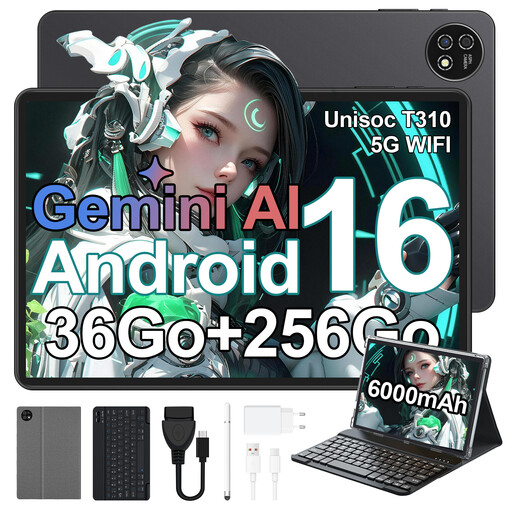
Why this model suits this user: Its 10.1-inch size is a good fit for students, families and anyone who wants a tablet with keyboard and protective case that’s easy to carry around.
The listing distinguishes between the 256 GB of internal storage and expansion up to 1 TB with a TF card, making it easier to manage large files.
1920 × 1200 screen, Unisoc T310 processor, Wi-Fi 6, keyboard and case included.
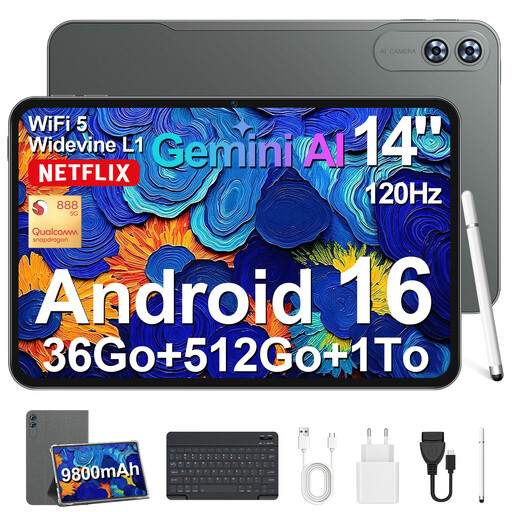
Why this model suits this user: Its large screen is designed for remote workers and anyone who values a comfortable viewing experience for documents, videos and multitasking.
The specifications list the 6 GB of physical RAM separately from the virtual extension, as well as the 512 GB of storage and expansion up to 1 TB.
14-inch 1920 × 1200 screen, Snapdragon 888, claimed 9,800 mAh battery, 4G LTE, keyboard and stylus included.
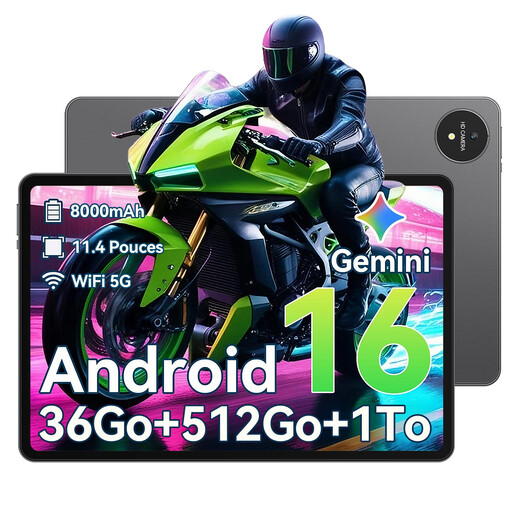
Why this model suits this user: This model is for anyone looking for a complete package for work, note-taking, watching content and storing plenty of files.
The package includes a Bluetooth keyboard, stylus, case, charger and USB-C cable, so you don’t have to buy each accessory separately.
T615 octa-core processor, 512 GB of storage, expansion up to 1 TB, claimed 8,000 mAh battery and Widevine L1 certification.
We’ve put together a comprehensive, live-updated list of products that meet these strict selection criteria and comply with European safety regulations.
It’s suitable for writing, emails, web browsing, online classes and viewing documents. For specialist professional software, advanced photo editing or certain desktop applications, check that an Android version is available and that your files are compatible.
No. Some models come with a keyboard and case, while others also include a stylus. Check the list of included accessories on the product page before placing your order.
256 GB may be enough for office work, everyday apps and cloud storage. 512 GB gives you more room for videos, games, photos and documents you want to access offline. A tablet expandable up to 1 TB may be a good option if using a memory card suits the way you use your device.