
Livraison le jour même ou le lendemain

Qualité garantie

Débloquez vos offres de bienvenue: Livraison GRATUITE | Jusqu'à -80 % | 30 jours d'essai gratuits à JoyPlus
Téléchargez l'application
By Joybuy, your high-tech expert | August 27, 2026
In 2026, navigating the laptop jungle has never been more complex. New chips, AI promises at every turn, endless configurations… it's enough to make your head spin. Our mission: to help you see clearly, sidestep marketing traps, and choose THE 2026 laptop that truly meets your needs, without breaking the bank.
Before we dive into spec sheets, let's review the classic mistakes that often lead to buyer's remorse?:
To make the right choice, focus on this winning trio. These three elements define 90% of your daily experience.
The processor is the brain of your machine. In 2026, the market is dominated by Apple M5 chips, Intel Core Ultra processors, and AMD Ryzen AI. Beyond the names, it's the number of cores that counts: the more "performance" cores you have, the better it is for demanding tasks like video editing or gaming.
The big news is the almost systematic integration of an NPU, which turns a machine into an "AI laptop." This component is specifically designed to accelerate calculations related to artificial intelligence. If you're a creative or a developer whose software leverages AI, it's a real plus. For everyone else, a good modern processor remains the top priority.
RAM is the fuel for your multitasking: it's what ensures a smooth experience.
On the storage side, an SSD (Solid State Drive) is non-negotiable. It guarantees a near-instant boot-up and lightning-fast app launches. Aim for the PCIe 4.0 standard: its read/write speeds make a real difference when handling large files.
This is the part you'll be staring at for hours. Don't skimp on it!
To illustrate our point, here are a few typical configurations designed for different profiles, keeping our criteria of performance, balance, and ergonomics in mind.
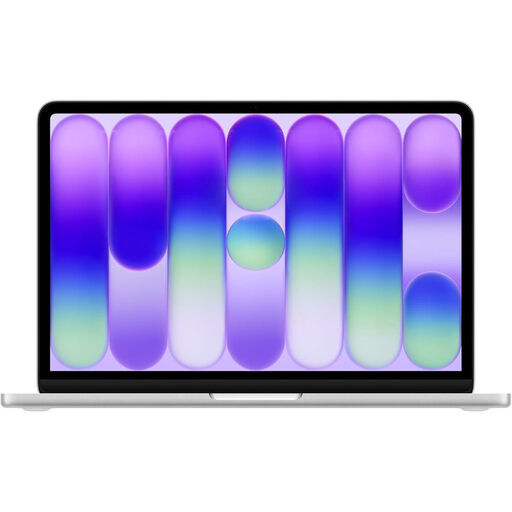
Why this choice? Featherlight (1.23 kg) and marathon battery life (up to 16 hours advertised): the perfect combo to power through lectures and library sessions. Its A18 Pro chip is more than powerful enough for research, note-taking, and everyday multitasking.
This model is the antithesis of imbalance. Rather than relying on a flashy spec sheet, it offers a perfectly coherent package, optimised for mobility and battery life.
Its record-breaking battery life and light weight make it the ideal companion to last a full day of classes without hunting for an outlet. The 512 GB of storage provides a comfortable buffer for all documents and projects.
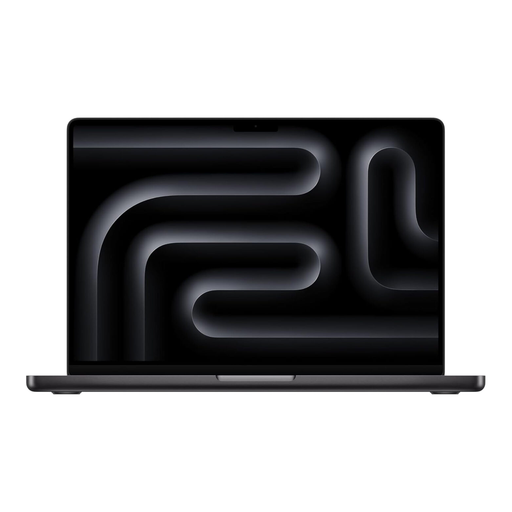
Why this choice? Video editors, graphic designers, photographers: for you, power isn't an option, it's a necessity. The M5 Pro chip, backed by 24 GB of unified memory and a sublime Liquid Retina XDR display, handles the most demanding workflows with stunning fluidity.
Here, the price is justified by a perfect balance of top-tier components. The processor's raw power is served by generous RAM and an exceptional display.
The M5 Pro chip / Liquid Retina XDR display duo makes this a true mobile workstation for creatives. The colour fidelity and peak brightness are at the pinnacle of what's available.
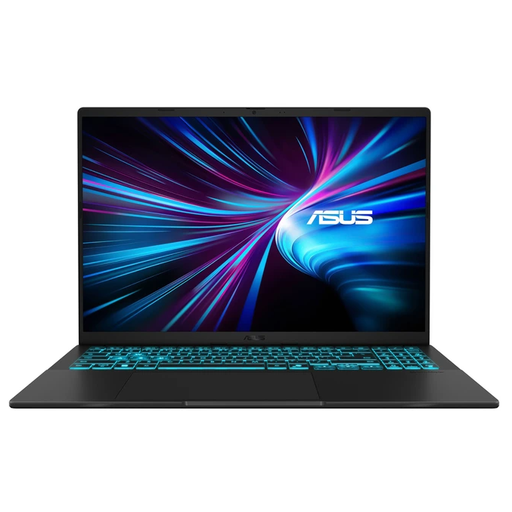
Why this choice? For die-hard Windows fans who love to game, this ASUS model delivers where it counts: a dedicated NVIDIA GeForce RTX 5050 graphics card and a 144 Hz screen. A solid configuration for running recent games and versatile enough for everything else.
It gets straight to the point by focusing on gaming fundamentals: a real dedicated GPU and a responsive screen. No marketing fluff, just concrete performance for its target audience.
Finding an RTX 5050 graphics card and a 144 Hz screen in this price range makes it a machine with an unbeatable performance-to-price ratio for PC gaming.
We have curated a complete list of products that meet our demanding selection criteria as well as French safety standards.
It all depends on the build quality, your usage, and maintenance. As a general rule, a good mid-range or high-end model can remain performant for 4 to 6 years. The crucial points are the chassis's robustness, the cooling system's efficiency, and the duration of software support guaranteed by the manufacturer (security updates, etc.).
For a degree in humanities, social sciences, or law, 8 GB can still suffice for note-taking and research. However, for more technical fields (engineering, IT, design) that use demanding software, 16 GB of RAM isn't a luxury: it's the minimum to work smoothly and avoid frustrating slowdowns.
For most people (web, streaming, office work), the presence of an NPU—the famous component that justifies the "AI PC" label—won't radically change the game day-to-day. Its benefits are mainly seen with specific software that leverages AI (image generation, live transcription, advanced editing features...). Your choice should therefore be based on your actual usage, not on a marketing label.