
Livraison le jour même ou le lendemain

Qualité garantie

Débloquez vos offres de bienvenue: Livraison GRATUITE | Jusqu'à -80 % | 30 jours d'essai gratuits à JoyPlus
Téléchargez l'application
In esports, every millisecond counts. Motion blur or screen tearing can mean certain defeat. That's why the 180?Hz gaming monitor is establishing itself as the new standard for anyone who wants to combine responsiveness and image clarity without compromise. A high refresh rate promises a smoother display, sharper motion, and ultimately, an optimized reaction time.
Our goal: to give you all the keys to find the perfect 180?Hz monitor for your rig and playstyle, all without the unnecessary marketing jargon.
Before diving into our selection, let's review the crucial technical points to make the right choice.
The size/resolution duo is critical: it determines not only the sharpness of the image but also the power your graphics card will need to deliver.
The 180?Hz 1?ms gaming monitor label is everywhere, but the panel type is an equally decisive criterion.
Here is our selection of monitors that check all the boxes for demanding gamers. Each model was chosen based on its raw performance.
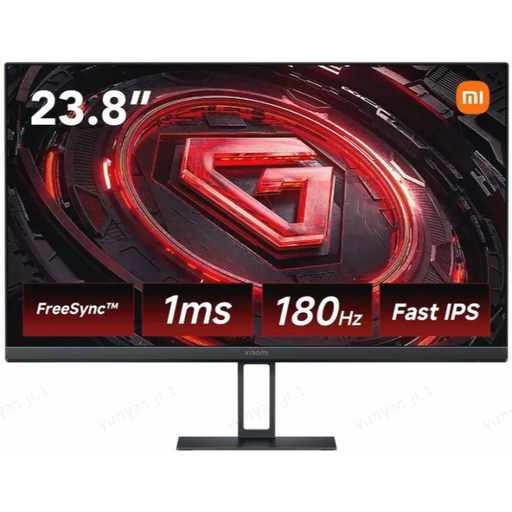
Why it stands out: The Xiaomi G24i gets straight to the point for competitive play: a 23.8-inch Fast IPS panel that combines the responsiveness of a 1?ms (GTG) response time with excellent colourimetry (99% sRGB coverage). Its 180?Hz refresh rate ensures rock-solid fluidity for fast-paced games, all in a sleek and efficient chassis.
Highlights:
Who is it for? For FPS and esports players who want maximum responsiveness on the standard 24-inch format, without sacrificing image quality for more versatile use.
See details for the Xiaomi G24i
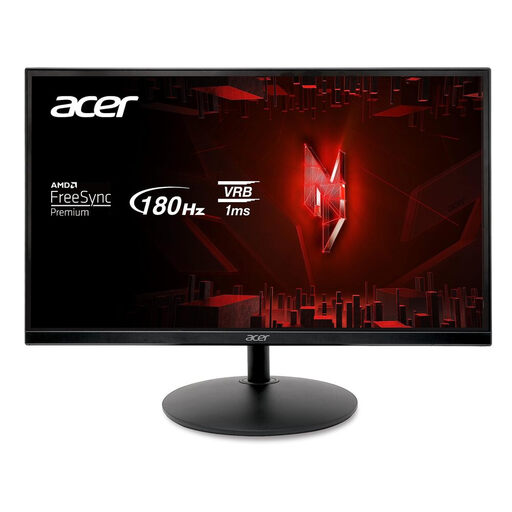
Why it stands out: This Acer monitor leverages its VA panel to stand out, delivering a native contrast ratio of 3000:1. In practical terms, this means deeper blacks and better readability in dark scenes. It doesn't forget the fundamentals of competitive gaming either, with its 180?Hz refresh rate and 1?ms (GtG) response time.
Highlights:
Who is it for? For gamers who prioritize visual immersion thanks to high contrast, especially in horror, adventure, or titles with dark atmospheres.
See details for the Acer XF240Y S3
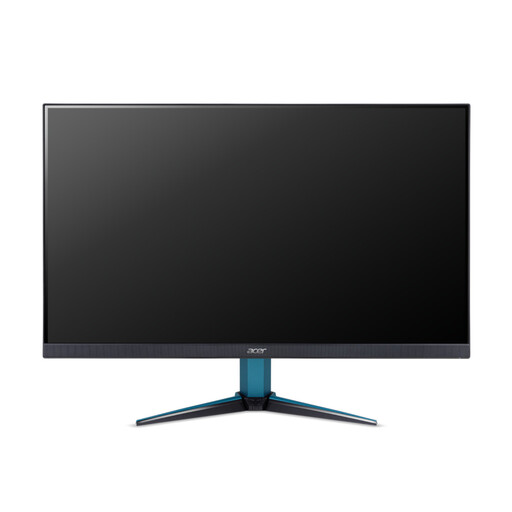
Why it stands out: The Nitro VG271UM3 kicks things up a notch with its 27-inchIPS panel in WQHD (2560x1440) resolution. The gain in display sharpness and screen real estate over Full HD is striking, all without sacrificing fluidity thanks to its 180?Hz refresh rate and 1?ms response time.
Highlights:
Who is it for? For gamers equipped with a solid graphics card who want the best of both worlds: extreme fluidity and an ultra-detailed image for heightened immersion.
See details for the Acer Nitro VG271UM3
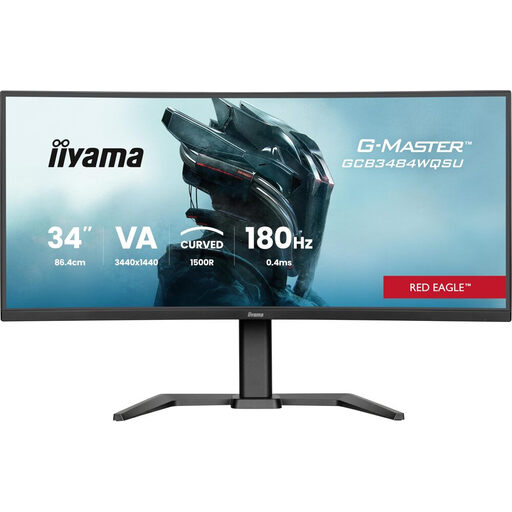
Why it stands out: Iiyama goes all-in on immersion with this large 34-inch curved (1500R) VA panel in a 21:9 aspect ratio. The combination of UltraWide Quad HD (3440x1440) resolution and a 180?Hz refresh rate creates a panoramic and fluid experience, complemented by nice bonuses like a height-adjustable stand and a USB hub.
Highlights:
Who is it for? For fans of simulation (racing, flight), strategy, and RPGs who want the most total immersion a 180?Hz ultrawide monitor can offer.
See details for the iiyama G-MASTER
A good monitor is the centrepiece of your setup, but the right accessories make all the difference in comfort. To reduce eye strain during long sessions and enhance immersion, accent lighting is an excellent idea.
Take a look at our selection of LED monitor lights to put the finishing touches on your new equipment.
1. Is a 180?Hz monitor really different from a 144?Hz one? The difference is subtle, but very real for the most seasoned gamers, especially in fast-paced FPS games. Moving from 144?Hz to 180?Hz provides a slight gain in fluidity and motion clarity. It's an incremental improvement, aimed at those looking to optimize every detail of their performance.
2. What graphics card is needed for a 180?Hz gaming monitor? It all depends on the resolution. For gaming in 1080p at 180?Hz in esports titles, a mid-range card (like an NVIDIA GeForce RTX 4060 or AMD Radeon RX 7600 XT) is usually sufficient. However, to aim for 180 fps in 1440p, you'll need to step up to a more powerful model (RTX 4070 Super, RX 7800 XT, or better) to ensure stable performance.
3. Should I use HDMI or DisplayPort for a 180?Hz monitor? Without a doubt: DisplayPort (version 1.4 or newer). It's the preferred connection because it alone guarantees the necessary bandwidth for a 180?Hz display at high resolutions, while also ensuring perfect compatibility with adaptive sync technologies. Even though some HDMI 2.0 ports can technically handle it, DisplayPort remains the safe bet.