
Livraison le jour même ou le lendemain

Qualité garantie

Débloquez vos offres de bienvenue: Livraison GRATUITE | Jusqu'à -80 % | 30 jours d'essai gratuits à JoyPlus
Téléchargez l'application
By Joybuy, your high-tech guide.
You've already done the hard part by targeting a solid configuration: a laptop with 16 GB of RAM and a 512 GB SSD. This is the power duo that guarantees smoothness and responsiveness for years to come. However, the market is flooded with models featuring vastly different specs: AI-boosted processors, OLED screens, eco-friendly chassis... It can be hard to navigate.
This guide is here to help you see things more clearly. We'll break down the essential criteria to watch for in 2026 and present a selection of laptops designed for specific use cases: remote work, studying, or creative projects.
With the 16 GB / 512 GB SSD baseline established, let's focus on the elements that will truly make a difference in your daily use.
Next-generation processors, like the Intel Core Ultra or AMD Ryzen AI, now include a Neural Processing Unit (NPU). In practical terms, this dedicated chip accelerates AI-related tasks without overloading the main CPU.
This translates to:
For a business laptop or a modern work tool, choosing a model with an NPU is the best way to future-proof your investment.
Spending hours in front of a screen has become the norm. Therefore, the quality of the display panel is paramount.
For a student laptop or a professional who is often on the move, weight and battery life are decisive factors. A model under 1.5 kg is significantly more pleasant to carry. Connectivity is just as essential: Wi-Fi 6E (or the even newer Wi-Fi 7) ensures stable and fast speeds, while the presence of versatile USB-C ports (supporting charging and display output) simplifies connecting to peripherals.
Here are three models that perfectly illustrate current trends, each catering to a distinct user profile.
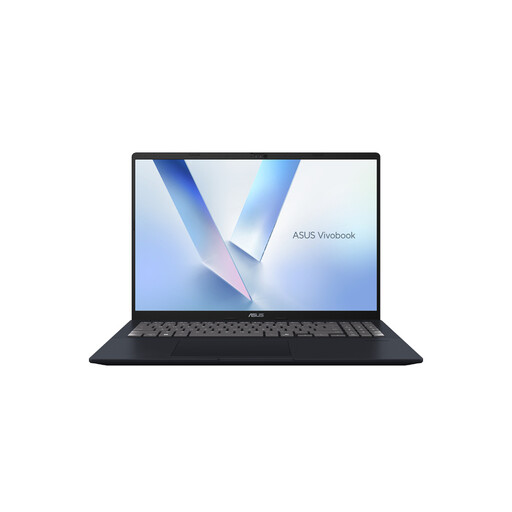
Why it stands out: This Vivobook is an excellent entry point into the world of AI PCs. It combines a large, comfortable 16-inch screen with the power of an AMD Ryzen AI processor, all in a sleek and efficient chassis.
Highlights:
Who is it for? For professionals, students, and remote workers looking for a versatile and powerful machine with a large, comfortable screen to power through hours of work.
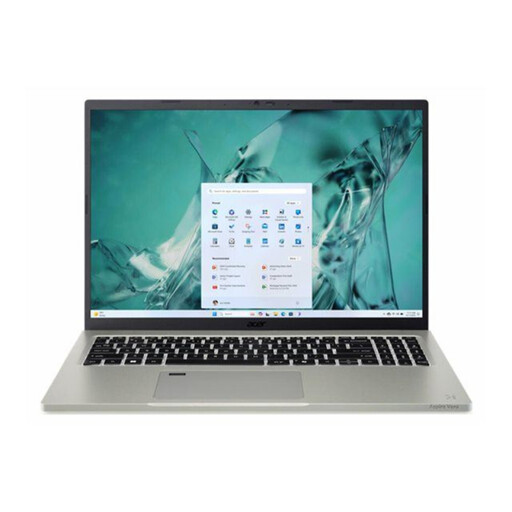
Why it stands out: The Aspire Vero 16 combines performance with an eco-conscious design. Its chassis is made from 60% post-consumer recycled (PCR) plastic, without compromising on performance.
Highlights:
Who is it for? For those who want to combine performance with environmental responsibility. It's the ideal companion for intensive office work, web browsing, and daily multitasking, all with a controlled environmental impact.
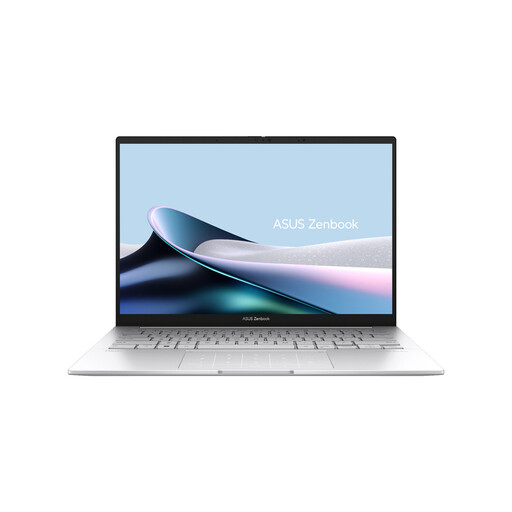
Why it stands out: The ASUS Zenbook 14 OLED is the champion of mobility and visual excellence. With its feather-light weight and 2.8K OLED screen, it's aimed at those who demand the best in portability and image quality.
Highlights:
Who is it for? For creatives, mobile professionals, and all demanding users who seek the best in mobility and image quality without sacrificing responsiveness.
The 16 GB / 512 GB SSD combination is available at all price points. If you're on a tighter budget or have different needs, other models could be a perfect fit.
? Explore our full selection of affordable laptops on Joybuy.fr.
Yes, it's now the new standard for a comfortable experience. Operating systems, web browsers with dozens of tabs, and productivity applications are increasingly demanding. With 16 GB of RAM, you ensure a perfectly smooth multitasking experience and are prepared for future uses, especially those related to AI.
Both of these processor families include an NPU dedicated to artificial intelligence tasks. In practice, the choice between Intel and AMD mainly depends on the overall integration by the PC manufacturer (battery life, cooling) and software optimisations. For common and office use, their performance is very similar.
In the vast majority of cases, yes. This amount of space is more than enough to install your operating system, your software (office suite, creative tools, etc.), and store a large number of documents. For content creators who juggle large 4K video files, supplementing with a cloud storage service or an external hard drive remains an excellent practice.