
Livraison le jour même ou le lendemain

Qualité garantie

Débloquez vos offres de bienvenue: Livraison GRATUITE | Jusqu'à -80 % | 30 jours d'essai gratuits à JoyPlus
Téléchargez l'application
The combination of a 27-inch curved panel, Full HD resolution, and a 165?Hz refresh rate has become the ideal formula for gamers seeking both immersion and performance without breaking the bank. The problem: the market is flooded with models featuring nearly identical spec sheets. But behind these similarities lie pitfalls that can turn a great deal into a disappointment. Before you pull out your credit card, it's crucial to know how to decode marketing jargon and identify the features that truly matter.
This guide is here to help you see things more clearly, avoid the traps, and choose the model that genuinely fits your gaming style, with no unpleasant surprises upon arrival.
Spec sheets are filled with impressive numbers, but not all of them translate to a better gaming experience. Here are three points to check very closely.
Beyond the marketing claims, three technical specifications truly determine the quality of your experience on a curved gaming PC monitor.
Every gamer is unique, with their own priorities. Here is a selection of models designed for different needs, based on the criteria we've just discussed.
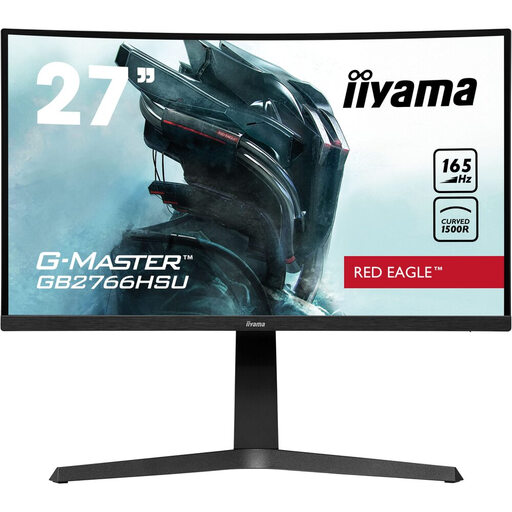
Why it's a match: This type of gamer is looking for raw performance (165 Hz, 1 ms) and comfort for back-to-back sessions. This iiyama G-Master Red Eagle monitor checks all the performance boxes, with a major advantage: a fully ergonomic stand.
It directly addresses the pitfall of sacrificed ergonomics with its height-adjustable (130 mm) and tiltable stand, ensuring an ideal posture.
The excellent balance between performance (165 Hz, FreeSync Premium) and full ergonomics makes it a particularly smart choice. It even includes a handy USB 2.0 hub.
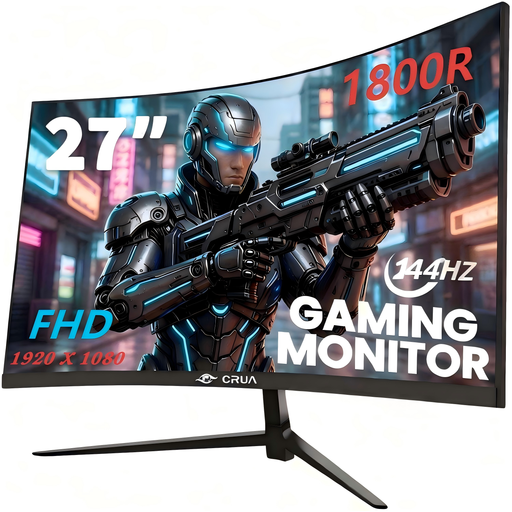
Why it's a match: This gamer prioritises the "cocoon" effect and rich colours to get lost in adventure games. The pronounced curve (1800R) and the promise of a wide colour gamut are their top criteria.
It doesn't bet everything on speed. By emphasising its 1800R curve and colour coverage (advertised at 120% sRGB), it meets the demand for overall image quality, beyond just response time.
Its 1800R curve, more pronounced than the standard 1500R, enhances the immersive effect. Fluidity is still on point with 144 Hz and FreeSync support.
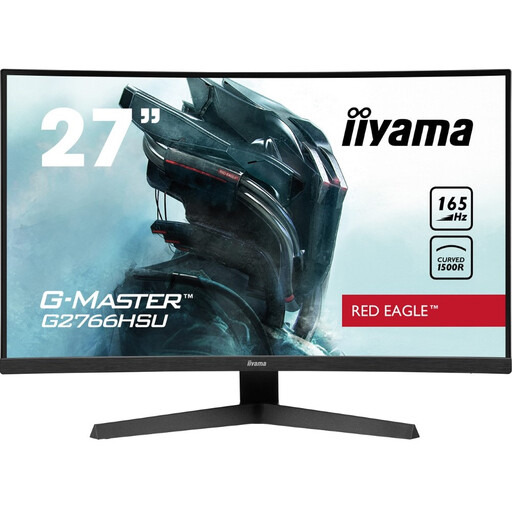
Why it's a match: This user wants the essentials of gaming performance (165 Hz, 1 ms, curved) at the best possible price. They are willing to sacrifice stand ergonomics to bet everything on panel quality.
This model is the perfect example of a deliberate compromise: it offers the same excellent panel performance as its bigger sibling (the GB2766HSU), but with a fixed stand. It's an informed choice, not an unpleasant surprise.
It makes the 165 Hz / 1 ms experience on a curved VA panel accessible at a very aggressive price point. Importantly, it remains VESA 100x100 compatible, allowing you to add an articulating arm later on.
We have compiled a complete and up-to-date selection of products that meet our selection criteria and safety standards.
Is a 27-inch Full HD (1080p) monitor still relevant in 2026? Yes, absolutely, for performance-oriented use. This combination allows you to reach very high frame rates (144 or 165 fps) without needing an overpriced graphics card. For fans of FPS or racing games, smoothness often takes priority over display sharpness. At a typical viewing distance, the image remains perfectly sharp and pleasant.
Do you need an AMD graphics card to use FreeSync Premium? No. Today, most FreeSync monitors are also "G-Sync Compatible." In practice, this means they work perfectly with NVIDIA graphics cards (GeForce 10 series and newer) via a DisplayPort connection. Next-gen consoles like the PS5 and Xbox Series X|S also support this technology (VRR) for tear-free 120?Hz display.
What is the lifespan of a VA panel gaming monitor? A monitor's lifespan primarily depends on its LED backlighting system. This is typically rated for 30,000 to 50,000 hours of operation. For several hours of daily use, this translates to a lifespan of 5 to 10 years before any noticeable drop in brightness occurs. The VA panel itself is very durable and rarely fails before the backlight does.