
Livraison le jour même ou le lendemain

Qualité garantie

Débloquez vos offres de bienvenue: Livraison GRATUITE | Jusqu'à -80 % | 30 jours d'essai gratuits à JoyPlus
Téléchargez l'application
A 15.6-inch laptop backpack needs to carry much more than just a computer: charger, mouse, documents, notebook, water bottle and sometimes even a change of clothes for an overnight stay. Yet many product listings list features without explaining what really matters in daily use.
Before you place an order, take the time to check three things: compatibility with your laptop, the quality of protection and the interior organisation. This approach helps you avoid disappointment, especially when a bag is described as "anti-theft", "waterproof" or "reinforced" without any real technical detail.
The term water resistant generally means the fabric can handle a few splashes or light rain. It does not guarantee that the seams, zips or laptop compartment will stay completely dry in a heavy downpour.
For journeys on foot or by bike in the UK, look for a precise description of the material and which areas are actually protected. In prolonged rain, an external rain cover can still be useful, even with a waterproof laptop backpack.
Two 15.6-inch laptops can have very different dimensions depending on screen thickness, whether they have a numeric keypad or the width of the bezels. The diagonal measurement alone is not enough to guarantee a proper fit.
When the information is available, compare the internal dimensions of the compartment with those of your laptop. The laptop should slide in without force, yet still be held securely. Also consider the thickness of the charger – some power adapters take up a surprising amount of space.
An anti-theft backpack may feature a concealed zip, hard-to-reach pockets or an organisation system that limits accidental openings. This does not replace vigilance on public transport or a suitable padlock.
The quality of the zips, the strength of the stitching and the ability to keep essential items close to your back are often far more useful than a simple marketing claim.
The laptop compartment should be separate from hard objects like keys, cables or a water bottle. Padding on the sides and at the bottom helps reduce the impact of minor knocks, but it does not turn the bag into certified professional protection.
A scratch-resistant laptop backpack should also have a soft lining or interior surface that minimises friction. Avoid placing the charger directly against the laptop lid.
A backpack with compartments helps distribute weight more evenly and lets you find your belongings quickly:
For students, a multi-functional backpack can accommodate notebooks and accessories. In a professional setting, a more understated design and a separate pocket for documents prevents folders from getting creased.
Adjustable, sufficiently wide shoulder straps distribute weight more evenly across your shoulders. A padded back panel can improve comfort, although it tends to retain more heat during summer journeys.
If you regularly travel by train or plane, a trolley strap lets you attach the backpack to the telescopic handle of a suitcase. It is a small detail that makes a real difference during connections and long treks through stations.
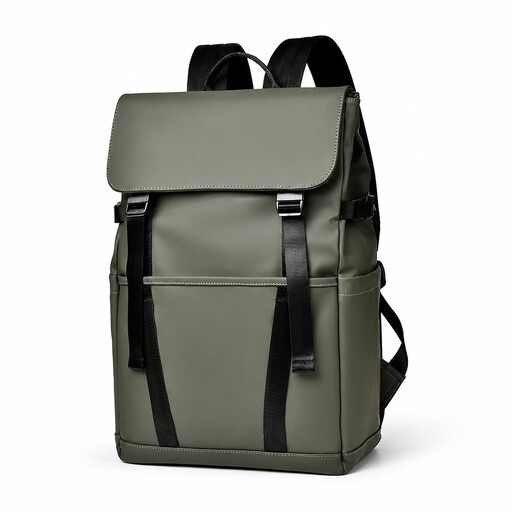
Why this choice suits this profile: This model is ideal for students and users looking for a versatile option for lectures, the office or daily commutes.
Its description mentions a multi-compartment design and water resistance. However, check the internal dimensions before ordering.
Multiple compartments, described as water-resistant, luggage strap and scratch protection according to the listing.
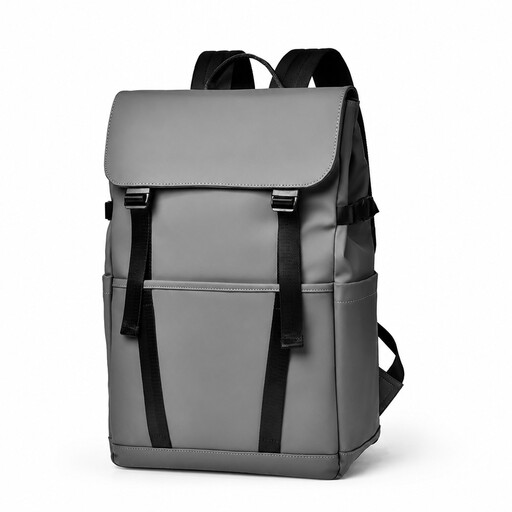
Why this choice suits this profile: Its work, study and travel focus is designed for those who juggle meetings, commutes and trips with a suitcase.
The advertised trolley strap meets the needs of station and airport journeys, without forcing you to use a single awkward pocket.
Multi-functional organisation, compartment stated for a 15.6-inch laptop, trolley strap and exterior described as scratch-resistant.
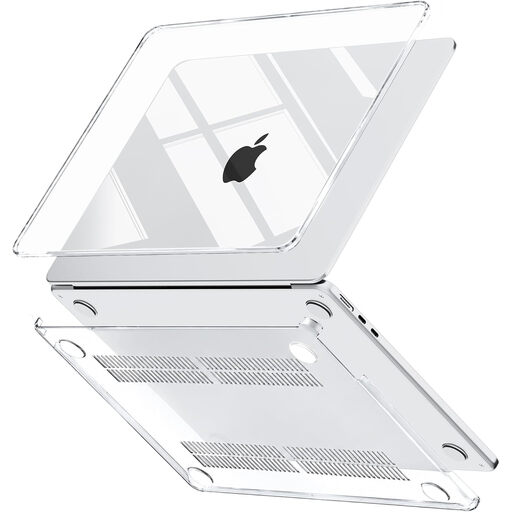
Why this choice suits this profile: This case is aimed at users who also carry a 13.6-inch laptop and want to add extra protection inside their main bag.
It reminds you that a padded bag does not always replace dedicated protection. This case is not compatible with a 15.6-inch laptop – check the model carefully.
Hard shell stated as compatible with certain 13.6-inch models and designed to minimise scratches and minor knocks.
We have put together a comprehensive, real-time updated selection of products that meet these demanding criteria as well as European safety standards.
No. The diagonal measurement is only a general guide. Compare the width, height and depth of your laptop with the internal dimensions of the compartment. Also take into account the thickness of any protective sleeve you use.
It depends on the weight you carry, how often you use it, exposure to rain and the quality of the stitching. Avoid overloading it, place heavy items close to your back and clean the fabric following the manufacturer's instructions. A zip that catches or a stitch that starts to come undone should be checked promptly.
Place the laptop in its padded compartment, close all pockets and use a rain cover for longer journeys. The term "water resistant" is not enough to guarantee protection against immersion or heavy rain.