
Livraison le jour même ou le lendemain

Qualité garantie

Débloquez vos offres de bienvenue: Livraison GRATUITE | Jusqu'à -80 % | 30 jours d'essai gratuits à JoyPlus
Téléchargez l'application
Choosing a new gaming monitor can quickly become a headache. Between the jungle of spec sheets, refresh rates, response times, panel types, and connectivity options, it's easy to get lost in marketing jargon.
Our mission: to help you see things more clearly. This no-nonsense guide is designed to demystify the essential features, empower you to make an informed decision, and present a curated selection of monitors for every type of gamer and budget.
Before diving into our selection, let's review the fundamentals to understand what makes a great gaming monitor.
The refresh rate, measured in Hertz (Hz), indicates how many frames the screen can display per second. A 144?Hz gaming monitor is now the standard for a truly fluid gaming experience, offering motion clarity that is worlds apart from traditional 60?Hz screens. For competitive players, a 180?Hz WQHD monitor or higher provides a real competitive edge.
Response time, measured in milliseconds (ms), is just as crucial. A 1?ms monitor reduces the ghosting effect to ensure that fast-paced movements remain perfectly sharp. AMD FreeSync technology synchronises the monitor with your graphics card to eliminate screen tearing and deliver flawless fluidity.
The combination of size and resolution determines image sharpness. A 27-inch gaming monitor with WQHD (2560x1440) resolution is today's sweet spot, offering an excellent balance between visual comfort, detail level, and the power required from your graphics card.
For maximum immersion, a curved PC monitor wraps around your natural field of view, while an ultrawide gaming monitor provides expanded screen real estate, which is especially beneficial in simulation or strategy games.
A modern monitor can be much more than just a display. Features like a built-in monitor with KVM and USB-C transform your screen into a true docking station. The KVM switch allows you to control a desktop PC and a laptop with the same keyboard and mouse, while the USB-C port can handle display, data transfer, and device charging with a single cable.
Console gamers should look for a 120?Hz monitor for PS5, as many high-refresh-rate PC monitors are compatible and allow you to take full advantage of the performance modes on next-gen consoles.
We've selected a few gems that stand out for their performance and market positioning, catering to different types of gamers.
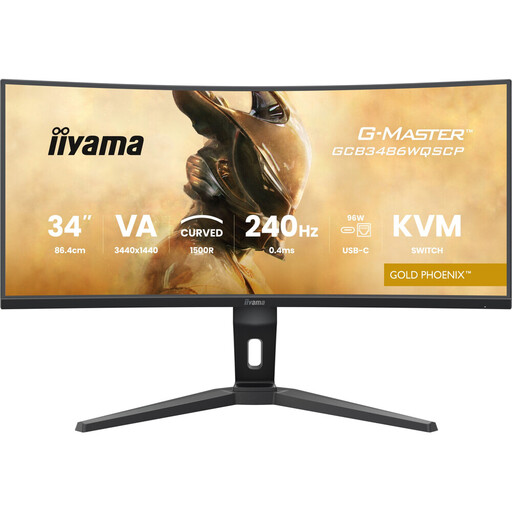
Why it stands out: This iiyama monitor is a versatility powerhouse. It combines an ultra-immersive gaming experience, thanks to its 34-inch ultrawide QHD panel and 240?Hz refresh rate, with cutting-edge productivity features. Its KVM switch and 95W USB-C docking station make it a powerful work tool that transforms into a gaming beast after hours.
Pros:
Who is it for?: The demanding professional, creator, or gamer who uses a single desk for both work and play. It's the ultimate all-in-one solution, blending immersion and productivity without compromise.
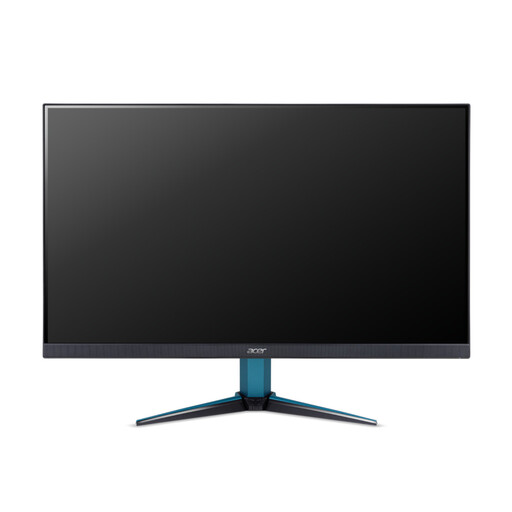
Why it stands out: The Acer Nitro VG271UM3 is the sensible choice—a well-balanced model that checks all the important boxes for the modern PC gamer. Its 27-inchWQHD format delivers a sharp, detailed image, while its 180?Hz refresh rate provides fluidity a step above the 144?Hz standard. Its IPS panel ensures accurate colours and wide viewing angles.
Pros:
Who is it for?: The versatile PC gamer looking for a high-performance monitor for all game genres, from competitive FPS titles to grand narrative adventures. Its price-to-performance ratio is particularly aggressive.
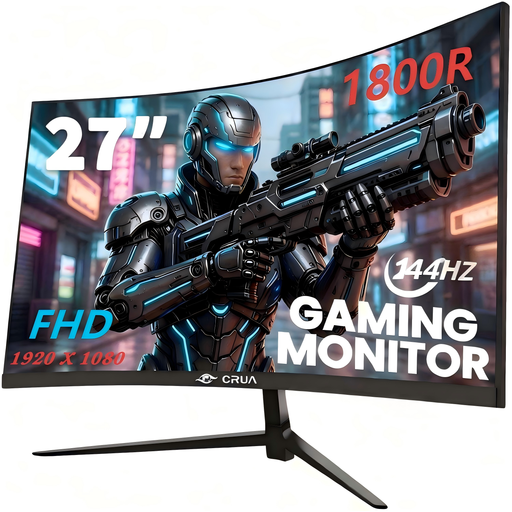
Why it stands out: This CRUA monitor is an excellent entry point into high-refresh-rate gaming. It delivers the essentials you'd expect from a good gaming display: a 144?Hz refresh rate, a curved panel for immersion, and AMD FreeSync compatibility. All of this comes in a popular 27-inch format at a very competitive price point.
Pros:
Who is it for?: The gamer who wants to finally upgrade from a 60?Hz screen to a 144?Hz monitor without breaking the bank. It's especially well-suited for esports titles (like Valorant or CS:GO) where fluidity takes precedence over resolution.
Our selection is, of course, just a glimpse of what's available. If you're looking for a specific size, resolution, or feature not presented here, feel free to explore our full catalogue. You'll find a much wider selection of monitors suited for every need.
Discover our entire range of gaming monitors.
A 144?Hz monitor displays 144 frames per second, offering a spectacular leap in fluidity compared to a 60?Hz screen. A 240?Hz monitor pushes that smoothness even further. This difference is most noticeable to high-level players in very fast-paced games where every millisecond counts. For the majority of gamers, a 144?Hz or 180?Hz monitor already provides an excellent gaming experience.
Yes, most recent 144?Hz monitors are compatible. The PS5 can output a 120?Hz video signal, and many PC monitors can receive this signal through their HDMI port. This makes them a great 120?Hz monitor for PS5, allowing you to enjoy the "Performance" modes in compatible games. A word of advice: simply check the monitor's spec sheet to confirm it supports 120?Hz over HDMI.
AMD FreeSync technology (or its NVIDIA equivalent, G-Sync) is highly recommended. It synchronises the monitor's refresh rate with the frame rate generated by your graphics card. This process eliminates screen tearing and micro-stuttering, which occur when the two are out of sync. The result is a perfectly stable image and a much more enjoyable gaming experience.