
Livraison le jour même ou le lendemain

Qualité garantie

Débloquez vos offres de bienvenue: Livraison GRATUITE | Jusqu'à -80 % | 30 jours d'essai gratuits à JoyPlus
Téléchargez l'application
The tablet market is flooded with options, and choosing the right model can quickly become overwhelming. The new 13-inch iPad Air, powered by its M3 chip, is catching the eye of many. But is it truly the right choice for you? As the head of product selection at Joybuy, my job is to decode the spec sheets for you, looking beyond the marketing hype. To avoid any buyer's remorse, let's review the common pitfalls to sidestep before you pull out your credit card.
To make the right choice, focus on the features that truly matter in daily use. Here are the three points that will make the difference on this 2025 iPad Air.
The M3 chip is at the heart of this new iPad Air. In practice, it delivers improved graphics performance and power efficiency compared to previous generations. For everyday use (browsing, email, streaming), the improvement won't be immediately obvious. However, if you're a creative using video editing, photo retouching, or digital drawing apps, the smoothness and speed of the M3 chip is a game-changer and justifies the investment. It also guarantees a future-proof tablet, capable of handling future iPadOS updates without breaking a sweat.
The big news for this generation is the arrival of a 13-inch screen size. This larger display is a radical game-changer. For students, it allows for two apps to be displayed side-by-side (Split View) very comfortably, like a video lecture and a note-taking app. For creatives, it's a much more generous canvas to work on. And for entertainment, immersion is greatly enhanced for movies and TV shows. The Liquid Retina technology ensures accurate colours and good brightness, but it's not an OLED or mini-LED panel like on the Pro models. This is a logical trade-off to maintain a more accessible price for the 2025 iPad Air.
Good news: Apple is finally making the 128GB iPad Air its base capacity. For many users, this is the ideal compromise. This capacity is enough to install dozens of apps, store thousands of photos, and keep important documents. If you primarily use online storage services (iCloud, Google Drive) and don't download large media files, 128GB will be more than sufficient. However, for heavy gamers, videographers, or those who like to store their movies locally, the 256GB option is a wise precaution to avoid feeling constrained in the long run.
To help you decide, here are a few recommendations based on different use-case scenarios.
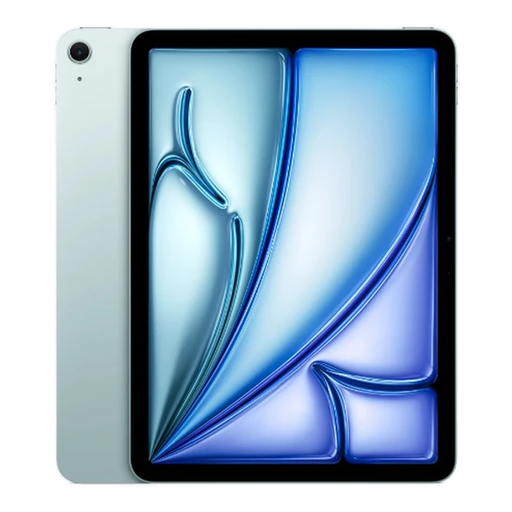
Why it's the right choice: This tablet offers the perfect compromise between a large, comfortable screen and solid computing power. It's ideal for note-taking, Split View multitasking, and getting started with creative apps, without the Pro-level price tag.
It skips the often superfluous "Pro" features (ProMotion, LiDAR) to focus on the essentials: a large screen and the power of the M3 chip. The 128GB of storage is an excellent starting point for mixed local/cloud usage.
Large, immersive 13-inch screen; Powerful M3 chip, ensuring smoothness and longevity.
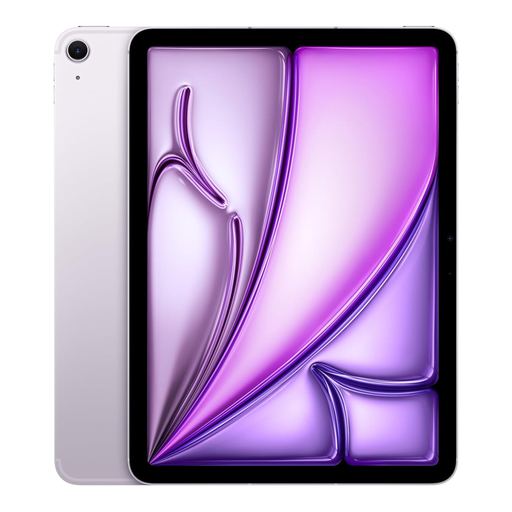
Why it's the right choice: For those who make portability and connectivity an absolute priority. The more compact 11-inch format is a great ally for travel, 5G ensures a constant connection, and the 512GB of storage lets you store massive files without relying on the cloud.
With 512GB, it immediately eliminates the risk of insufficient storage. 5G connectivity frees you from dependency on Wi-Fi networks, a decisive advantage for mobile professionals.
Maximum portability; 5G connectivity for seamless productivity; Vast storage for large files.
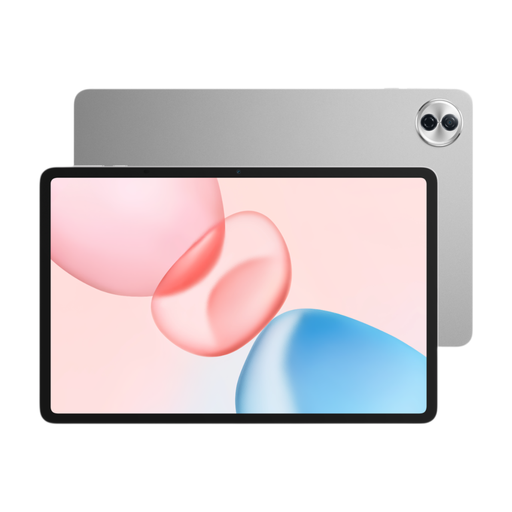
Why it's the right choice: The perfect solution for anyone seeking a large screen for streaming, web browsing, and everyday apps, without paying the premium for the Apple ecosystem. It offers a similar screen size and comfortable storage on a much tighter budget.
It sidesteps the high price of the Apple ecosystem by offering a very compelling Android alternative. Its 256GB of storage sets it apart from entry-level tablets, which are often limited in this area.
Excellent screen size-to-price ratio; Generous 256GB of storage, rare at this price point.
We have curated a complete range of products for you that meet our demanding selection criteria as well as French safety standards.
The answers to your most common questions.
Yes, the new 13-inch iPad Air is fully compatible with the brand's latest accessories, including the Apple Pencil Pro and the Magic Keyboard. This allows you to transform the tablet into a true workstation. Be aware, however, that these accessories are sold separately and represent a significant extra cost to factor into your budget.
For a student who relies heavily on the cloud (iCloud, Google Drive, etc.) for their documents and doesn't store large files locally, 128GB can be sufficient. However, if you plan to install demanding software, download video lectures for offline viewing, or play large games, you might run out of space quickly. In that scenario, opting for 256GB is a wiser long-term investment. This review of the iPad Air M3 therefore depends entirely on your usage habits.
The M3 chip brings a notable boost in graphics performance and efficiency for the Neural Engine (the AI-dedicated processor). For daily use, the difference compared to an M1 or M2 chip is not revolutionary. However, for creatives who juggle 4K video editing, RAW photo retouching, or drawing on complex files (with many layers), the fluidity and export speeds offered by the M3 translate into a tangible time-saver and a much smoother experience.