
Livraison le jour même ou le lendemain

Qualité garantie

Débloquez vos offres de bienvenue: Livraison GRATUITE | Jusqu'à -80 % | 30 jours d'essai gratuits à JoyPlus
Téléchargez l'application
Does the “Storage Space Running Out” notification look familiar? Whether on a smartphone, camera, or gaming console, running out of space is a frustration we all know. A 128GB microSD card often represents the ideal compromise between capacity and price, letting you free up space without breaking the bank.
The only problem: the market is a jungle of models with often cryptic acronyms: U3, V30, A2... Don't panic. This guide is here to decode the jargon and present our selection of the best cards, so you can make an informed choice that’s perfectly suited to your devices and needs.
Before you jump on the first deal you see, it's essential to understand a few technical criteria that determine a card's performance.
Speed is the number one criterion, especially for video recording and transferring large files. There are two indicators to keep a close eye on:
U containing a number (1 or 3). A U1 card guarantees a minimum write speed of 10 MB/s, which is sufficient for Full HD video. A U3 card ensures at least 30 MB/s, which is essential for a microSD card for 4K video, guaranteeing smooth recording with no dropped frames.V followed by a number (V10, V30, V60, V90). This more recent classification is even more relevant for video. A V10 card corresponds to a minimum write speed of 10 MB/s (similar to U1), while a V30 card guarantees 30 MB/s (similar to U3).For versatile use, a U3/V30 card is a future-proof choice that will offer you more flexibility for your future devices.
If you plan to use your microSD card in a smartphone or tablet to install apps, the Application Performance Class (A) becomes a crucial criterion.
128GB cards use the microSDXC (eXtended Capacity) format. Make sure your device (smartphone, camera memory card, drone, etc.) is compatible with this format. Most recent devices are, but a quick look at the user manual or online spec sheet will save you from any unpleasant surprises.
Many cards are sold with an SD adapter, making them usable in larger cameras or computer card readers. It's a handy little extra that greatly increases their versatility.
Here are the models that caught our eye, each standing out for its performance and price point.
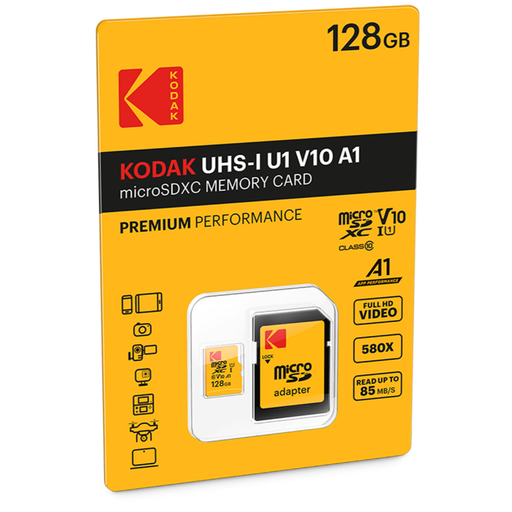
Its Market Position This Kodak card is a simple, reliable, and highly affordable solution for everyday needs. It offers a comfortable 128GB capacity for storing photos, music, and Full HD videos.
Key Features
Who is it for? For those simply looking to expand their smartphone or tablet storage for photos, Full HD videos, and lightweight apps. An excellent, no-frills value for the capacity.
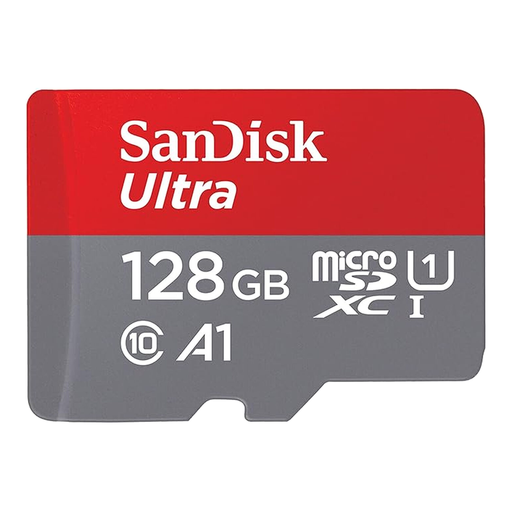
Its Market Position The SanDisk Ultra line is a classic choice, renowned for its reliability and excellent balance. This model stands out with a very comfortable read speed, which greatly accelerates file transfers to a computer.
Key Features
Who is it for? This is the quintessential all-rounder. Ideal for Android smartphone users who want to store Full HD media, run apps without slowdowns, and, most importantly, transfer their files at top speed.
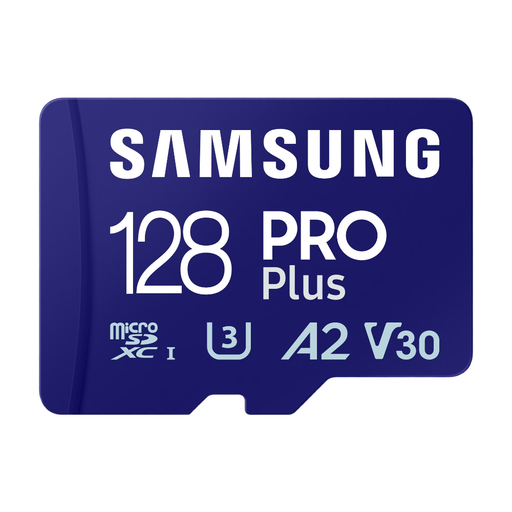
Its Market Position Here, we're moving upmarket. The Samsung PRO Plus is built for pure performance. With impressive read and write speeds and its A2 certification, it's ready for the most demanding uses.
Key Features
Who is it for? For content creators, videographers with drones or action cameras, and gamers on handheld consoles (Switch, Steam Deck...) or smartphones. This is THE card to choose if you need a U3 V30 microSD card to shoot in 4K without compromise and the responsiveness of the A2 standard for your apps and games.
If these models don't exactly match what you need, or if you're looking for a different capacity (more or less than 128GB) or a specific accessory, feel free to explore our full catalogue.
? Discover our full range of memory cards and SD adapters
The difference lies in the guaranteed minimum write speed. A U1 card guarantees at least 10 MB/s, which is sufficient for recording Full HD (1080p) video. A U3 card guarantees at least 30 MB/s, a speed that is essential for shooting smooth and reliable 4K video.
This classification measures the card's performance when running applications. An A1 card offers baseline performance for apps stored on it. An A2 card offers significantly superior performance, with reduced loading times and better responsiveness, making it ideal for games and demanding apps on a smartphone or console.
No, you must check that your device is compatible with the microSDXC standard. Older devices may be limited to the SDHC standard (up to 32GB). While most recent smartphones, tablets, and cameras are compatible, checking the manual or spec sheet is the best way to avoid any issues.